A few years ago, text-to-video outputs were easy to spot. Motion felt off, visuals broke quickly, and most results were closer to demos than usable content. That gap has narrowed fast. Today, some AI-generated videos are good enough that you pause before deciding whether they were created by a tool or a camera.
Platforms like Runway ML are a big reason for that shift.
They’ve pushed AI video beyond novelty and into something teams can actually work with. But do they work for marketers building an AI video ad workflow? This review looks at where Runway ML genuinely helps, where it still falls short, and how much it will cost you.
What is Runway ML, and its Key Features
Runway ML is a browser-based creative suite built around AI video generation and AI-assisted editing. Marketers usually come to it for text-to-video or image-to-video. It also handles the unglamorous parts of production like removing backgrounds, fixing shots, extending clips, and building repeatable workflows for teams. It’s closer to a “video workstation with AI inside” than a single generator you use once and export.
If you’re evaluating it for marketing work, it helps to think in terms of two layers: generation (making new footage from prompts or references) and editing (turning imperfect footage into something usable without rebuilding the whole edit).
1) Text-to-Video and Image-to-Video Generation (Runway’s headline capability)
Runway’s core value for marketers is speed-to-visual. You can move from “we need a concept for this hook” to a clip you can judge in minutes, not days.
Text-to-video is useful when you’re exploring direction from scratch: mood, lighting, camera style, genre, setting, and pacing. Image-to-video adds a level of control because you can anchor the first frame, product shot, key visual, or storyboard frame, then generate motion around it.
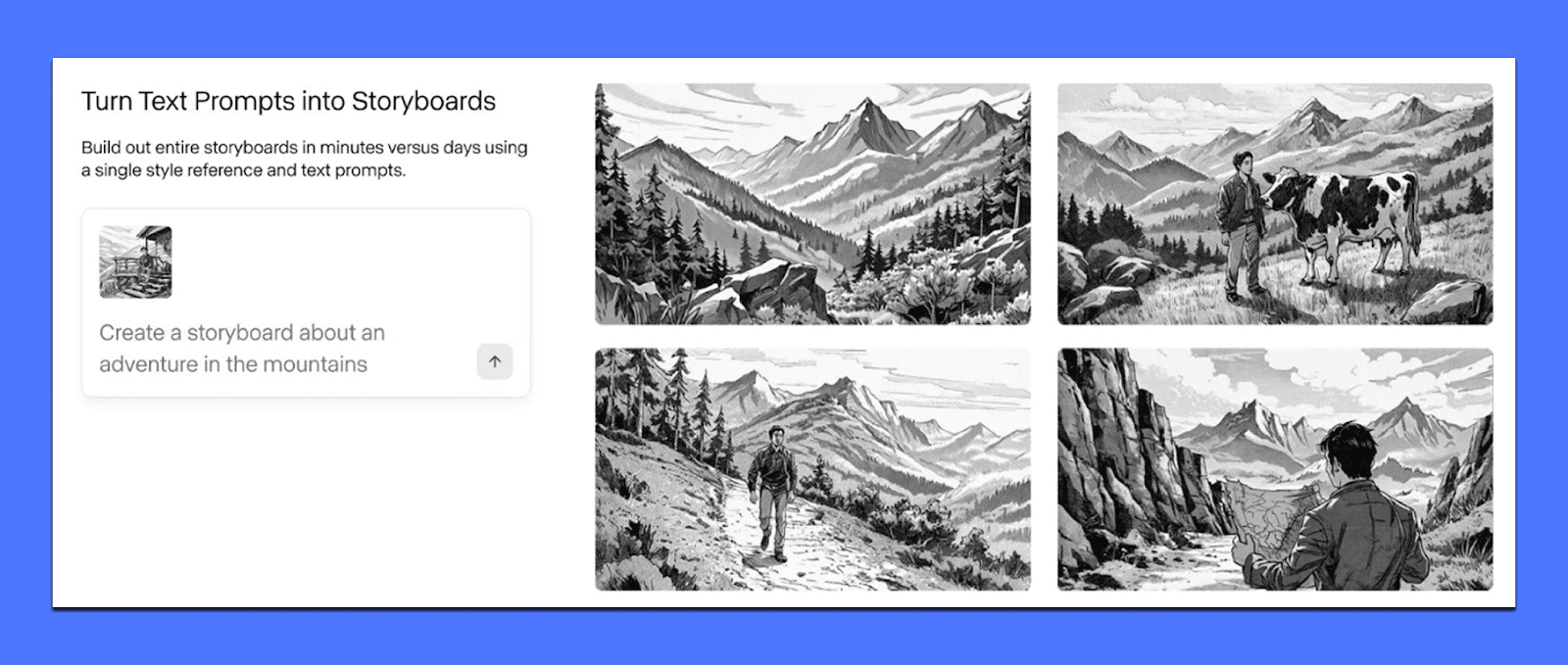
You can use it for:
Establishing shots that set a vibe for a product world (city at night, minimal studio light, warm kitchen, gym floor reflections).
Stylized B-roll that you’d otherwise buy as stock, except you want a very specific aesthetic.
Generating variations for testing when you want five directions for the same hook.
The consistency you get depends on how you prompt and how complex the scene is. Simple motion, clear subjects, and one main action tend to behave better than crowded scenes with multiple characters, fast cuts, or precise choreography.
2) “Fix it in post” tools marketers actually use
A big reason Runway stands out is that it doesn’t stop after generation. It’s packed with video manipulation tools that solve the stuff that makes editors sigh. These are the features that can save hours because they reduce the need for manual frame-by-frame work.
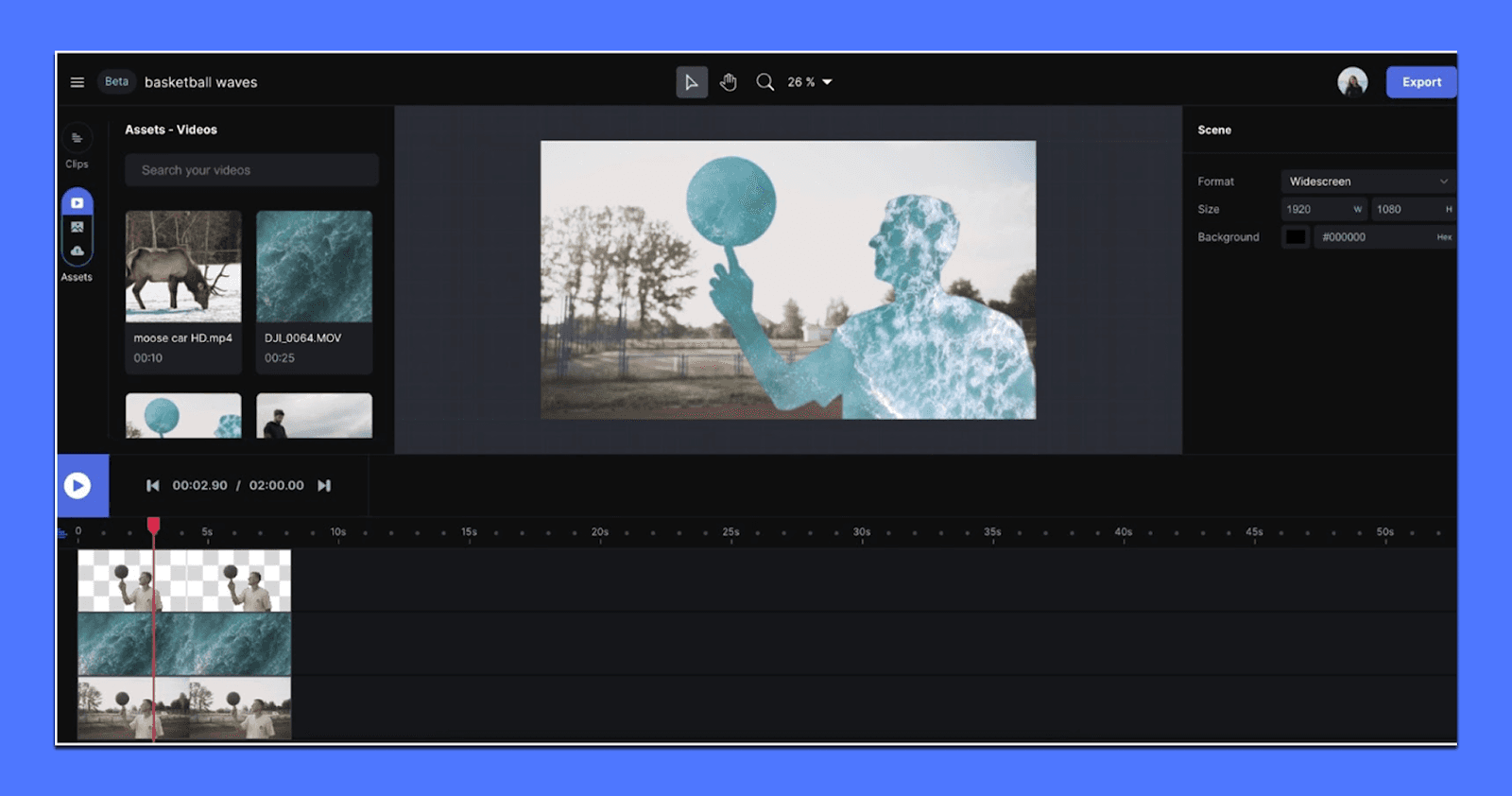
Here are the ones that show up most in marketing tasks:
Background removal / green screen effects without needing a perfect setup. This is useful for creator clips, product demos, and talking-head footage where you want a cleaner setting, a branded environment, or a consistent background across a campaign.
Object removal (inpainting) for quick cleanup: a logo you can’t show, a random person in the background, a distracting element that ruins an otherwise solid shot. It’s not magic in every frame, but when it works, it turns “reshoot” into “fixed.”
Scene expansion/reframing helps when you have footage that doesn’t fit the placement you need. This matters for teams repurposing content across TikTok/Reels/Shorts and paid placements that require different aspect ratios.
This is where Runway becomes very marketer-friendly: it makes average footage more usable, which matters when you’re working with UGC, influencer edits, founder videos, or legacy brand assets.
3) Lip sync, audio tools, and fast iteration for ads
Runway also includes tools that help you prototype narratives quickly, especially for short-form ads where pacing and clarity matter more than perfect cinema.
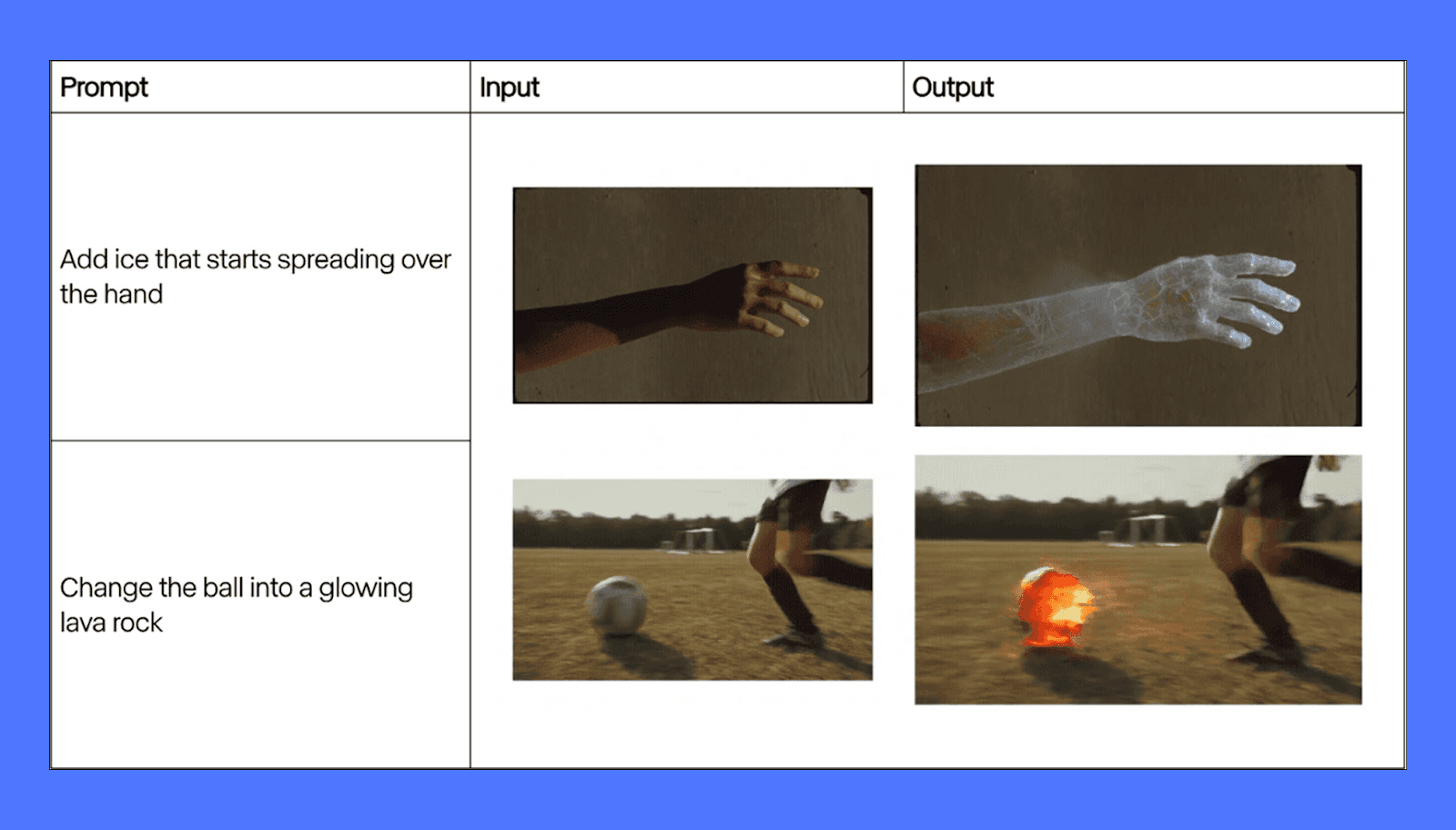
Lip sync is one of the fastest production multipliers. You can take an existing video, pair it with new audio, and test a different script angle without refilming. That’s useful for:
Founder-led ads where the message changes weekly.
Localization tests where the same creative needs multiple languages.
Rapid iteration on hook lines while keeping the same visuals.
Runway also supports generative audio options in parts of the workflow, and even when you don’t ship the audio it creates, having rough dialogue or ambient sound attached to a clip can speed up internal review. Stakeholders react faster when the idea feels like a real ad, not a rough draft.
Where Runway ML Falls Short for Marketers
Runway ML is powerful, but it was not designed with performance marketing as the primary use case. Most of its limitations show up when you move past experimentation and try to use it inside real marketing workflows—where speed, consistency, and scale matter more than creative novelty.
1. Iteration Is Expensive (in Time, Credits, and Focus)
Runway’s credit-based system changes how teams work, often in unhelpful ways. Every generation, re-render, extension, or upscale consumes credits, which makes experimentation feel risky instead of fluid. You test hooks, pacing, framing, and formats repeatedly until something works.
In Runway, that loop is slow and mentally taxing. You generate, wait, review, tweak the prompt, wait again, and hope the next output is closer. Small adjustments like changing camera distance or tightening motion usually require a full re-generation. Over time, teams start limiting experimentation not because ideas are exhausted, but because credits are.
The result is fewer variations, less creative breadth, and a tendency to “settle” for good-enough outputs instead of pushing toward what actually performs.
2. Control Breaks Down in Marketing-Style Scenes
Runway performs best with abstract visuals, cinematic establishing shots, or artistic motion. Where it struggles is in the kind of scenes marketers rely on every day: product interactions, people using products, UI moments, or sequences that require repeatable structure.
As complexity increases, control decreases. Human motion can drift. Object placement subtly changes. Faces and hands remain unreliable under scrutiny. Maintaining consistency across multiple clips, especially when stitching ads together, becomes difficult fast.
This is manageable for one-off visuals, but painful for ads that need to:
Match a brand’s visual system
Follow predictable pacing
Be remixed across video ad formats (9:16, 1:1, 16:9)
Scale into dozens of variants
Runway gives you impressive clips, but not predictable building blocks. For marketers, predictability is often more valuable than raw visual quality.
3. It Generates Clips, Not Campaigns
The biggest limitation is structural: Runway is not an ad system. It doesn’t understand campaigns, testing frameworks, or performance feedback. It has no concept of personas, angles, hooks, or messaging strategy. Everything starts from scratch, every time.
There’s no native way to:
Systematically test variations against a core idea
Track which creative directions are winning
Update ads based on performance without rebuilding
Manage volume across weeks or months
That means Runway almost always sits alongside other tools like editors, spreadsheets, ad platforms, and review layers. The overhead compounds quickly. What looks fast in isolation becomes slow at scale.
For performance teams, the real bottleneck isn’t generating a video. It’s generating enough of the right videos, consistently, without burning time or budget. Runway doesn’t solve that problem on its own.
It’s best used as a supporting tool, and not the system that actually drives creative velocity or performance at scale.
Runway ML Pricing (Yearly Plans)
Runway uses a credit-based pricing model, and how expensive it feels depends entirely on how often you generate video. Credits refresh monthly on annual plans, but video generation burns through them quickly.
Free tier: You get 125 one-time credits (about 25 seconds of short-form generation), watermarked exports, limited storage, and no Gen-4 video. Useful for testing quality, not for real work.
Standard ($144/user/year): Includes 625 credits per month, watermark-free exports, upscaling, workflows, and access to all models. This supports roughly 25–50 seconds of high-quality video per month once iteration is factored in. Good for occasional creative experiments, not volume.
Pro ($336/user/year): Offers 2,250 credits monthly, more storage, custom voices, and higher team limits. This is the first tier that works for agencies or in-house teams doing regular testing, though credits still need careful management.
Unlimited ($912/user/year): Unlimited generation applies only in slower Explore mode. Standard usage still relies on credits, making this better for creative exploration than fast ad production.
They also offer custom plans for enterprise clients where you can add SSO, security controls, analytics, and custom credit pools.
Runway pricing favors selective, high-impact use. It’s powerful, but not built for high-volume ad iteration without rising costs.
Use Airpost to Turn AI Video Into Ads That Actually Perform
Runway helps you generate and manipulate footage, but it doesn’t solve the part that usually determines whether an ad performs: the strategy, the video hook, the angle, and the volume of variants you need to test before you find a winner. That’s where teams often get stuck. You can make “cool” videos all day and still ship ads that don’t convert.
That's where Airpost can help.
It's a hybrid creative platform where AI handles production and human strategists focus on what actually drives results. Airpost delivers done-for-you video ads each week, built around a living brief that evolves as your team learns what works.
With Airpost, teams can:
Get 10–30 done-for-you video ads per week without creative burnout
Test multiple hooks, angles, and formats in parallel
Iterate on winning ads quickly instead of starting over
Blend real footage, existing assets, and AI-generated video so ads don't look synthetic
Airpost's proprietary ad taxonomy categorizes every creative by format, hook type, angle, and performance patterns, so your team always has a clear picture of what's driving results and what to test next.
Book a demo with Airpost to launch winning ads faster.



