AI has made it ridiculously easy to create video. The hard part now is keeping up with the platforms that consume it. TikTok, Reels, Shorts, and LinkedIn all prioritize short-form, and their algorithms are always looking for new content. One long video a week is not a content strategy anymore. You need to break it into five, ten, and fifteen pieces that each stand on their own. That is exactly what AI clipping tools are for, and picking the right one decides whether this process takes minutes or becomes another bottleneck.
We looked at 4 AI clipping tools and broke down what each one costs, what it does well, and where it can fall short.
1. OpusClip
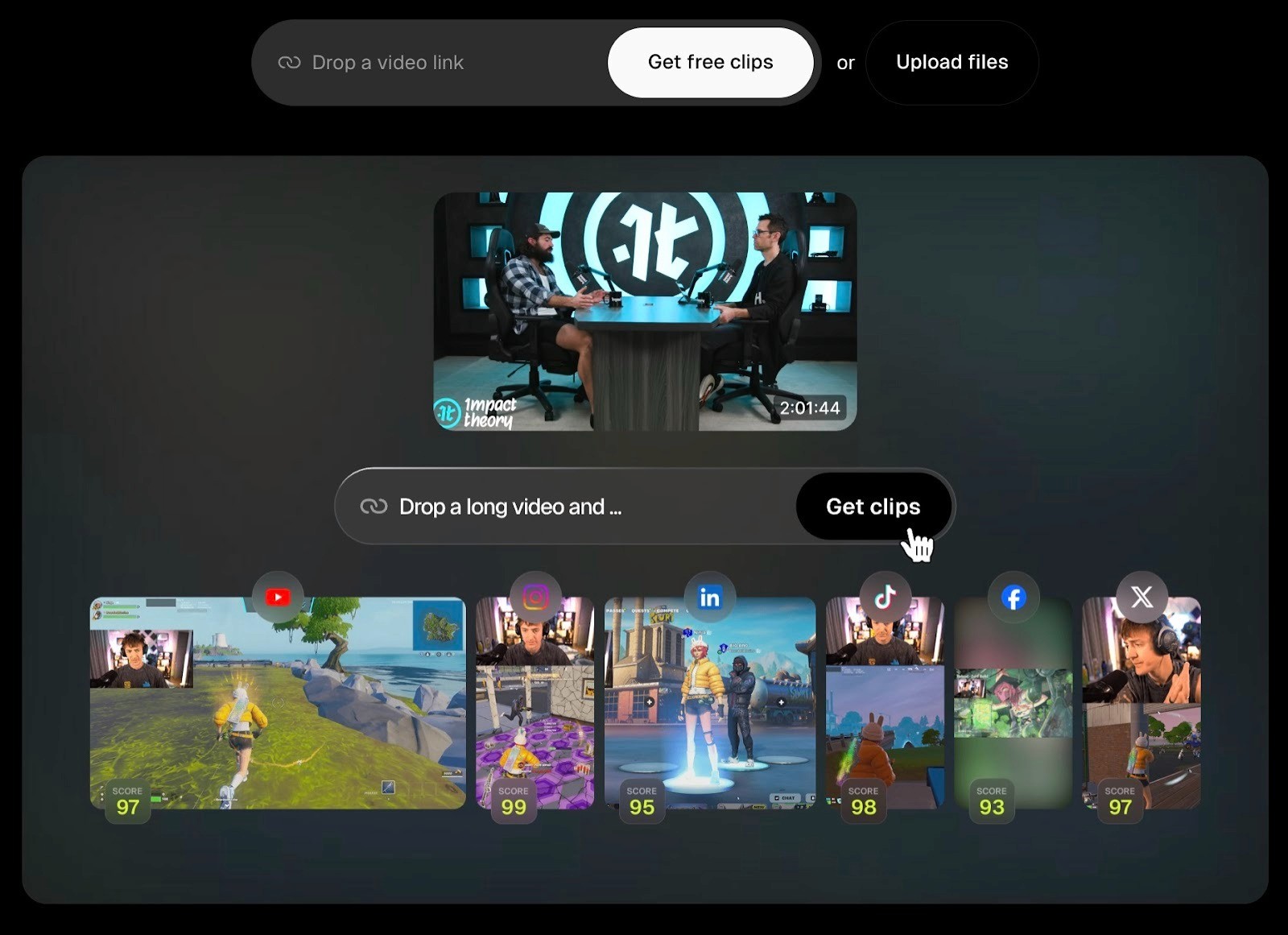
OpusClip takes a long video and automatically cuts it into multiple short clips ready for social media. You can paste a YouTube link or upload a file, and the AI handles the rest, finding highlights, adding captions, and reframing for vertical videos.
Key Features
ClipAnything analyzes audio, visuals, and sentiment together to find clip-worthy moments
Each clip gets a Virality Score from 0 to 100 to help you decide what to post first
Auto-inserts AI-generated B-roll to break up talking-head footage
Animated captions with keyword highlights and emoji support
Auto-reframes landscape video into vertical, square, or horizontal formats
Built-in social scheduler for TikTok, YouTube, Instagram, LinkedIn, and X
Export projects as XML timelines to Premiere Pro and DaVinci Resolve
Brand templates for consistent logos, fonts, and colors across clips
Pricing
OpusClip uses a credit system where one credit equals one minute of source video. A 45-minute podcast costs 45 credits regardless of how many clips the AI generates from it. There is a free plan, but it is quite limited.
Free: 60 credits per month, watermarked exports, clips accessible for only 3 days
Starter ($15/month): 150 credits, no watermark, 1 brand template, Virality Score access
Pro ($29/month): 300+ credits, social scheduler, team workspaces, multi-aspect ratio export, B-roll generation, XML export to Premiere and DaVinci
Business: Custom pricing with API access and enterprise features
Where OpusClip Falls Short
The Virality Score sounds useful in theory, but in practice, it is a black box. You cannot see exactly how the AI decides what is "viral," and the picks do not always match what actually performs well for your specific audience. Expect to discard or re-edit around 20 to 40 percent of what the AI generates. The built-in editor handles basic trims and caption tweaks, but anything beyond that will push you into a separate editing tool.
2. VEED
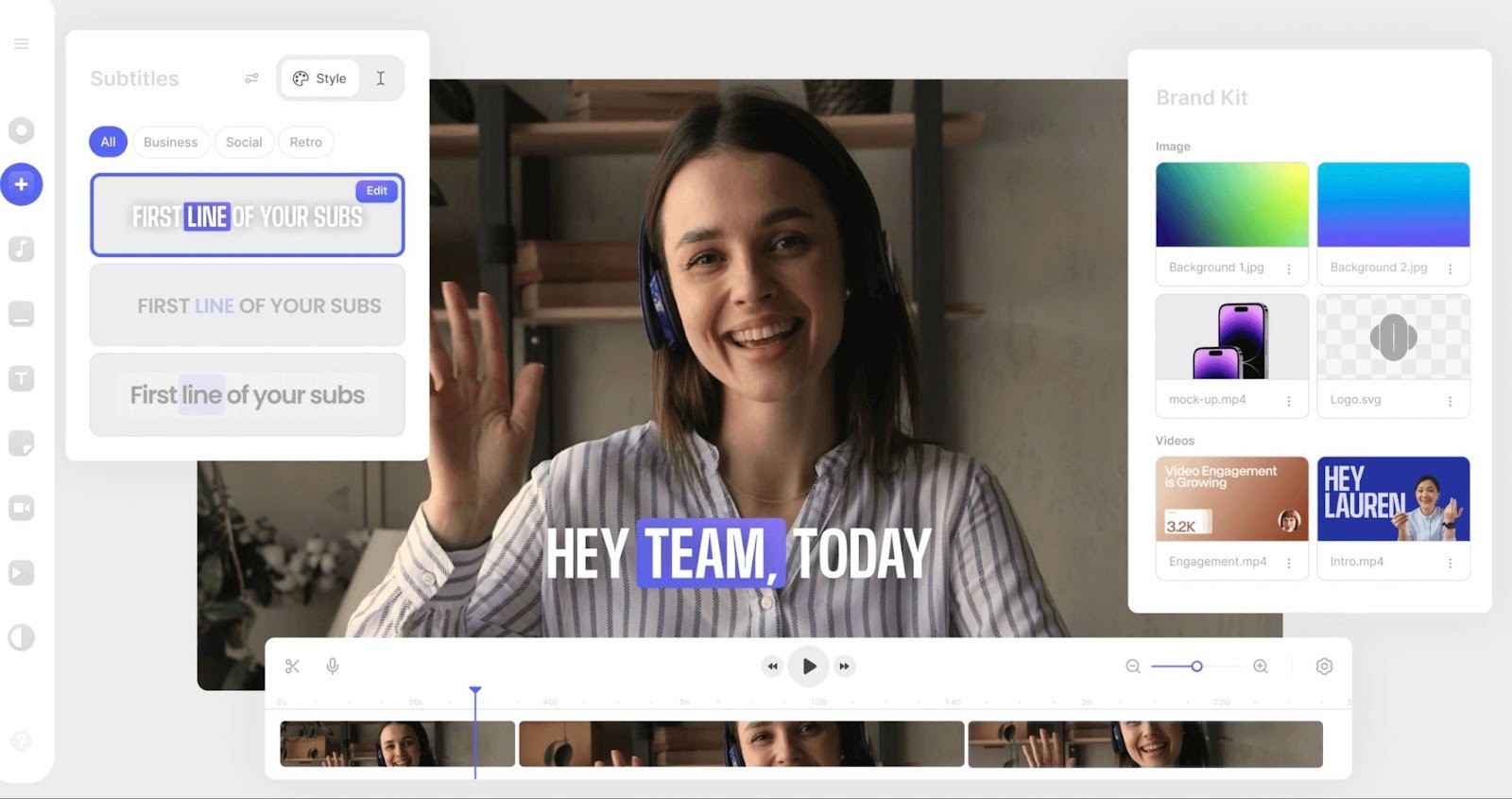
VEED is an all-in-one browser-based video editor that has an AI Clips feature. You upload a video, and VEED identifies the best moments, generates short clips with captions, and lets you resize for any platform. The difference from a dedicated clipping tool is that you get a full editing suite around it, so you can do everything in one place without switching apps.
Key Features
AI Clips detects highlights and generates short clips from longer videos
Magic Cut removes filler words like "um" and "uh" automatically
Auto-subtitles in 125+ languages with customizable styling
Eye contact correction that adjusts gaze to look directly at camera
One-click auto-resize for TikTok, Reels, Shorts, and LinkedIn formats
Built-in stock library with over 2 million royalty-free clips and audio tracks
Team collaboration with timestamped comments and shared project access
Brand kit for consistent fonts, colors, and logos across videos
AI avatars and text-to-speech for creating videos without recording
Pricing
VEED uses a per-editor pricing model. The free plan lets you test things out, but exports are watermarked at 720p with a 10-minute video limit. The real value starts at Lite, and most of the AI tools are locked behind Pro.
Free: 720p exports with watermark, 10-minute video limit, 2GB storage
Lite ($12/month billed annually): 1080p exports, no watermark, 144 hours per year of auto-subtitles, full stock library access, basic brand kit
Pro ($24/month billed annually): All AI tools, including Magic Cut, Eye Contact, AI Clips, subtitle translation to 50+ languages, 4K exports, full brand kit, 500GB storage, up to 5 editors
Enterprise: Custom pricing with SSO, custom AI avatars, multiple brand kits, and priority support
Where VEED Falls Short
The clip detection works reasonably well for talking-head content, but it is not built around a "repurpose at scale" pipeline. Performance can also slow down with longer or high-resolution projects since everything runs in the browser. There have been lags, buffering, and occasional export errors when working with videos over 30 minutes. Teams running paid social campaigns at scale will likely outgrow it quickly.
The gap between Lite and Pro is also worth noting. Most of the features that actually save time, like Magic Cut, Eye Contact, and AI Clips, are only available on Pro at $24 per month.
3. Riverside Magic Clips
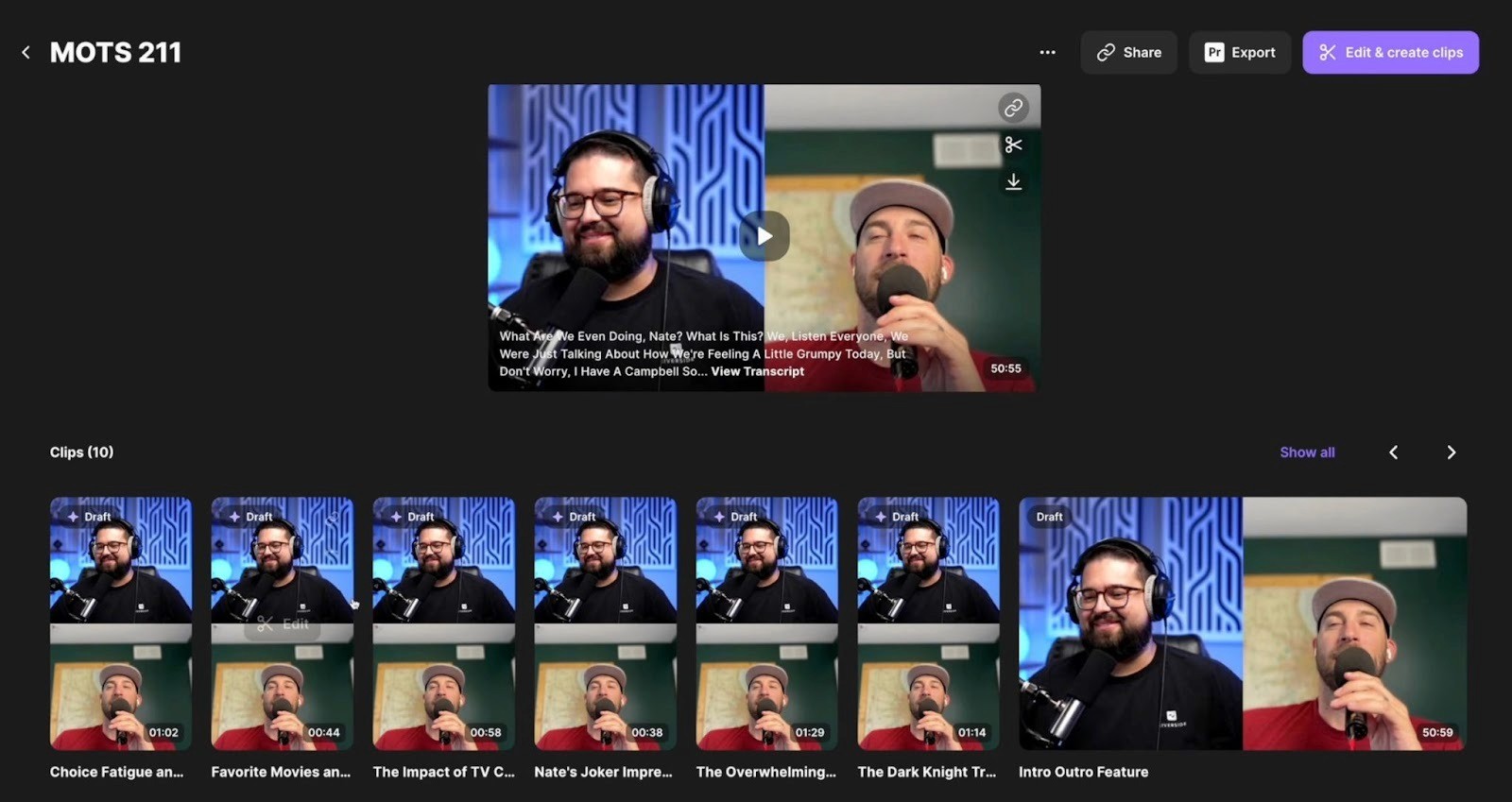
Riverside is a recording platform first. It captures studio-quality audio and video with separate tracks for each participant, which makes it popular with podcasters and interviewers. Magic Clips is the AI clipping feature built on top of that. After you finish recording, you click one button, and the AI scans your transcript to find the best moments and turns them into short clips with captions and platform-ready formatting. The big advantage here is that if you already record in Riverside, your clips come from high-quality source files without any uploading or file transfers.
Key Features
AI identifies highlight moments from recordings and generates multiple clips automatically
Keyword-based clip generation lets you tell the AI what topics to focus on
Preset aspect ratios for TikTok, Reels, Shorts, and LinkedIn with one-click switching
Customizable animated captions with 99% accuracy in 100+ languages
Brand presets for layout, ratio, logo, and caption style saved for future use
Text-based video editor where you edit by deleting or rearranging words in the transcript
Separate audio and video tracks per participant for flexible post-production
Magic Audio cleans up background noise and enhances sound quality
AI-generated show notes and full transcriptions included
Pricing
Riverside Magic Clips is not sold separately. It comes included with every Riverside plan, even the free one. But the level of control and recording quality you get depends on which tier you are on. The free plan gives you access to Magic Clips, but recordings are watermarked and capped at 720p. The paid plans are really about unlocking better recording quality, more hours, and deeper customization for your clips.
Free ($0/month): 2 hours of separate track recording, 720p video, access to Magic Clips, watermarked exports, basic captions
Standard ($15/month billed annually): 5 hours of multi-track recording, 4K video, 48kHz audio, no watermark, text overlays, and image overlays
Pro ($24/month billed annually): 15 hours of multi-track recording, all Standard features plus Magic Audio, AI transcriptions in 100+ languages, customizable Magic Clips controls, AI voice generation, teleprompter, full brand kit, live chat support
Business (contact sales): Unlimited multi-track recording, production workspaces, team collaboration, advanced editing, priority support
Where Riverside Magic Clips Falls Short
The biggest limitation is that Magic Clips only works with content recorded inside Riverside. If you have a backlog of videos from Zoom, a camera, or YouTube, you cannot feed them into Magic Clips. That makes it a great fit if Riverside is already your recording tool, but not useful as a standalone clipping solution.
The AI's clip detection has also been inconsistent. It sometimes generates highlights with odd start and end points, or misses key moments entirely while surfacing less interesting segments. The editing tools for clips are decent for light adjustments, but limited compared to what dedicated clipping platforms offer. And if you are only interested in the clipping feature and do not need a recording platform, paying $15 to $24 per month for a tool where clipping is a secondary feature may not make sense.
4. Vizard
Vizard is an AI clipping tool that turns long videos into short, social-ready clips at scale. You upload a video or paste a YouTube link, and the AI transcribes it, detects speaker changes, finds highlight moments, and generates multiple clips with captions and vertical reframing. The whole process is designed to feel like a pipeline rather than a one-off edit, which makes it a better fit for creators and teams who clip content every week.
Key Features
AI clipping that identifies high-engagement moments based on transcript and visual analysis
Text-based editing, where you trim clips by editing the transcript directly
Speaker detection and auto-reframe that keeps the active speaker centered in vertical crops
Auto-subtitles and caption translation in 100+ languages
AI-generated emojis and B-roll to add visual variety to talking-head clips
Brand templates for consistent caption styles, logos, and colors across all clips
Built-in social scheduler for posting to TikTok, YouTube, Instagram, Facebook, and LinkedIn
Supports large files up to 4K and 6GB
Team collaboration with shared workspaces
Pricing
Vizard uses a credit system where one credit equals one minute of uploaded video. The free plan is functional enough to test the tool, but exports come with a watermark and are limited to 720p. Paid plans are billed annually and scale based on how many credits you need per year.
Free: 60 credits per month, 720p exports with watermark, 3-day storage, 1 social media account
Creator ($14.50/month billed annually): Starting at 7,200 credits per year, 1080p exports, no watermark, brand templates, social scheduling, longer storage
Business ($19.50/month billed annually): Higher credit allotments, team features, priority support, API access
The credit slider on the pricing page lets you adjust your annual allotment up from the base, with the price increasing accordingly. This is useful if your usage is predictable, but it also means costs can climb quickly if you process a lot of long-form content.
Where Vizard Falls Short
Clips sometimes start or end at awkward points mid-sentence, which means you will need to manually adjust timings on a portion of what it generates. The editing tools are clean and easy to use, but they lack frame-level precision. If you need tight, exact cuts, you will feel the limitations. Credits can also burn fast. A single two-hour livestream eats 120 credits, and if you are processing several long videos per month, the base credit allotment on the Creator plan may not be enough.
Turn Clipped Content Into a Real Ad Strategy With Airpost
A lot of brands start by clipping long-form videos and running the best clips as paid ads on Meta and TikTok. It works for a while. But clipped content was never designed for performance marketing. You end up running the same recycled clips until performance drops. Running the same recycled clips is one of the fastest ways to hit ad fatigue, and once performance drops, it's hard to recover without a fresh creative system
That is where Airpost can help. It is a hybrid platform that combines AI with human creative strategists to deliver 10 to 30 done-for-you video ads per week, purpose-built for paid channels.
Here is what Airpost delivers for performance marketing teams:
Every ad is built around a proprietary ad taxonomy that maps creative by format, hook type, angle, tone, pacing, and funnel stage. You are not guessing what to test next. The system identifies gaps and fills them
Airpost's engine analyzes your brand kit, product pages, and past ads shot by shot to understand your visual DNA before generating anything
Each cycle produces dozens of new concepts. Human strategists review and refine every one before it goes live
Ads blend your real footage with a library of over 300,000 real clips and AI-generated assets where needed. No long-form source video required
Everything is automatically resized for vertical and square formats and ships directly to Meta, TikTok, YouTube, and Snapchat
Performance data from every ad feeds back into the system. Each new batch learns from what actually converted, not just what got views
Book a demo to see how Airpost helps you create winning ads at scale.



