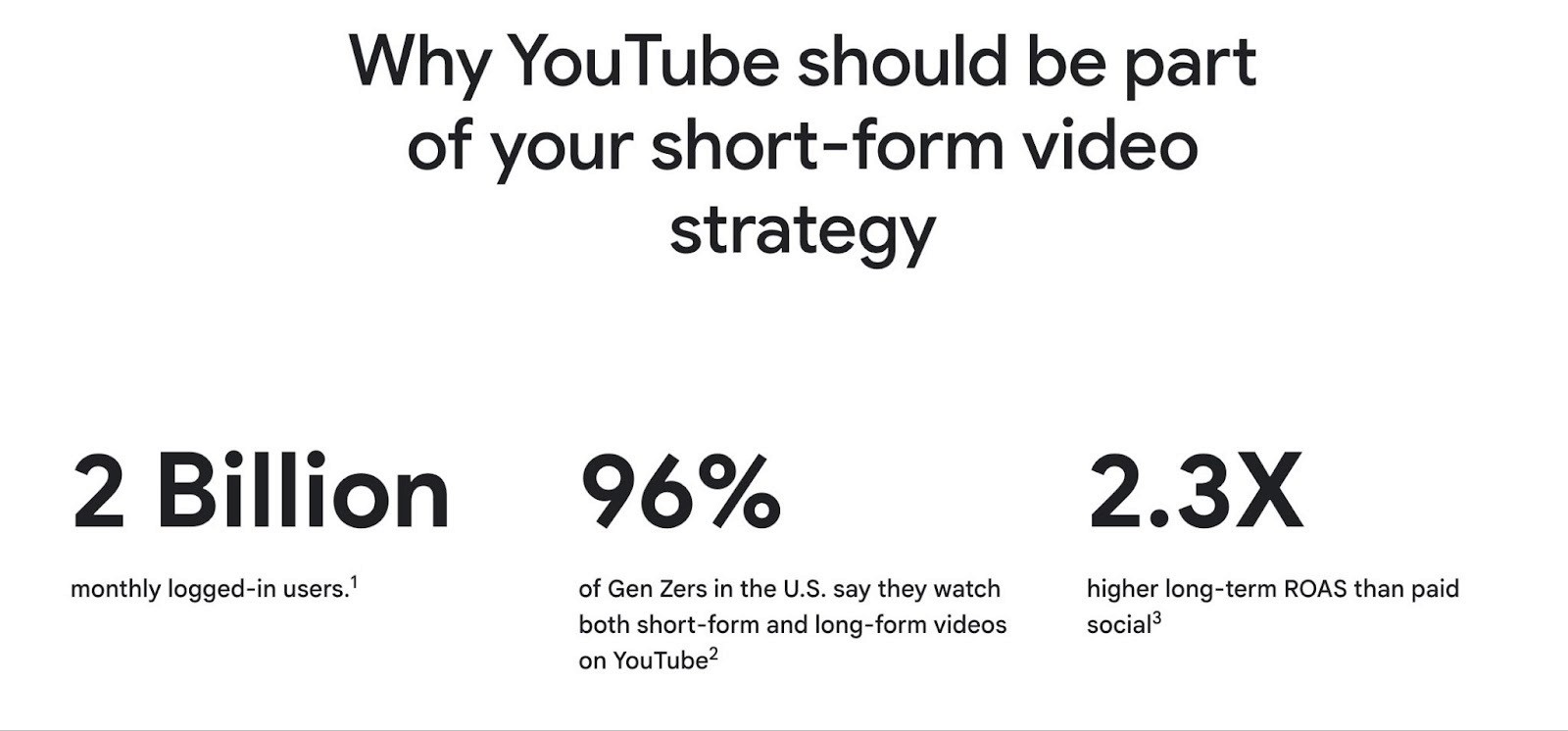
YouTube is no longer just a long-form video platform. Shorts now pulls in over 70 billion daily views globally, and the audience isn't just watching passively. For advertisers, this changes the math on where to invest creative energy.
Traditional in-stream ads still have a role, especially for longer storytelling or guaranteed message delivery on connected TV. But if you're running performance campaigns and want efficient reach on mobile, Shorts is where the momentum is. This guide covers how to build YouTube video ad campaigns that actually convert, with a focus on Shorts, the format driving the most growth for advertisers right now.
Shorts Ad Specs and Setup Essentials
Getting the technical foundation right prevents wasted spend and rejected creatives. Here's what you need to know before uploading anything.
Format and Dimensions
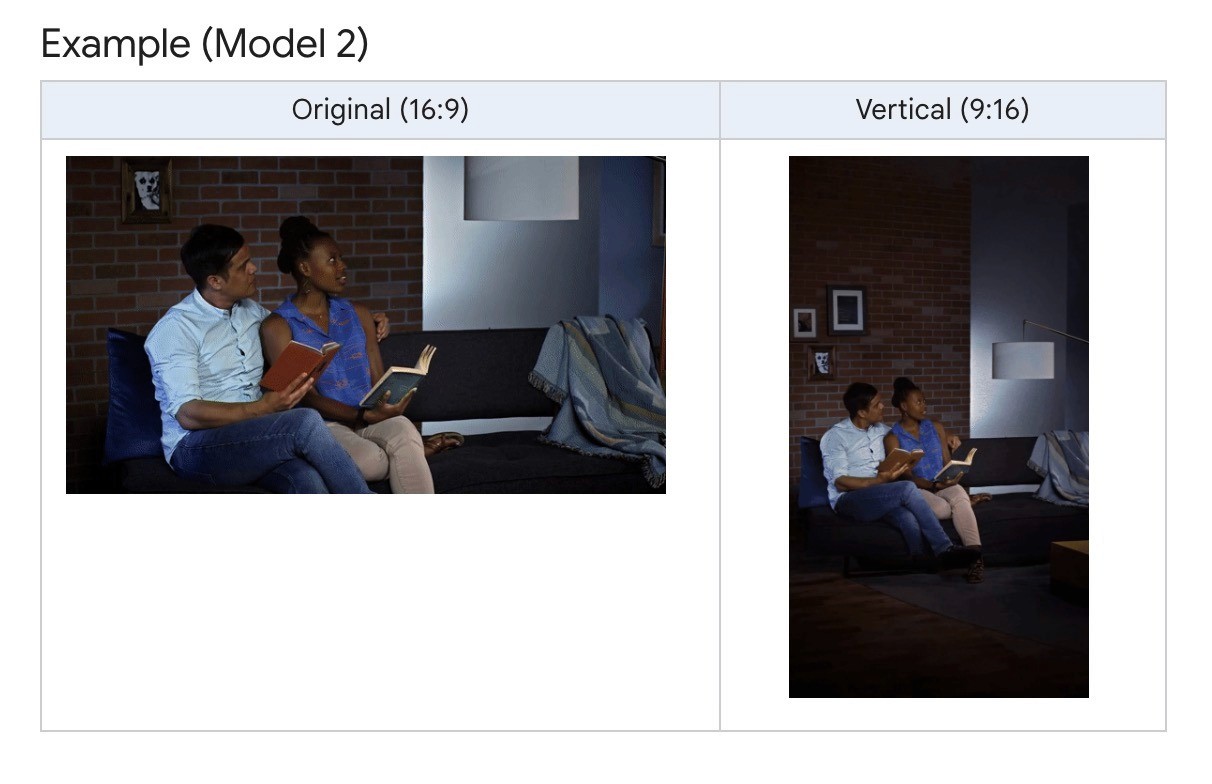
Vertical video at 9:16 aspect ratio, exported at 1080x1920 pixels. YouTube accepts horizontal assets for Shorts placements, but they'll be served with blurred bars at the top and bottom. That immediately signals this isn't native to Shorts, and engagement drops.
If all you have is landscape footage, use YouTube's Video Enhancement feature to generate vertical versions rather than running them as-is.
Length
Shorts ads can technically run up to 3 minutes, but only the first 60 seconds play in the Shorts feed. An overlay appears at 50 seconds, letting viewers watch the rest on the regular watch page.
For performance campaigns, the sweet spots break down like this:
12 to 20 seconds for views and reach (maximizes completion rate)
15 to 30 seconds for consideration (room for a mid-roll prompt)
20 to 45 seconds for direct response (enough time to prove value with early and end-card CTAs)
Safe Zones
Keep text, logos, and CTAs out of three areas: the top 10% of the frame, the bottom 25%, and the right-hand 10%. That's where the channel name, caption, and engagement buttons sit. Anything placed there gets covered.
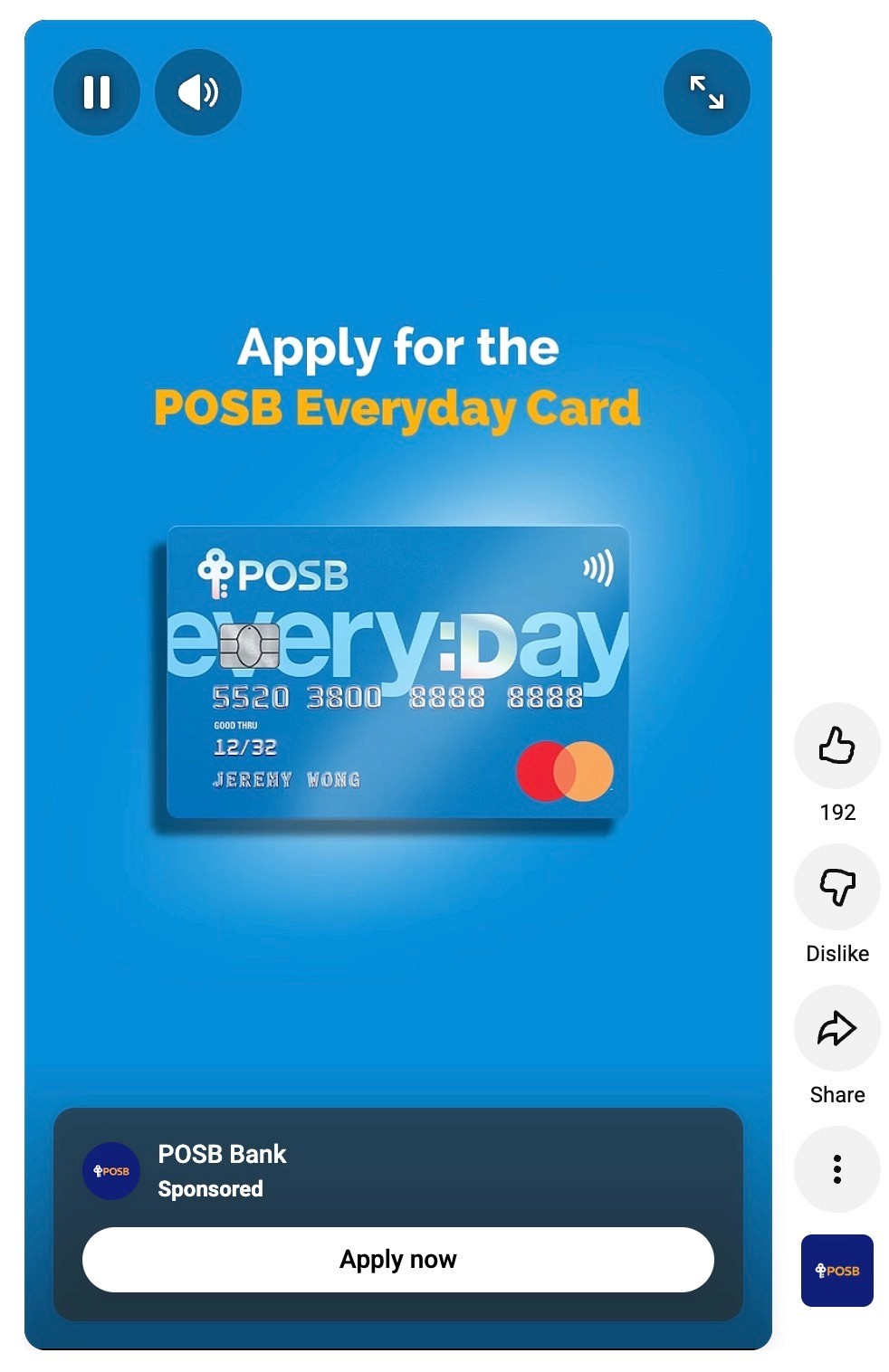
Example of a YouTube Shorts ad
How to Create Shorts Ads That Actually Convert
Getting the specs right is step one. But creative is what determines whether someone watches your ad or swipes past it. Shorts ads sit between organic videos in the feed, so they need to earn attention the same way any other Short does.
Hook in the First Two Seconds
Open with the most interesting part of your ad, not your logo. Start with movement, a direct statement, or a question that's specific enough to make someone pause. Google's own analysis found that top-performing Shorts ads feel like they belong in the viewer's organic feed rather than looking like traditional ads.
A founder holding up a product and saying, "I made this because..." works. A slow brand intro with a logo animation doesn't. Front-load the reason someone should care.
Match the Tone of the Feed
Shorts viewers are scrolling fast, and the content around your ad is casual, creator-driven stuff. Highly polished, broadcast-style creative tends to stick out in the wrong way. Google recommends keeping ads casual and relatable, with everyday people directly addressing the viewer.
What works well:
Direct-to-camera delivery instead of narrated B-roll
Natural lighting and real settings instead of a studio
Conversational language instead of scripted ad copy
Sound-on design, since Shorts plays audio by default
This doesn't mean low effort. It means the production style should feel native to the platform, not imported from a TV spot.
Stick to One Message Per Ad
Don't try to fit your price, features, social proof, and a seasonal offer into one 20-second Shorts ad. Pick one angle and commit to it. One audience, one argument, one clear takeaway.
This is where having more ads matters. Instead of one ad doing five jobs poorly, make five ads that each do one job well. Test different hooks, different angles, different audience callouts. Let performance data tell you what's working.
Align Your CTA With the Button Timing
CTA buttons show up at different times depending on your campaign type. In Performance Max, App, and Demand Gen campaigns, the button appears at 3 seconds. In Video View and Video Reach campaigns, it shows at 10 seconds. If your ad says "tap the link below" at second 5, but the button isn't visible yet, you've wasted the prompt. Match your verbal or visual CTA to when the button actually becomes clickable.
Use Tight Framing and Fill the Vertical Space
Shorts is a full-screen, phone-in-hand format. Wide shots with lots of negative space that work fine in a landscape YouTube ad look tiny and forgettable here. Faces, products, and hands should take up most of the frame.
Close-ups do the heavy lifting on Shorts. A tight shot of someone applying a product, unboxing something, or reacting to a result creates more visual impact on a phone screen than a well-composed wide shot ever will. If you're showing a product demo, fill the frame with the product. If someone's talking to the camera, frame them from the chest up, not standing across a room.
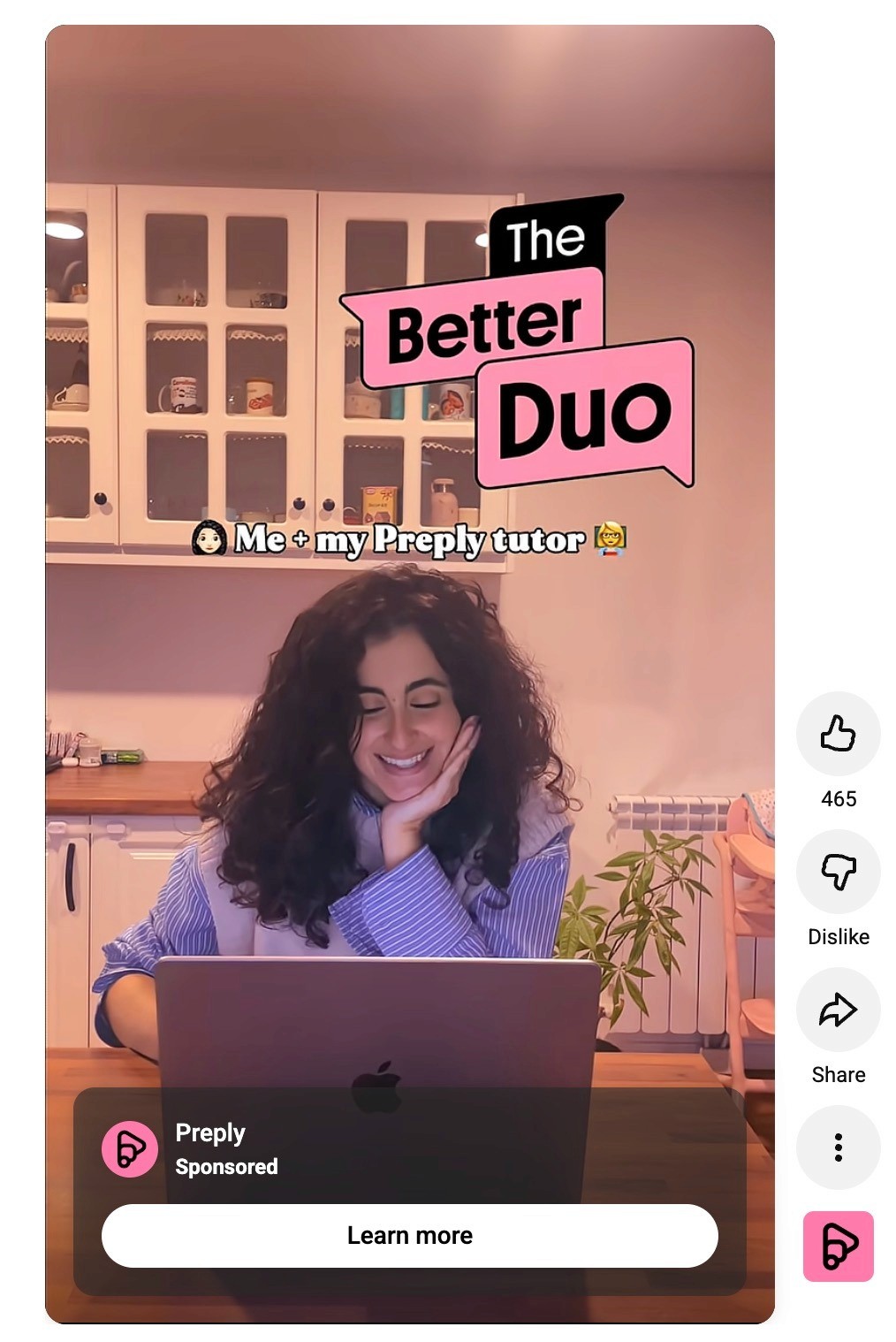
Example of a YouTube Shorts ad
This also affects text placement. Vertical video gives you more stacking room than horizontal, so use it. Place your headline text in the upper third (below the safe zone) and let the visual fill the rest. Text sitting over dead space looks like an afterthought. Text sitting over an active, well-framed visual looks intentional.
One practical test: watch your ad on your phone before publishing. Not on a desktop monitor, not in a preview window. On your actual phone screen, in portrait mode, at arm's length. If anything feels small, distant, or hard to read, tighten the framing.
Types of Shorts Ads You Can Create
There's no single Shorts ad format that works for every brand or goal. The best approach is to test different creative styles and see what resonates with your audience. Here are some starting points.
Direct-to-Camera Testimonial: A real customer or creator talking about their experience with your product. This format builds trust quickly with cold audiences who have never heard of your brand.
Quick Product Demo: Show the product in use within the first few seconds. Someone applying skincare, assembling furniture, tasting a supplement, whatever the action looks like. Just show the thing doing what it does.
Problem/Solution With Text: Open with a relatable pain point as bold on-screen text over simple visuals, then introduce the product as the fix. Works well when the problem is specific, and the audience immediately recognizes it. Example: "Tired of waking up with neck pain every morning?" followed by a pillow demo.
Founder Pitch: The person behind the product explains why they made it. "I built this because..." is one of the strongest hooks on short-form platforms because it signals authenticity and gives viewers a reason to care beyond just features.
Listicle: "3 reasons I switched to..." or "5 things I wish I knew before..." These give the viewer multiple hooks in one ad, so even if the first reason doesn't resonate, the second or third might keep them watching.
Get Winning YouTube Ads Faster with Airpost
Shorts reward variety. Different hooks, different angles, different creative styles, all running at the same time, so you can learn fast and scale what works. The brands winning on Shorts aren't running three ads a month. They're testing dozens.
You can leverage tools like Airpost to get 10-30 new video ads every week.
Airpost is a hybrid creative platform that pairs AI-powered ad generation with expert creative strategists. You set up a living Master Brief, and the ads adapt as you update it. When a creative starts winning, the system triggers new variations to scale it.
Every ad is categorized through a proprietary ad taxonomy that tags creatives by angle, tactic, creative format, hook type, and performance patterns. So instead of guessing what to test next, you can see exactly what's been tried, what's working, and where the gaps are.
Your ads are built from a blend of your own footage, Airpost's library of 300,000+ real clips, and AI-generated footage, all managed by a dedicated strategist who handles brand safety, compliance, and quality. Ads resize automatically to vertical and square formats with optimized safe zones.
Book a demo to see how Airpost can help you get high-converting YouTube ads.



