Nano Banana went from a fun viral image tool to one of the most talked-about AI image generators in less than a year. It is Google's answer to the growing demand for AI-powered visuals, and it now lives across almost every Google product, from the Gemini app to Google Ads to Workspace.
In this review, we break down what Nano Banana actually is, what each version does, how much it costs across every Google AI plan, and where it genuinely falls short so you can decide if it is the right tool for your creative workflow.
What is Nano Banana, and What Makes it Different from Older Image Generators?
Nano Banana is Google's AI image generation and editing tool. It lives inside Gemini, which is Google's AI assistant (similar to how ChatGPT is OpenAI's assistant). You do not download Nano Banana separately. You access it through the Gemini app, Google Search, or Google Workspace apps like Slides and Vids.
It sits on top of Gemini's language model, so it understands prompts with more nuance and context. You can upload images, give text instructions, and have a back-and-forth conversation to refine what you want. It handles everything from generating images from scratch to editing existing photos, removing backgrounds, and combining multiple reference images into one output.
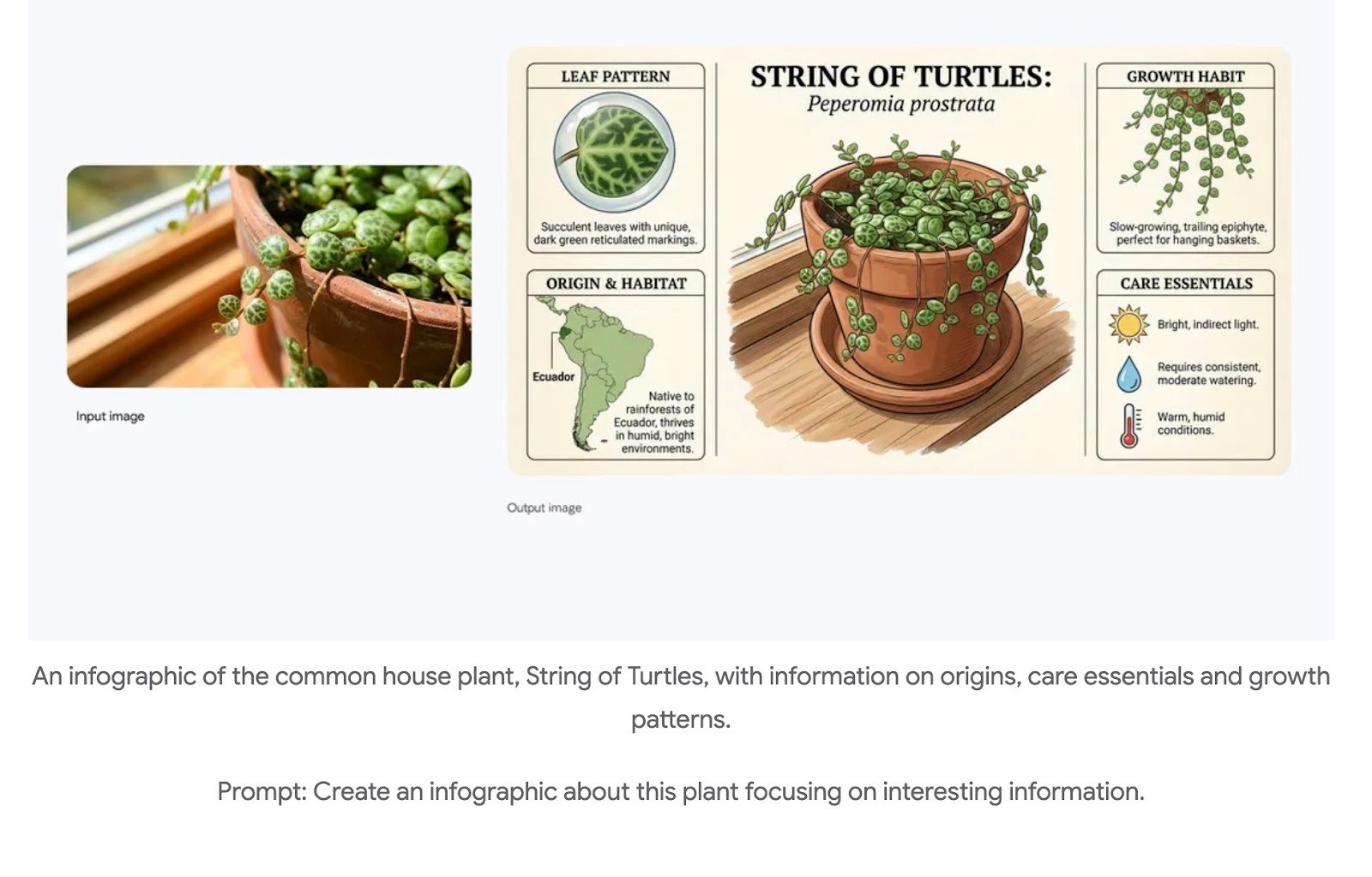
Nano Banana & Nano Banana Pro
The model has gone through a few versions in a short time. The original Nano Banana launched in mid-2025 and quickly went viral for things like restoring old family photos and turning selfies into mini figurine-style images. It was fun and easy to use, but it struggled with things like rendering text inside images and getting fine details right.
Google then released Nano Banana Pro in late 2025, which was a major jump in quality. It could produce studio-grade images, render readable text in multiple languages, output at up to 4K resolution, and give users creative controls over things like lighting, depth, and camera angle.
Nano Banana 2
The latest version is Nano Banana 2, which arrived in early 2026. It takes the image quality and intelligence of Nano Banana Pro and makes it significantly faster. So you get high-quality results without the wait. It also follows complex prompts more accurately, so you spend less time re-generating and tweaking.
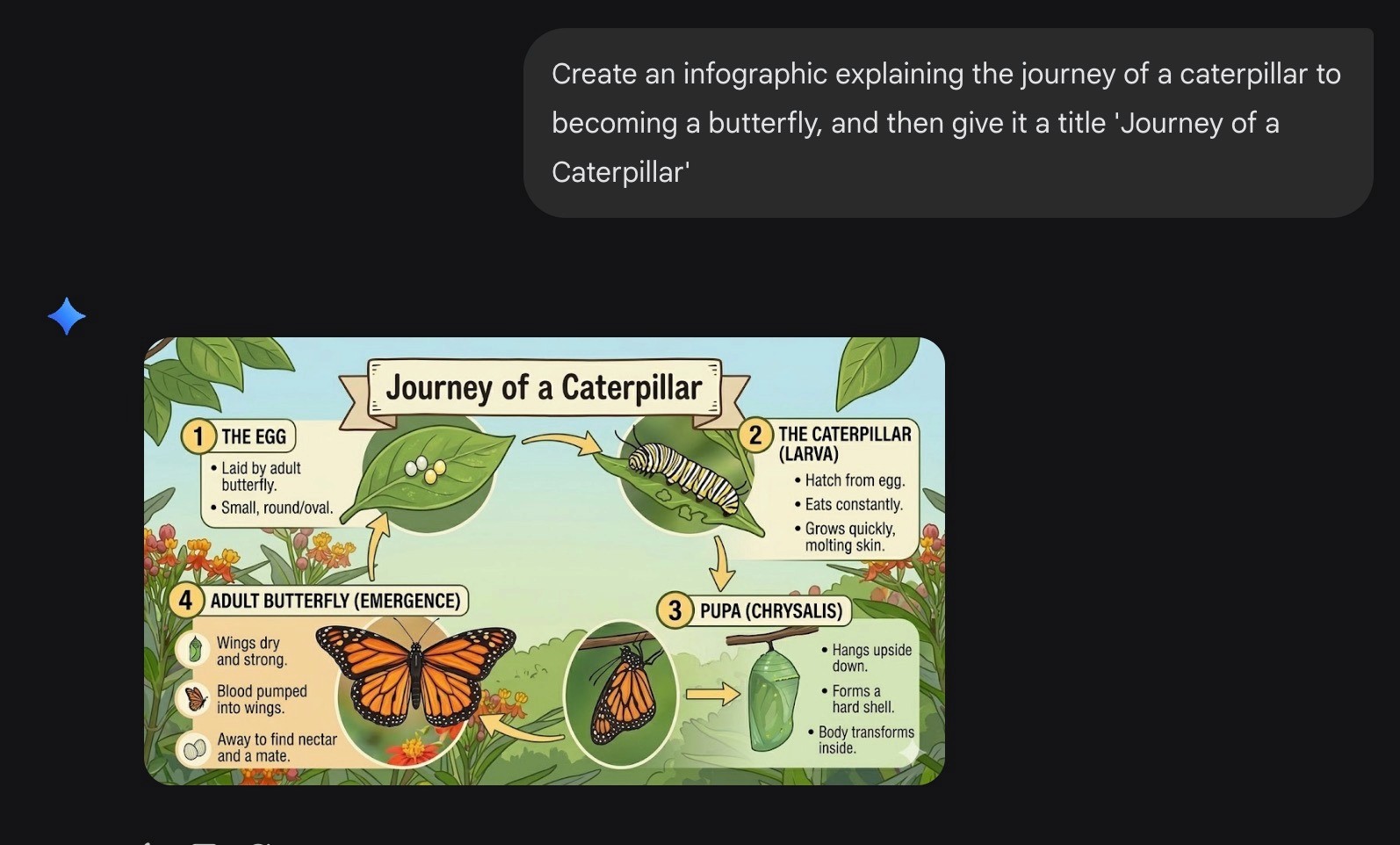
We prompted Nano Banana 2 to create an infographic explaining the butterfly lifecycle. It nailed the layout, icons, and overall structure in seconds.
Nano Banana 2 is now the default image model across most Google products, including the Gemini app, Google Search, Google Ads, and Flow (Google's AI filmmaking tool). Nano Banana Pro still exists alongside it for tasks where maximum precision and reasoning matter most, so users can pick between speed and depth depending on what they need.
Nano Banana Pricing
Nano Banana is not a standalone product with its own price tag. It is Google's AI image generation model baked into the Gemini ecosystem, so what you pay for it depends entirely on which Google AI plan you choose. Every tier includes some level of Nano Banana access, but Google is vague about exact limits.
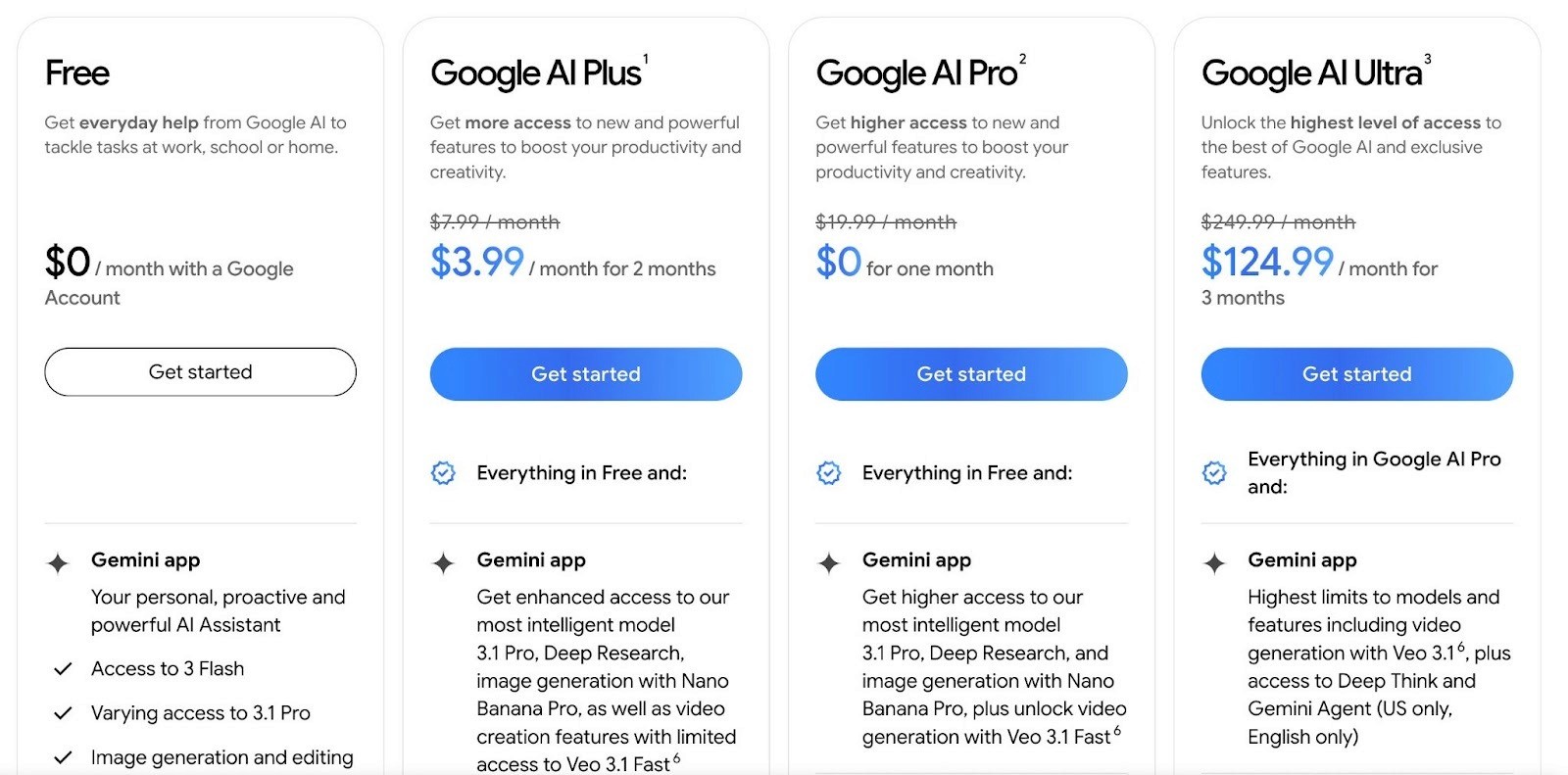
The free plan gives you basic image generation and editing through the Gemini app at no cost. You can use Nano Banana here, but access is limited, and you will hit daily caps quickly. It allows roughly 2 Nano Banana Pro images per day at lower resolution with a visible watermark, though Google does not officially confirm these numbers.
Google AI Plus at $7.99 per month is the entry-level paid option. It upgrades you to "enhanced access" to Nano Banana Pro, along with 200 monthly AI credits and 200GB of storage. For someone who generates images occasionally and mostly lives inside Google's apps, this plan is a reasonable starting point.
Google AI Pro at $19.99 per month gives you "higher access" to Nano Banana Pro, 1,000 monthly AI credits, and 2TB of storage. This is probably the sweet spot for creators and professionals who rely on image generation as part of their regular workflow.
Google AI Ultra at $249.99 per month pushes everything to the "highest" tier. You get the most generous Nano Banana Pro limits along with 25,000 monthly AI credits, 30TB of storage, and extras like YouTube Premium and early access to experimental projects.
Google doesn't publish exact daily image counts or resolution caps for any of these plans. The official page only uses words like "more," "higher," and "highest" without defining what those mean in practice. Users on some subreddits suggest Pro gives you around 100 Nano Banana Pro images per day, and Ultra goes up to about 1,000 per day at 4K resolution, but these numbers are not guaranteed, and Google has adjusted them multiple times since launch.
There are several third-party platforms like nanobanana.io and nanobanana.ai that sell access to Nano Banana models through their own credit-based plans starting around $10 per month. These are not official Google products. They run on Google's API with their own interface and pricing. They can work for certain use cases, but they're not official Google products.
Where Nano Banana Falls Short
Nano Banana is impressive, but it comes with some real limitations that are worth knowing before you commit to it as your main creative tool.
The daily limits are tight and unpredictable
Google does not publish exact daily caps for each plan, and the limits appear to shift based on server demand. Paid subscribers on the Pro plan have reported being throttled to as few as 5 images during peak hours, even though the general expectation is around 100 per day. Worse, when you hit your limit on the free tier, the system silently downgrades you to the lower-quality standard Nano Banana model without telling you. You may not even realize you are getting worse results until you notice the drop in quality yourself.
The safety filters are aggressive and inconsistent
Google’s content filters are more cautious than required. Completely harmless prompts sometimes get blocked for no clear reason. Anime and manga art styles get flagged at a much higher rate than realistic styles. The same prompt can work fine one time and get blocked the next, which makes it unreliable for professional workflows where you need consistent output.
Clocks, gauges, and anything with precise numbers get mangled
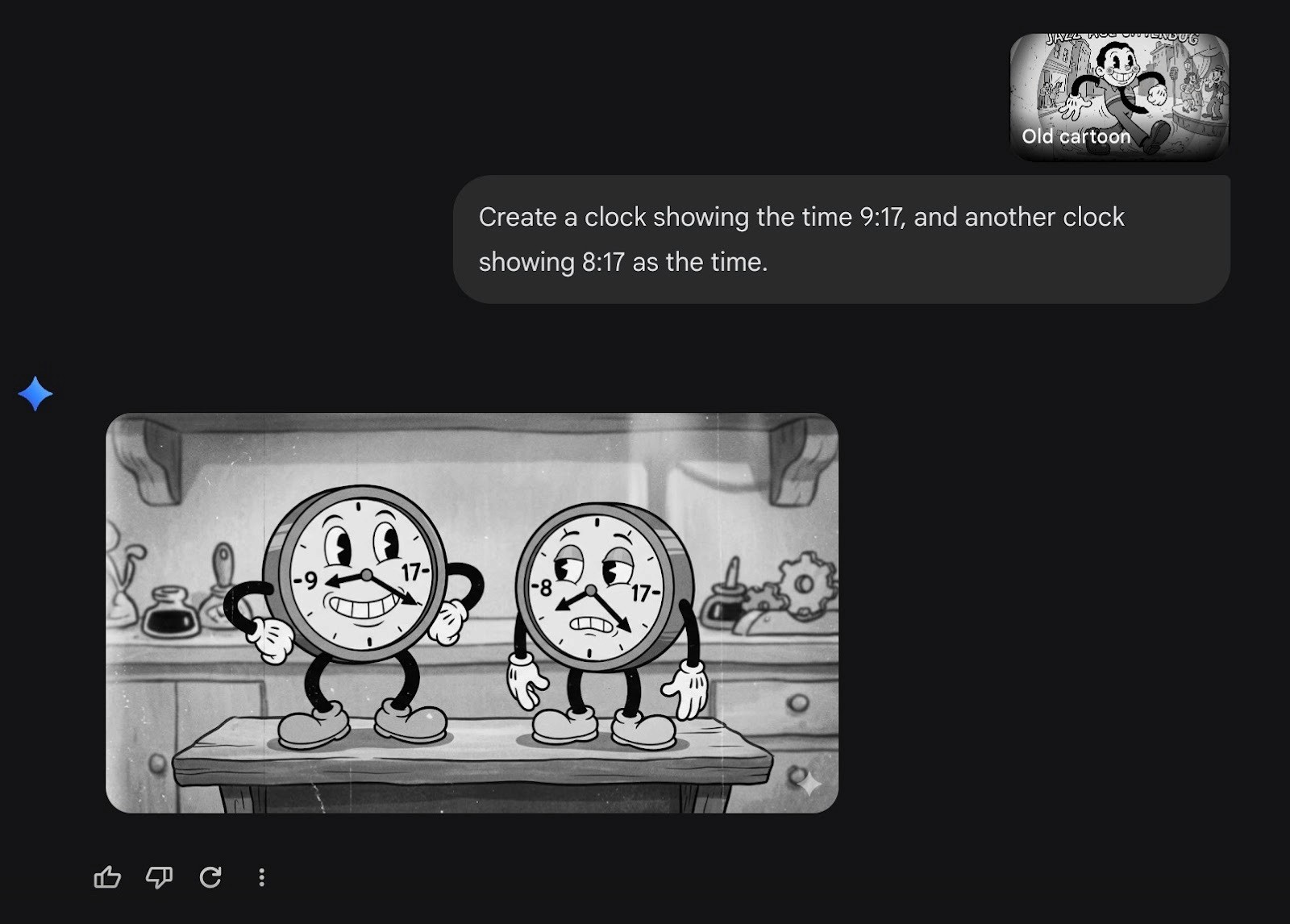
Like most AI image generators, Nano Banana struggles with analog clocks, watch faces, and dials. The hands may not point to the correct time, numbers can appear out of order or distorted, and the overall proportions often look off. If your image needs an accurate clock or any kind of precise numerical display, you will need to fix it manually afterward.
We asked Nano Banana to generate two clocks showing 9:17 and 8:17. Instead of placing the hands at the right positions, it just printed the numbers directly onto the clock faces. The style is fun, but the clocks do not actually tell time.
Aspect ratio control has been a persistent headache
Sometimes user-defined size requirements are ignored, resulting in square images by default. Nano Banana often ignores requested aspect ratios and outputs square (1:1) images. There are workarounds, like uploading a blank transparent image in the dimensions you want, but the fact that you need a hack to get a simple 16:9 landscape image is frustrating. The API now supports 10 preset ratios, but through the Gemini app, the experience is still inconsistent.
Regional availability is uneven
Not all Nano Banana features are available in every country. Certain capabilities, like Nano Banana Pro in AI Mode for Search, are limited to select regions, and some developers outside the US have reported higher content filter rejection rates. If you are not based in a supported market, your experience may be noticeably different.
If Nano Banana is part of a larger creative strategy, these limitations matter more the further you scale.
3 Alternatives to Nano Banana
No single AI image tool does everything well. Depending on whether you need artistic output, precise editing, or prompt accuracy, these alternatives are worth checking out.
Midjourney
Midjourney is the go-to for creators who care about visual impact above everything else. Where Nano Banana focuses on realism and editing precision, Midjourney leans into cinematic lighting, rich color, and stylized detail that feels closer to concept art than a photo. It works through a Discord bot interface, which takes some getting used to, but the output quality consistently stands out.
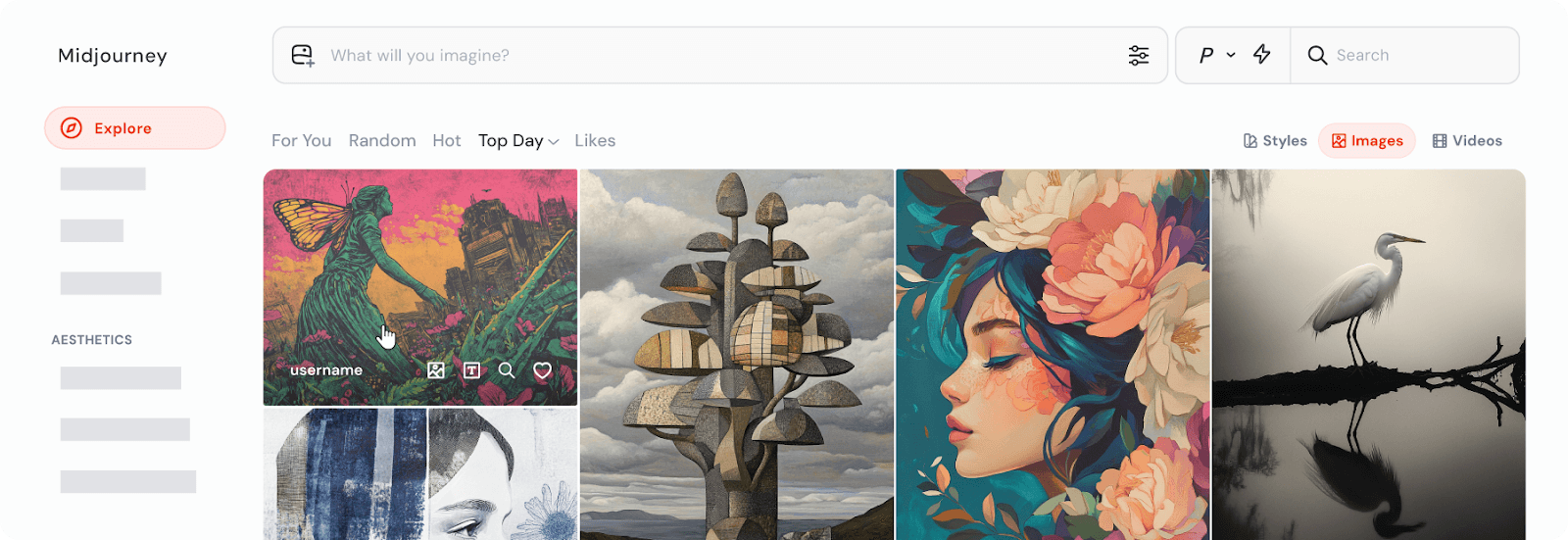
Midjourney, an alternative to Nano Banana
It's best for designers, illustrators, and marketers who want images that stop people mid-scroll. The tradeoff is that it doesn't edit existing photos the way Nano Banana does. It's purely generative. If artistic quality is the priority and you're starting from a prompt rather than an existing image, Midjourney is hard to beat.
Flux Kontext
Flux Kontext is the closest direct comparison to Nano Banana in terms of what it actually does. It specializes in contextual image editing — making targeted changes to a photo while keeping everything around it intact. If you've used Nano Banana for things like swapping backgrounds, adjusting specific elements, or refining details without touching the rest of the image, Flux Kontext can be a good alternative.
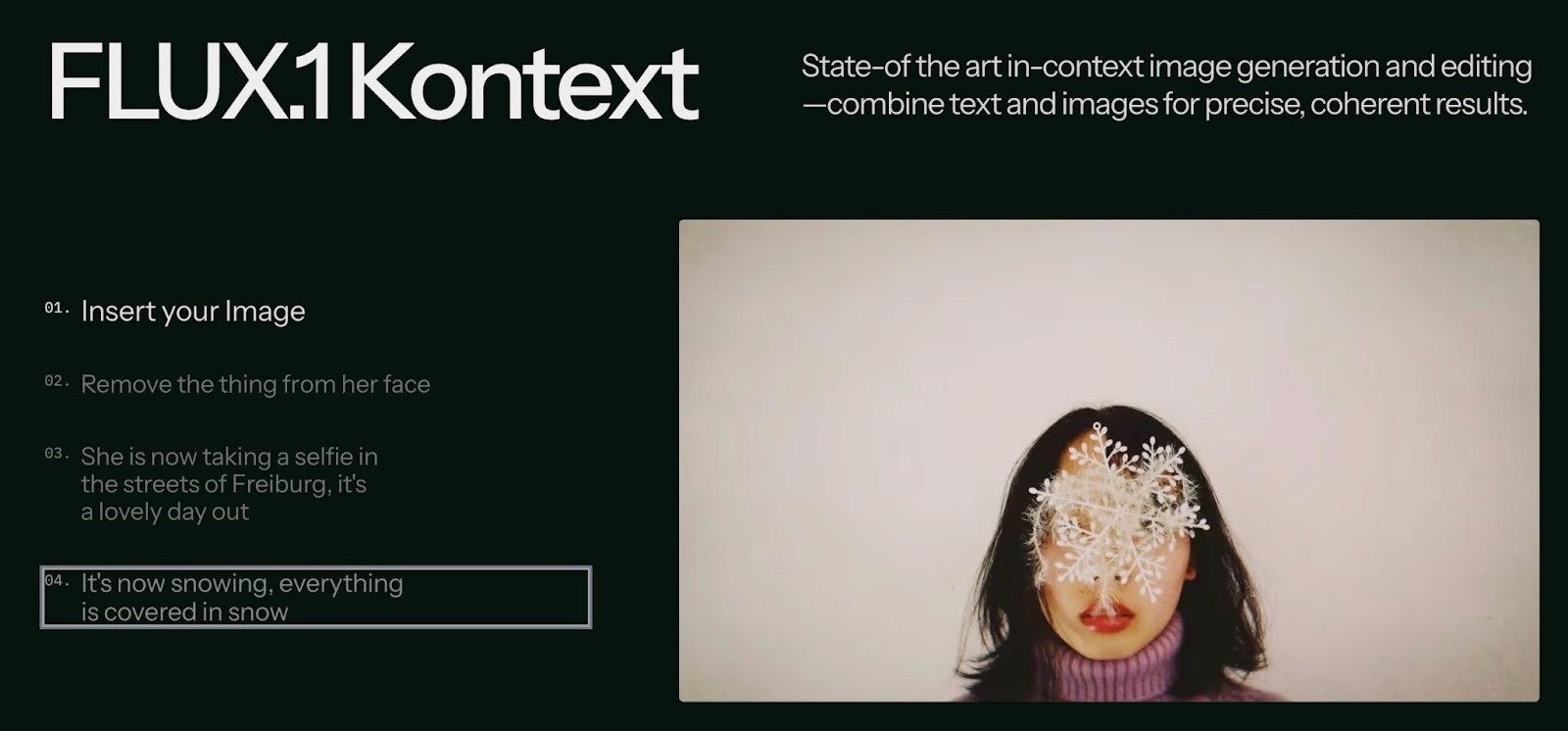
FLUX Kontext, an alternative to Nano Banana
It offers more precise local control, though results can vary depending on the complexity of the edit. It's API-based, which makes it more relevant for teams building it into a workflow than casual users looking for a quick tool. For anyone who needs Nano Banana-style editing but wants to explore a different model, this is the most like-for-like option on the list.
DALL-E 3
DALL-E 3, available through ChatGPT, is the strongest option when prompt accuracy matters most. It is useful when you need specific relationships between objects, particular compositions, or text rendered correctly inside an image. It also handles unusual or layered prompts without drifting from the brief the way some tools do.
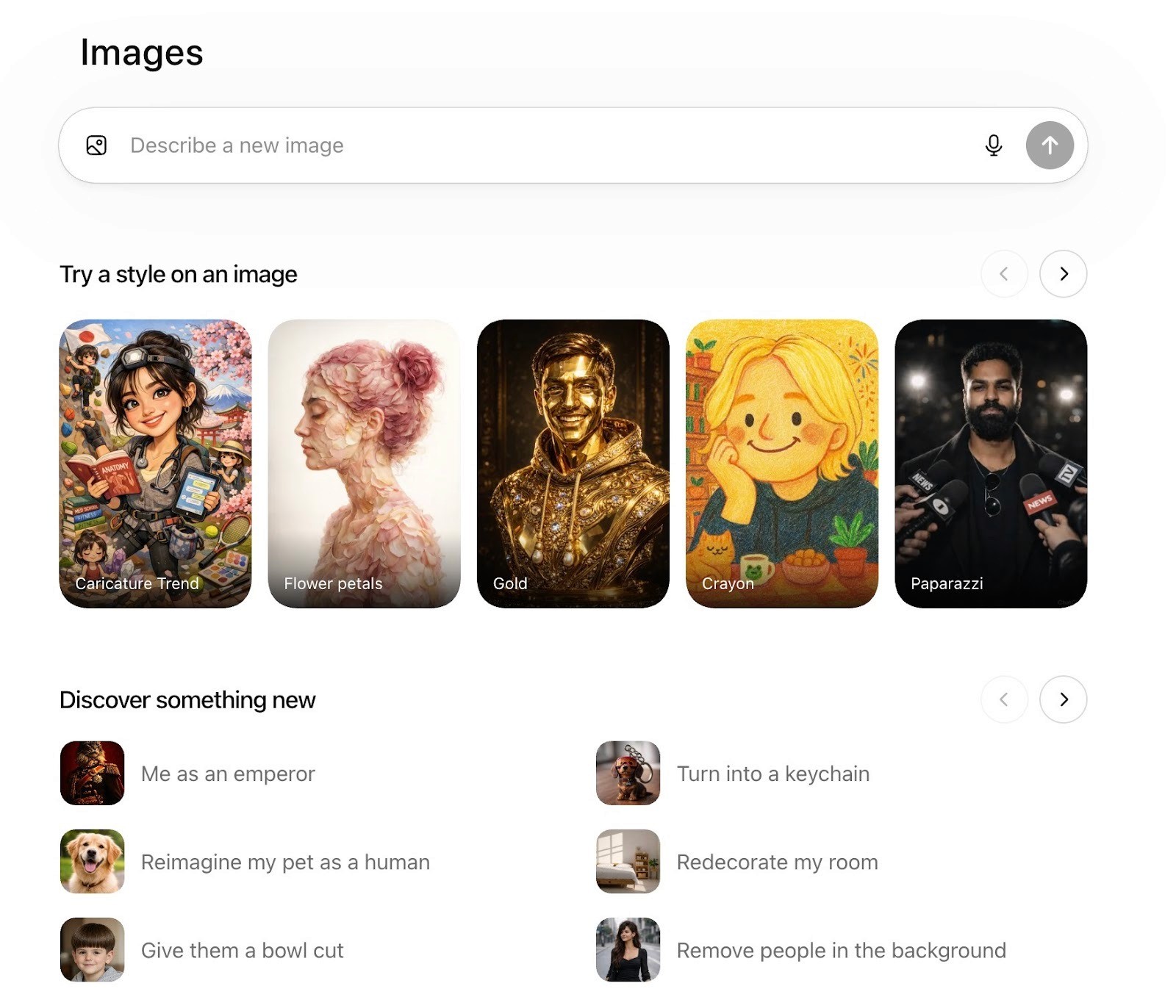
DALL-E 3, an alternative to Nano Banana
The tradeoff is realism: for photorealistic output, it still falls behind Nano Banana. It is the easiest to access, since the interface is the same as ChatGPT.
When You Need Ads That Perform, Not Just More Images
Nano Banana is great for generating individual images and visuals. But if you run paid media for a brand, you know that a great image is only one piece of the puzzle. You still need scripts, hooks, voiceover, footage, and a strategy behind all of it. And you need volume. Meta's algorithm rewards diverse, creative, not one polished image repeated with minor tweaks.
That is the gap that Airpost fills.
Airpost delivers 10 to 30 done-for-you video ads per week through a hybrid model that combines AI with human creative strategists. You set up a living brief that evolves based on what is working in your account. Airpost monitors your ad performance around the clock and triggers new variations when a creative starts winning.
The entire system runs on a proprietary ad taxonomy that categorizes every creative by format, hook type, angle, and performance pattern, so each new batch of ads is diverse rather than just more of the same.
The ads blend your real footage with Airpost's library of over 300,000 real clips and AI-generated assets where needed. Every ad is editable, brand-safe, and automatically resized for vertical and square formats. A dedicated strategist manages your account, so there is no prompting or self-serve busywork on your end.
Book a demo to see how it can work with your brand.



