Not long ago, AI tools were mostly about writing. Today, they're editing videos, generating ads, and powering entire creative pipelines. That's great news for ad marketers, who now have more options than ever to speed up production without cutting corners. We've rounded up 7 of the best AI video ad tools out there and broken down their features and pricing.
1. VEED
VEED is a browser-based video editor with AI features built into the timeline. Ad teams use it to polish UGC footage, strip filler words and dead air, clean up background noise, and resize a single master into multiple ad placements. It runs entirely in the browser, so remote teams can collaborate on the same project without installing software.
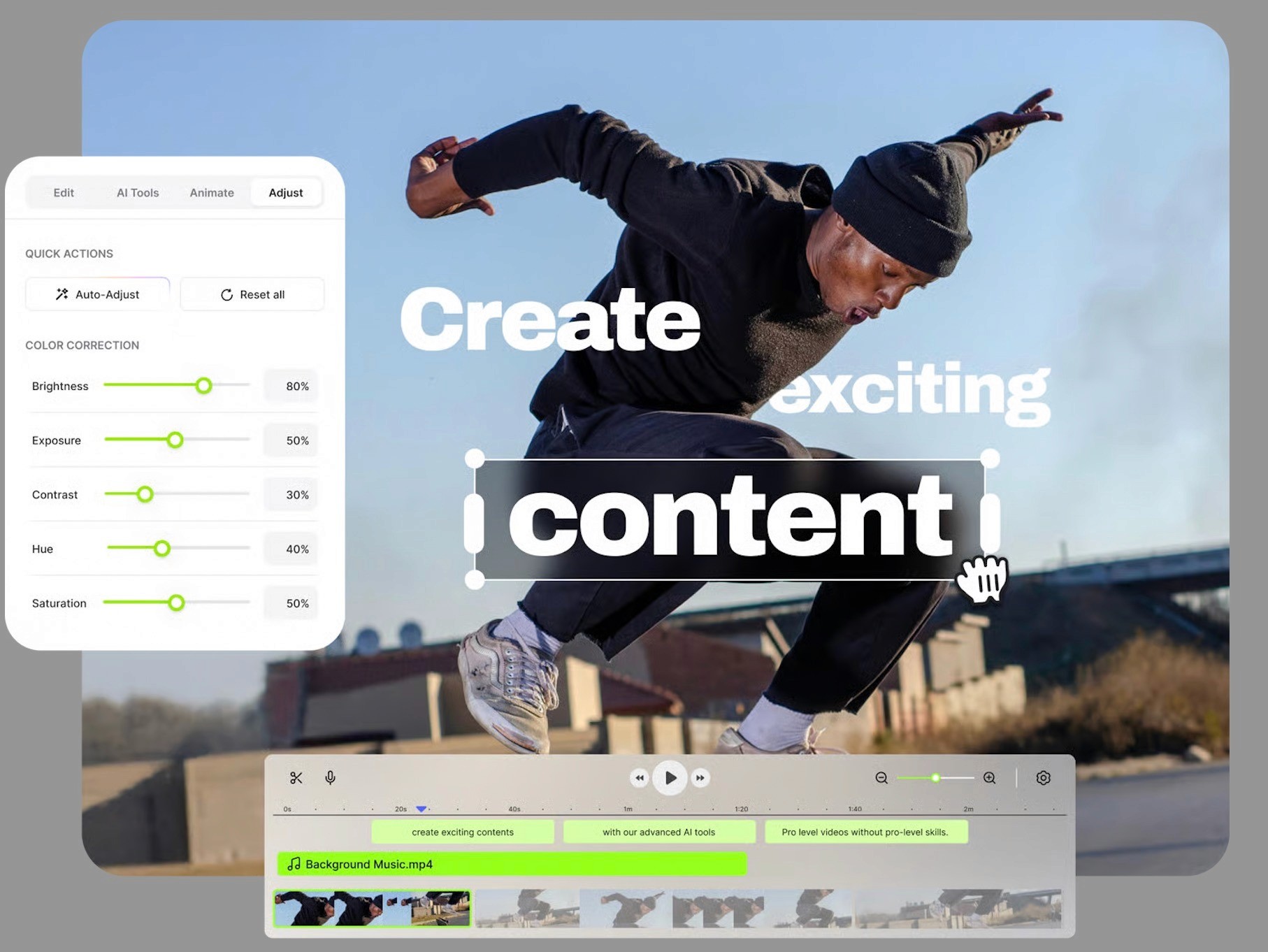
What are the key features of VEED?
Magic Cut: Removes silences, pauses, and filler words like "um" and "uh" across an entire clip in a single pass.
Eye Contact correction: Adjusts on-camera talent's gaze so they appear to look into the lens even when reading from off-screen notes.
Clean Audio: Strips background noise, hum, and echo without needing a separate audio tool.
Auto-translate: Translates captions into 50-plus languages on Pro and 125-plus on higher tiers.
Brand Kit: Stores logos, fonts, and color presets across a workspace for consistent output.
Timestamped comments: Collaborators leave feedback directly on the draft, which cuts down on review cycles.
One-click resize: Converts a single master into 9:16, 4:5, 1:1, and 16:9 exports.
AI avatar library: Provides avatars for dubbing and voiceover work on higher tiers.
How much does VEED cost?
VEED has a free plan with a watermark, 720p exports, and 30 minutes of auto-subtitles per month. Paid plans are priced per editor and billed monthly or annually, with annual billing around 30 to 40 percent cheaper.
Free: Watermark, 720p exports, and 30 minutes of auto-subtitles per month.
Lite: $12 per month billed monthly, or $9 per month billed annually.
Pro: $29 per month billed monthly, or $24 per month billed annually.
Business: Around $59 per editor per month billed annually, supports up to 5 seats.
Enterprise: Custom pricing with SSO and dedicated support.
2. Submagic
Submagic automates short-form video editing around a single-pass workflow: upload footage, and the tool generates captions, inserts B-roll based on the transcript, zooms on key moments, and trims silences without manual input. The output is a near-ready ad that a team member can tweak rather than build from scratch.
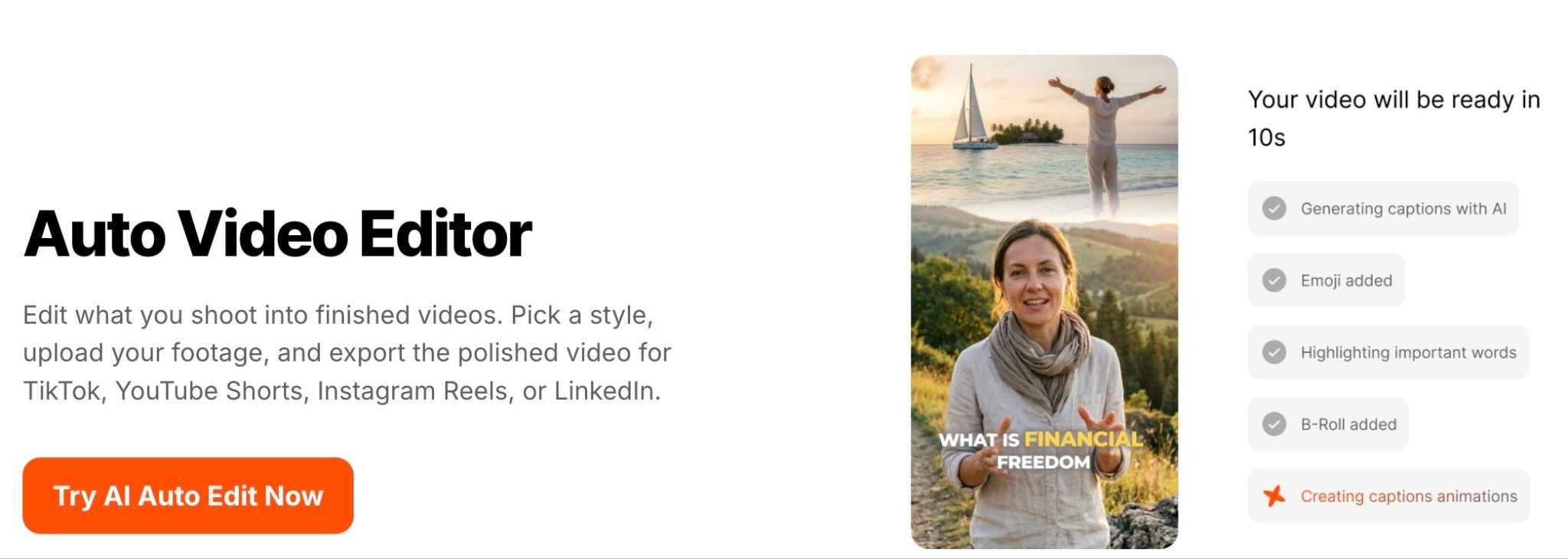
What are the key features of Submagic?
AI Auto Edit: Runs captions, B-roll, zooms, and silence removal in one pass.
AI Hook Titles: Generates attention-grabbing headline overlays for the opener.
AI Eye Contact and Clean Audio: Fixes gaze direction and removes background noise without switching tools.
AI Translate: Converts captions into 48-plus languages while preserving timing.
Video editing API: Exposes the same editing logic programmatically for teams that want to plug it into their own pipelines.
Brand Kit: Stores fonts, colors, and caption templates across a workspace.
Publishing: Schedules directly to TikTok, Instagram, and YouTube from inside the editor.
Magic Clips add-on: Pulls ready-to-post short clips from long-form footage, billed separately from the base plan.
How much does Submagic cost?
Submagic has a free plan with 3 videos per month at a 90-second max and a watermark. Paid plans are priced per member per month and cap both the number of videos and their length.
Free: 3 videos per month, 200MB max upload, Submagic watermark.
Starter: $19 per month billed monthly or $12 per month billed annually, includes 15 videos per month at 2 minutes max.
Pro: $39 per month billed monthly or $23 per month billed annually, includes 40 videos per month at 5 minutes max.
Business plus API: $69 per month billed monthly or $41 per month billed annually, includes 100 videos per month at 30 minutes max and 100 API minutes.
Custom: Available for higher-volume or security-heavy teams.
Magic Clips add-on: $19 per month billed monthly or $12 per month billed annually on any paid tier.
3. Captions by Mirage
Captions is a mobile-first video editor built by Mirage for iOS, Android, and desktop. It is helpful in making short-form content like UGC ads, product walkthroughs, and founder-led clips.
What are the key features of Captions by Mirage?
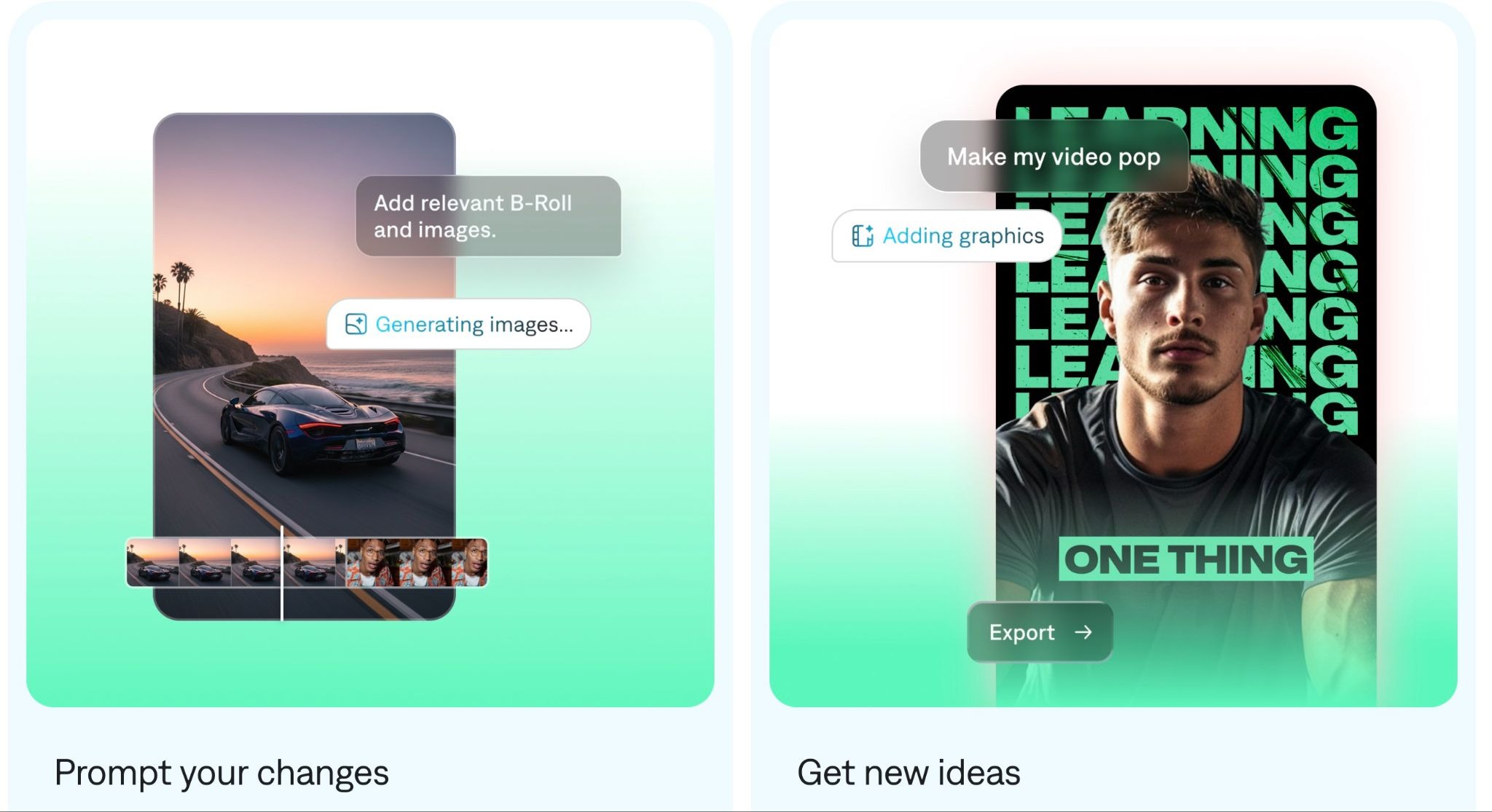
AI Edit: It applies captions, zooms, B-roll, sound effects, and transitions in a single tap.
AI Twin: Creates a digital version of the user from a selfie that can speak any language with matching lip sync.
Denoise: Separates voice from background audio captured on phone mics.
Voiceover and text-to-speech: Offers multiple AI voices for scripted narration.
Multi-language dubbing: Supports 28-plus languages with natural-sounding voice matching.
AI Creator: Generates a full video from a text prompt, including script and visuals.
Eye Contact: Redirects the speaker's gaze to the camera when reading off-screen notes.
Credit-based model: Most AI actions consume credits from a monthly pool, which controls usage across features.
How much does Captions by Mirage cost?
Captions has a free plan with 200 lifetime credits (not monthly) and limited features. Paid plans run on a credits-per-month system. A Lite plan is available only on Android.
Free: 200 lifetime credits and basic manual editing.
Lite (Android only): $4.99 per month.
Pro: $9.99 per month, includes 200 credits per month, full AI editing, and no watermark.
Max: $24.99 per month, includes 500 credits per month and concurrent AI generation.
Scale: $69.99 per month, includes 1,400 credits per month with Scale 2x and 4x available for higher-volume teams.
4. OpusClip
OpusClip turns long-form video into short ad-ready cuts. A podcast, webinar, or founder recording gets broken into 30 to 60 second clips, each with auto-captions and a Virality Score from 0 to 100 that predicts short-form performance. Performance teams use it to mine long content they already own for Meta and TikTok hooks instead of shooting new footage.
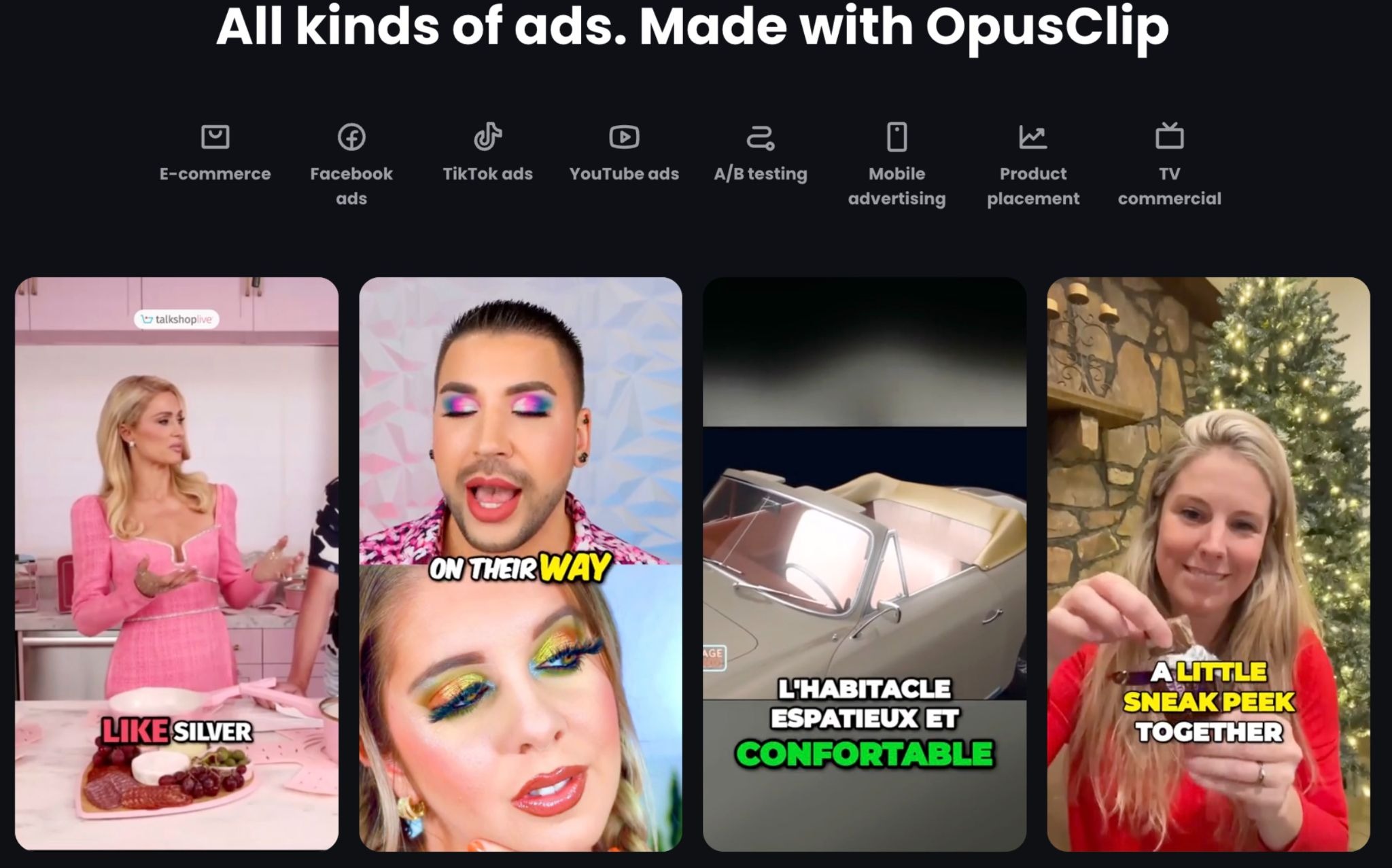
What are the key features of OpusClip?
Virality Score: Ranks clips on predicted short-form performance and is available on paid plans only.
ClipAnything: Searches long videos for specific moments using natural-language prompts.
AI Hook: Generates attention-grabbing opening lines for each clip.
B-roll insertion: Adds stock footage timed to the transcript.
Social scheduler: Publishes directly to TikTok, YouTube, Instagram, Facebook, LinkedIn, and X.
Adobe Premiere Pro and DaVinci Resolve export: Sends clips as XML files for further editing in pro tools.
Brand template: Starter includes one template, Pro includes unlimited.
Team workspaces: Pro includes up to 2 seats, with more available via add-on packs.
How much does OpusClip cost?
OpusClip has a free plan with 60 processing minutes per month, watermarked exports, and a 3-day project expiry. Paid plans budget a set number of processing minutes each month.
Free: 60 minutes per month, watermark, no Virality Score, and 3-day project storage.
Starter: $15 per month, includes 150 processing minutes, watermark-free exports, Virality Score, and 1 brand template.
Pro: $29 per month billed monthly or around $14.50 per month billed annually, includes 300 minutes, full editor, B-roll, social scheduler, and 2 seats.
Business: Custom pricing with API access, custom credits, and dedicated support.
5. Kapwing
Kapwing is a collaborative browser-based video editor that blends manual editing with AI-assisted shortcuts. Its main differentiator from desktop editors is the collaboration model: multiple team members can work on the same project, leave timestamped comments, and route drafts for review without sharing files. Ad teams use it mainly for subtitle work, platform-specific resizing, and assembling short clips from mixed media.
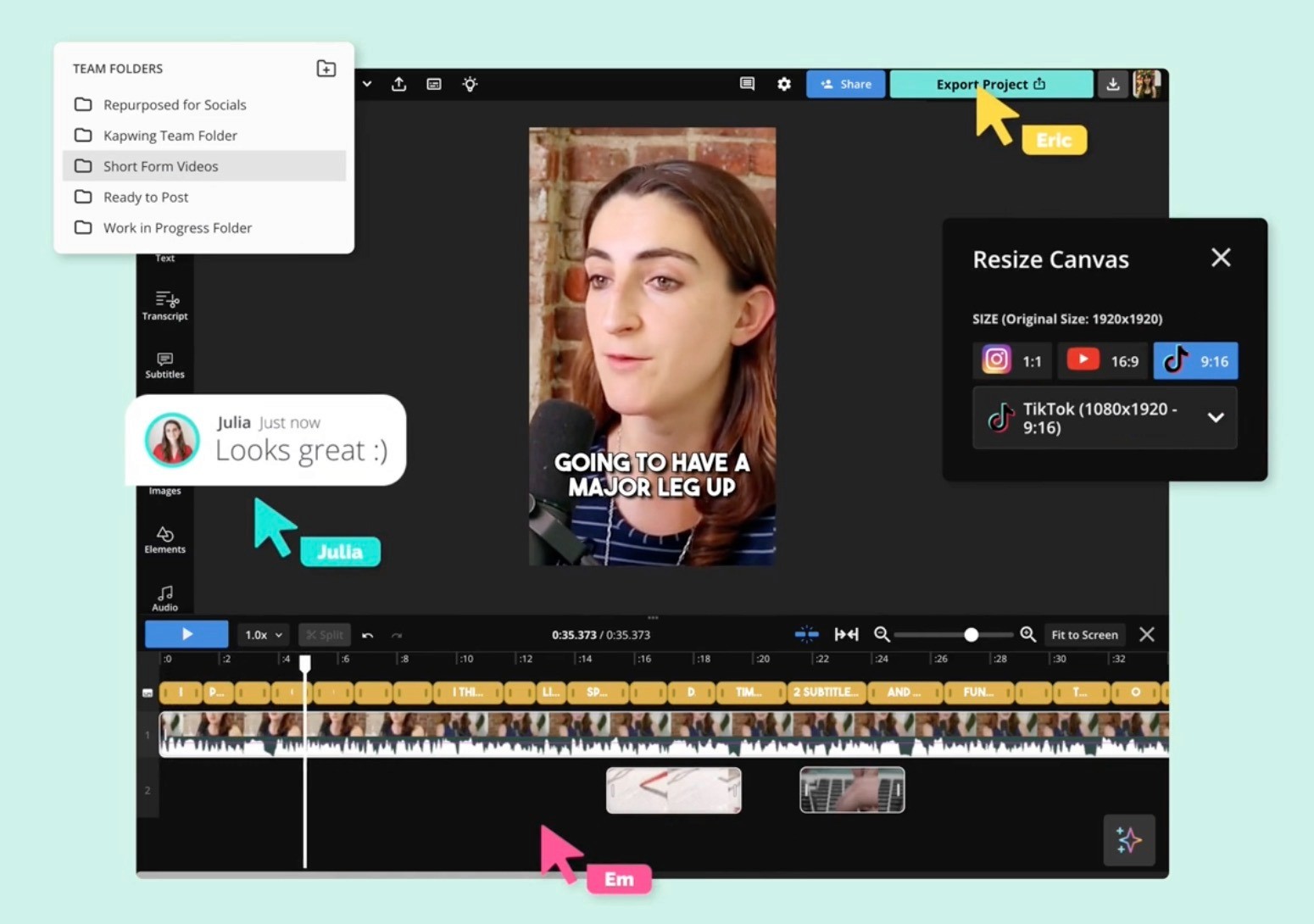
What are the key features of Kapwing?
Auto-subtitler: Generates captions in 70-plus languages with editable styling.
Smart Cut: Removes silences and dead space across an entire timeline.
Safe Zone overlays: Previews where TikTok and Reels UI will cover captions and CTAs before export.
Image and video background removers: Isolate talent without needing a physical green screen.
B-Roll Generator: Suggests stock footage that matches the transcript.
Brand Kit: Stores fonts, logos, and colors across a workspace.
Integrated stock library: Includes millions of royalty-free video, audio, and image assets.
How much does Kapwing cost?
Kapwing has a free plan with a watermark, 10 credits per month, and a 720p cap. Paid plans are priced per member per month and use a credit system for AI tools.
Free: 10 credits per month, watermark, 720p exports, and a 1-minute export limit.
Pro: $24 per member per month billed monthly or $16 per member per month billed annually, includes 1,000 credits per month, unlimited exports, and 4K.
Business: $64 per member per month billed monthly or $50 per member per month billed annually, includes 4,000 credits per month, custom voice clones, and team workspaces.
Enterprise: Custom pricing for larger teams.
6. CapCut
CapCut is a free video editor from ByteDance (TikTok's parent company) that has become a default for performance marketers editing short-form ads. The free version gives access to the full editor without a watermark on standard exports, which is uncommon in this category.
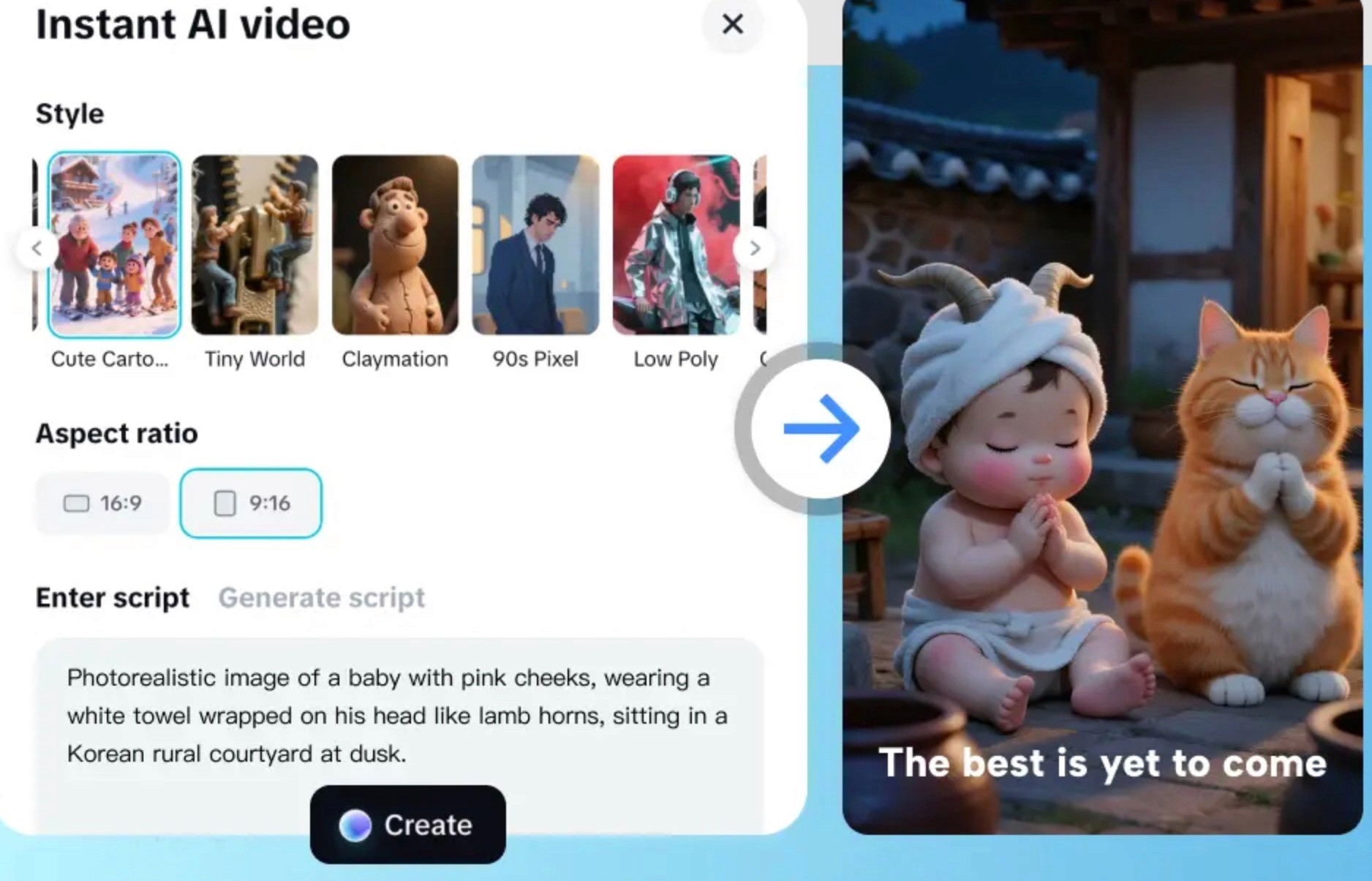
What are the key features of CapCut?
Auto Captions: Generates multi-language subtitles with editable animated styles.
AI Auto Edit: Produces a rough edit from uploaded footage in one pass.
Background Remover: Removes video backgrounds without a physical green screen.
Motion Tracking: Locks text or graphics to moving subjects on the Pro plan.
AI Effects Generator: Creates custom effects from text prompts.
Long Video to Shorts: Extracts short-form clips from long footage automatically.
Commercial Music Library: Includes royalty-free tracks cleared for commercial use on Pro.
How much does CapCut cost?
CapCut has a free plan with 1080p exports, no watermark on standard exports, and limited monthly AI uses. Paid pricing varies by region and by platform, since app store subscriptions usually cost more than direct purchases.
Free: Full editor, 1080p export, 5 AI Auto-Edits per month, 10 minutes of Auto Captions per video, 3 AI effects per month, and a limited commercial license.
Pro (Standard): $9.99 per month or $89.99 per year direct, includes unlimited AI, 4K export, full commercial license, cloud storage, and premium templates.
Team: Starts around $24.99 per month, adds multi-seat collaboration, admin controls, and shared brand kits.
Student discount: Around 50 percent off Pro for verified students.
7. Sovran
Sovran is a modular ad-variant assembly platform rather than a traditional editor. It analyzes and tags uploaded footage into reusable clips (UGC testimonials, product shots, CTAs) and bulk-renders hundreds of variants with different captions, music, and text overlays. A "Context Vault" stores brand guidelines and past winners to inform future assemblies.
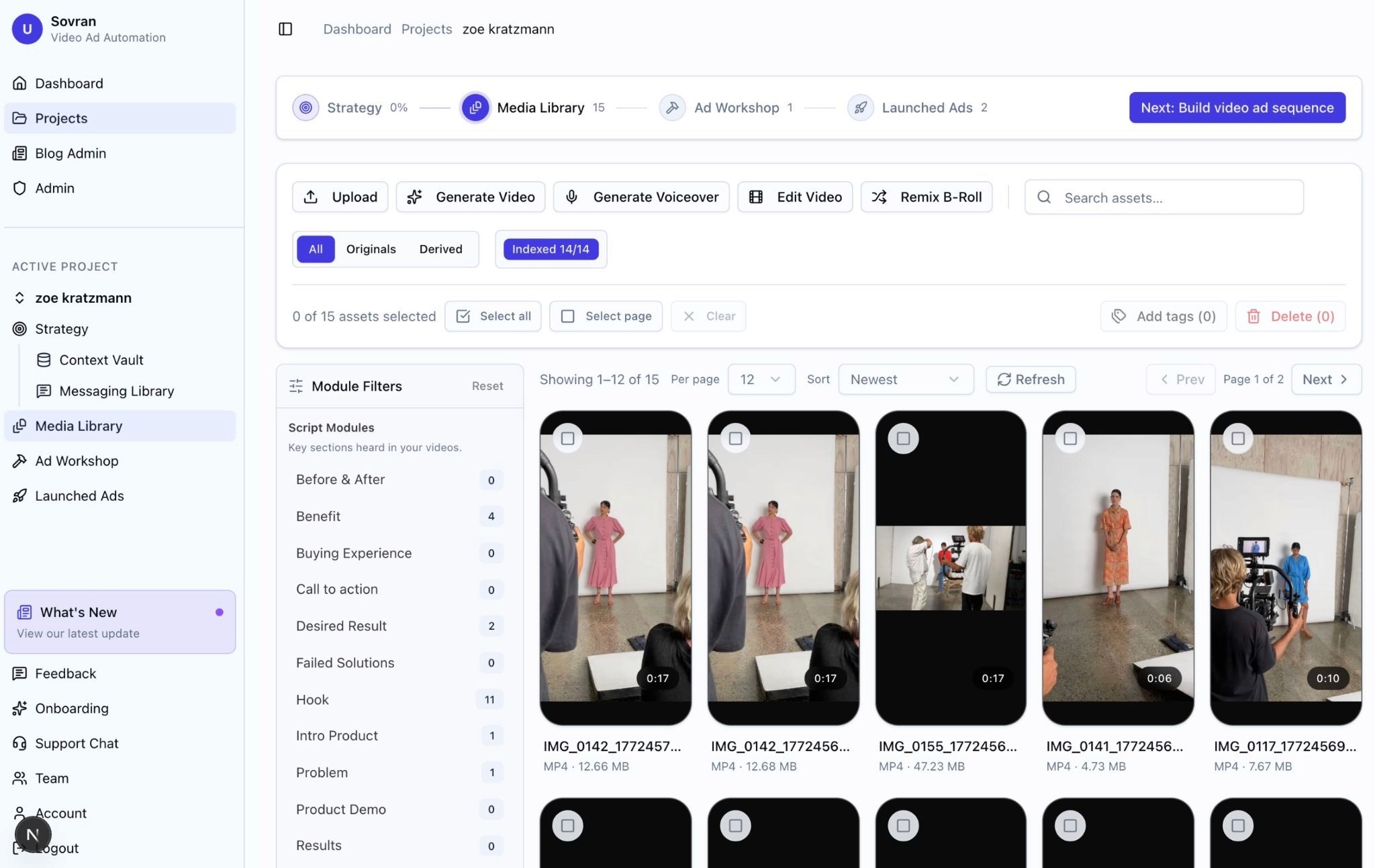
What are the key features of Sovran?
AI footage tagging: Categorizes uploaded clips by content type, speaker, and scene.
Context Vault: Stores brand guidelines, winning scripts, and past creative performance.
Bulk render: Produces hundreds of variants with different text overlays, subtitles, and music in a single job.
Modular assembly: Swaps individual clips, captions, or CTAs across a batch without re-editing raw files.
Direct Meta Ads Manager integration: Publishes variants to ad sets without manual upload.
Brand-aligned templates: Keep visual style consistent across large batches.
Credit-based export system: Controls usage through a credit allocation tied to each plan.
Format support: Built primarily for 9:16 with 1:1 and 4:5 support.
How much does Sovran cost?
Sovran does not publish pricing on its site. Plans are tiered by video export volume and AI usage, starting from a Starter plan and scaling to custom Enterprise deals. A free trial is available on request.
Choose Airpost if you want to scale your ads
The tools above can help you make a lot of ads fast. That's useful. But volume alone doesn't grow a business. You can pump out 100 clips a week and still end up with nothing that actually converts.
What you really need are ads that scale. Ads that lower your CAC, pull in new customers, and keep performing after the first week.
That's where Airpost comes in. Airpost is a hybrid creative platform and service built for performance marketers. It combines enterprise-grade AI with experienced creative strategy professionals to deliver strategically built video ads every week for growth teams spending $250k/month or more on paid social.
What Airpost offers:
Winning ad analysis: Studies your top-performing ads and finds the patterns that make them work.
AI creative generation: Produces new ad variants built on what's already converting for your brand.
Hook and script library: Gives you proven angles, hooks, and scripts pulled from real performance data.
UGC-style ads at scale: Turns briefs into creator-style videos without hiring a creator for every concept.
Iteration on winners: Takes your best ads and spins up fresh variants so you don't fatigue your audience.
Performance-first workflow: Built around what actually moves CAC and ROAS, not just what looks good.
Book a demo to see how Airpost can keep your ad pipeline full of creative worth testing, week after week.



