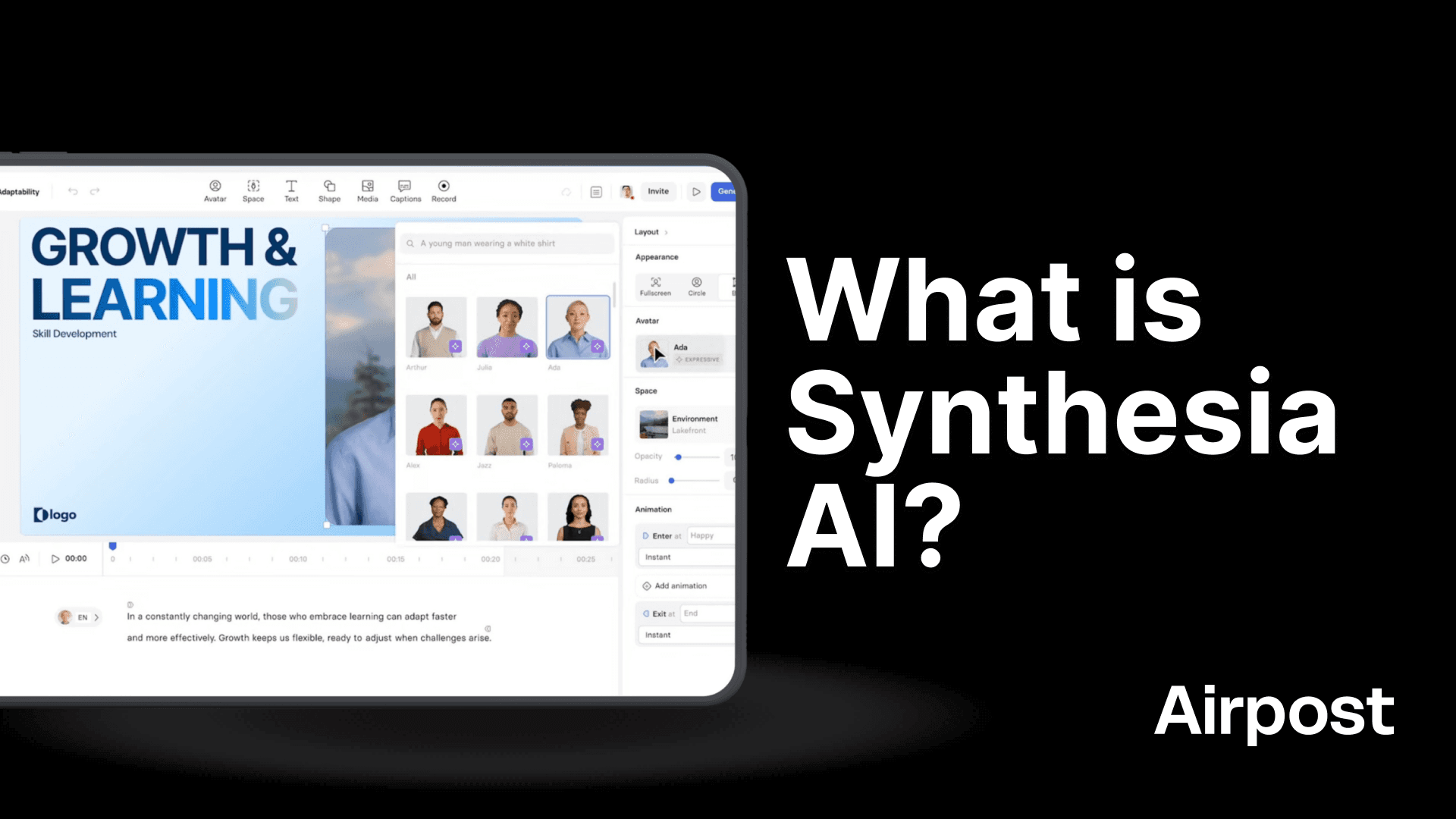
Synthesia is a cloud-based video platform that converts text into video. You write a script, choose a digital presenter (an AI avatar), pick a language, and the platform generates a video of that avatar delivering your script with synced lip movements, facial expressions, and gestures.
It is used by companies for training videos, onboarding content, internal comms, product explainers, etc.
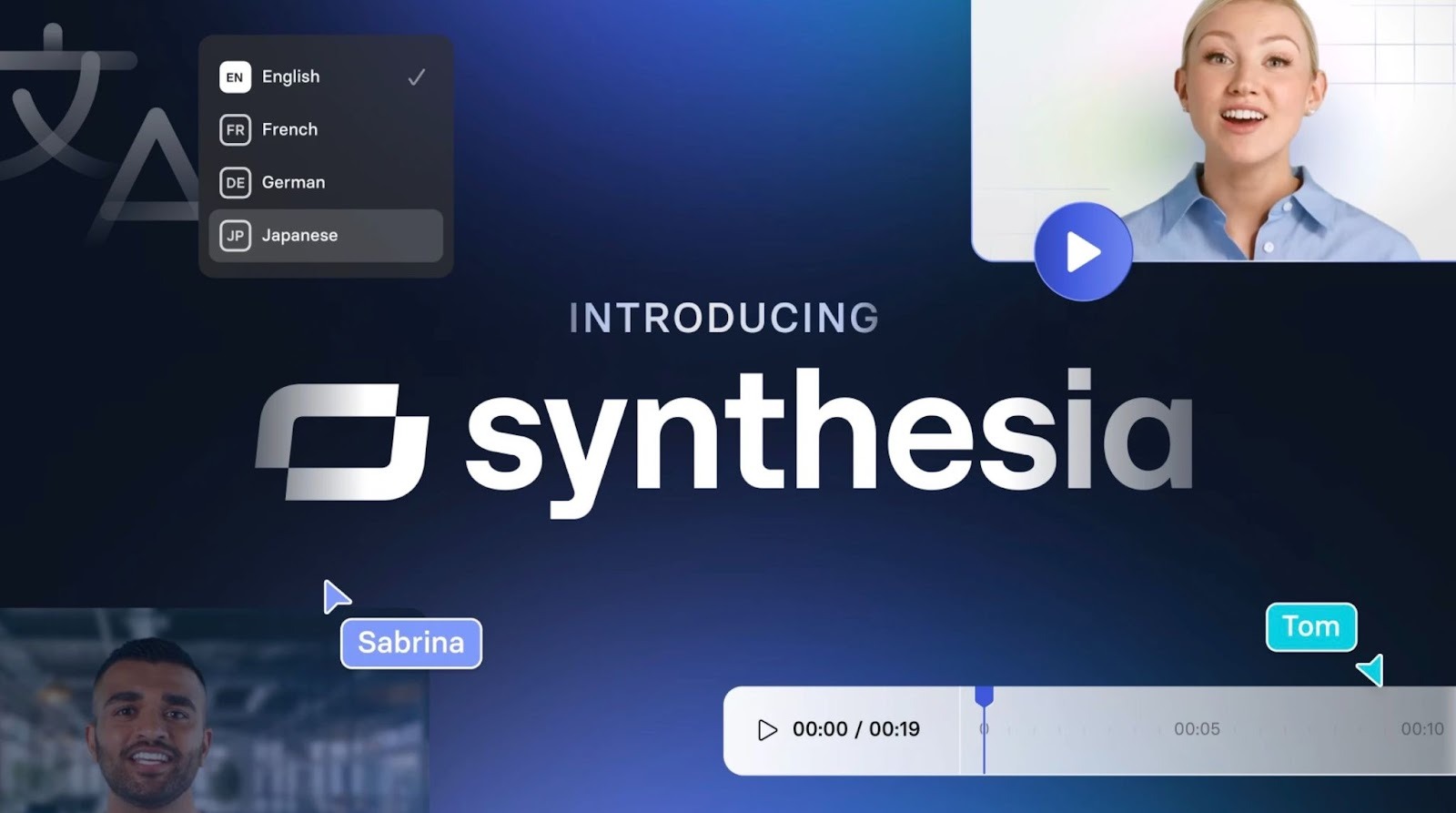
The platform runs on deep learning and text-to-speech. Its latest avatar engine, Express-2, uses a diffusion transformer model trained on professional speaker footage. The avatars don't just stand there and read. They shift their weight, gesture at key points, and adjust their tone based on the script's context.
The Avatar Types
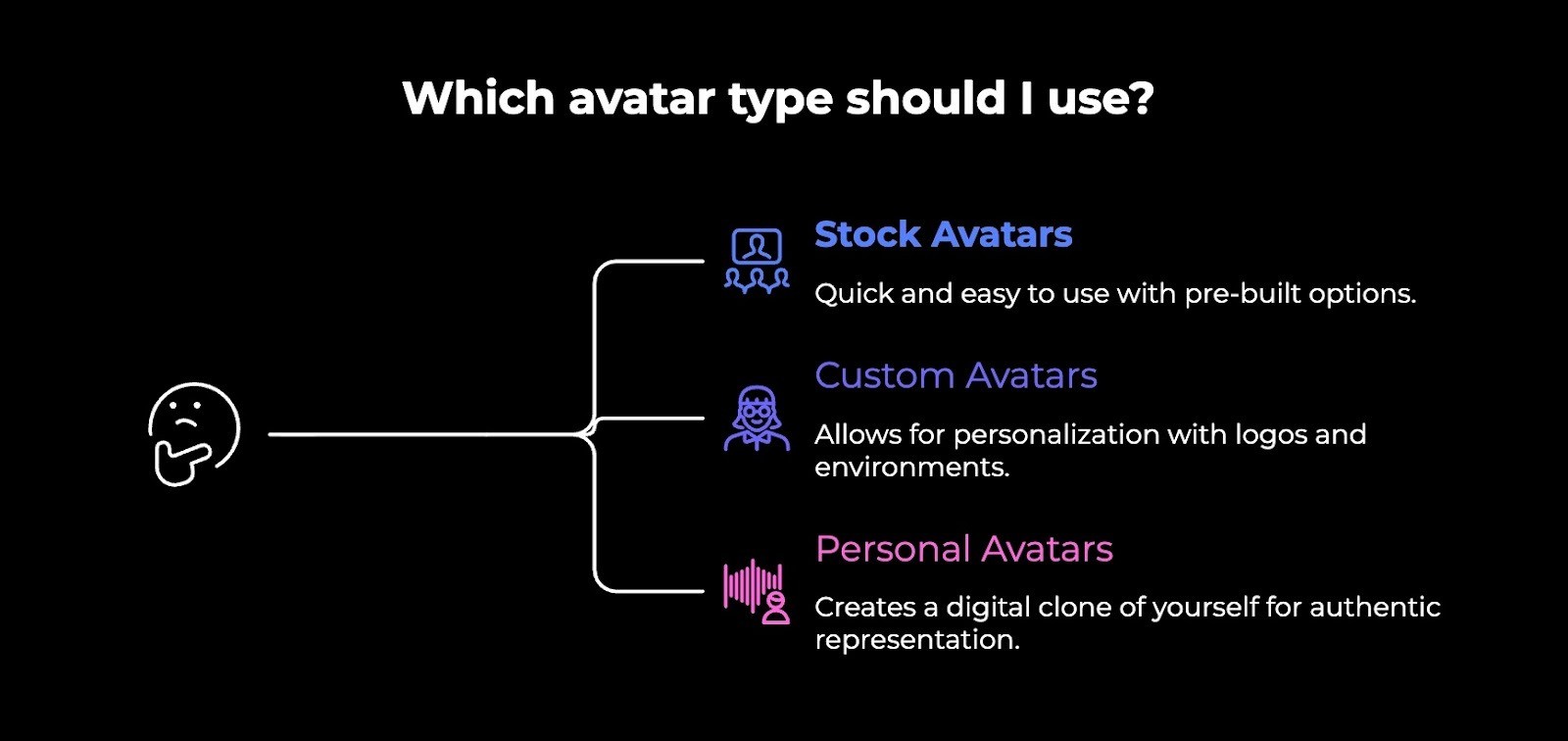
Synthesia offers three categories:
Stock avatars: Stock avatars are 240+ pre-built digital presenters. Different ages, ethnicities, professional styles. You pick one, give it a script, and it's done. Available on all plans.
Custom avatars: These are modified stock avatars. Change their outfit, add your logo, and place them in a specific environment. You can even prompt them to perform physical actions like pointing at something or picking up an object.
Personal avatars: These are digital clones of real people. You record a short video of yourself, and Synthesia builds a version that mimics your face, expressions, and voice. The Express-2 engine includes voice cloning that captures your accent, rhythm, and delivery patterns.
Personal avatars require explicit consent. Synthesia won't let you clone celebrities, public figures, or anyone who hasn't agreed.
What it Costs
Synthesia runs on a tiered pricing model with a credit system:
Free: $0/month. 3 minutes of video, 9 avatars, watermarked output. Fine for testing.
Starter: $29/month ($18 billed annually). 10 minutes/month, 70+ avatars, 120+ languages.
Creator: $89/month ($64 billed annually). 360 minutes/year, 90+ avatars, API access, personal avatars, branded pages.
Enterprise: Custom pricing. Unlimited minutes, 230+ avatars, 1-click translation, SSO, SCORM export, team features.
Custom digital twin avatars cost an extra $1,000/year. SCORM export and 1-click translation are Enterprise-only. So the actual cost of full functionality is often higher than what the pricing page suggests.
AI Avatars vs AI-Generated Video
These get lumped together a lot, but they're very different things.
AI avatars are digital presenters. You write a script, pick a face, and the tool generates a video of that person talking to the camera. The output is structured and predictable. A person standing or sitting, delivering your words. You control what they say. The AI controls how they look and move while saying it.
AI-generated video is something else entirely. These are tools that create footage from a text prompt. You type "a woman walking through a busy Tokyo street at sunset," and the AI generates that scene from scratch. No real footage. No template. Just pixels created from a description.
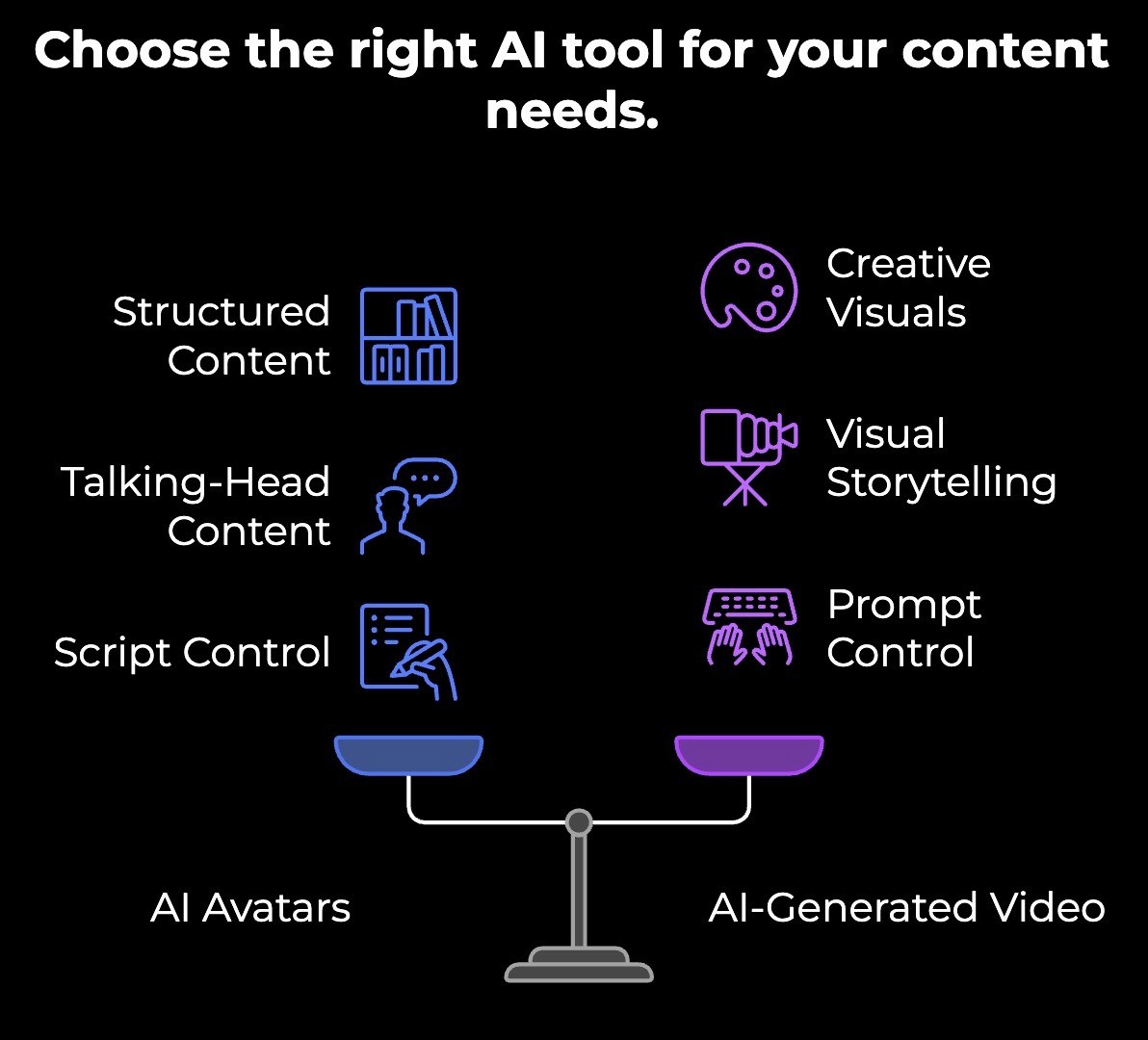
AI avatars are for talking-head content where you need a consistent presenter delivering a specific message. AI-generated video is for creating visuals, scenes, and b-roll that would otherwise require a film shoot or expensive stock footage.
Where it gets interesting is when you combine them. An AI avatar explains your product while AI-generated footage shows it being used in different settings. The avatar handles the message. The generated footage handles the visuals. Neither could do the other's job well on its own.
If you're evaluating tools, be clear about what you actually need. A presenter who talks, or footage that shows. They solve different problems, and picking the wrong one because they both have "AI video" in the description will waste your time.
Should You Use AI Avatars for Ads?
AI avatars can work in certain advertising contexts. If you're creating a straightforward product explainer, a how-to video, or an informational ad where the goal is to educate rather than emotionally persuade, an avatar can get the job done. They're fast to produce, easy to localize, and cheap compared to hiring talent and booking a studio.
But if you're running performance ads on Meta, TikTok, or YouTube, where every second counts and creative quality directly impacts your ROAS, avatars come with real risks.
Here's what to consider:
Audiences scroll fast. You have about three seconds to earn someone's attention. AI avatars lack the natural energy and expressiveness that make people stop. A real person leaning into the camera with genuine enthusiasm will outperform a polished but flat digital presenter almost every time.
Trust matters in ads. People are getting better at spotting AI avatars. If a viewer sees that you're trying to use an AI avatar but showing it as a real person, you've lost credibility before your message even lands. For brands where trust and authenticity are part of the value proposition, that's a real problem.
Creative testing needs volume and variety. Winning at paid media means testing dozens of concepts, angles, and hooks every week. AI avatars give you speed, but they give you speed within a narrow range. Every avatar video has a similar feel. That limits how much genuine creative diversity you can test.
They work better as a supporting element. Instead of making the avatar the star of the ad, use it as one piece of a larger AI-generated ad. A quick avatar clip explaining a feature, layered with real footage, product shots, and strong copy, can work. A full 30-second ad of just an avatar talking to the camera usually won't.
Best Practices for Creating AI Avatar Videos
A good avatar doesn't fix a bad script or lazy setup. Here's what to get right:
Write scripts the way people talk. Short sentences. One idea each. Drop the corporate speak. The more conversational your script reads, the more natural the avatar sounds delivering it.
Match the avatar to the tone. A suited-up corporate avatar won't sell a fun DTC product. Pick an avatar whose energy and appearance fit the content, not just one that looks too professional.
Don't let the avatar do all the work. Layer in screen recordings, product shots, text overlays, and b-roll. The avatar is the narrator. It shouldn't be the only thing on screen for the entire video.
Keep it short. Avatar quality holds up better in shorter formats. The longer someone watches, the more likely they are to clock the artificial qualities. Say what you need to say and get out.
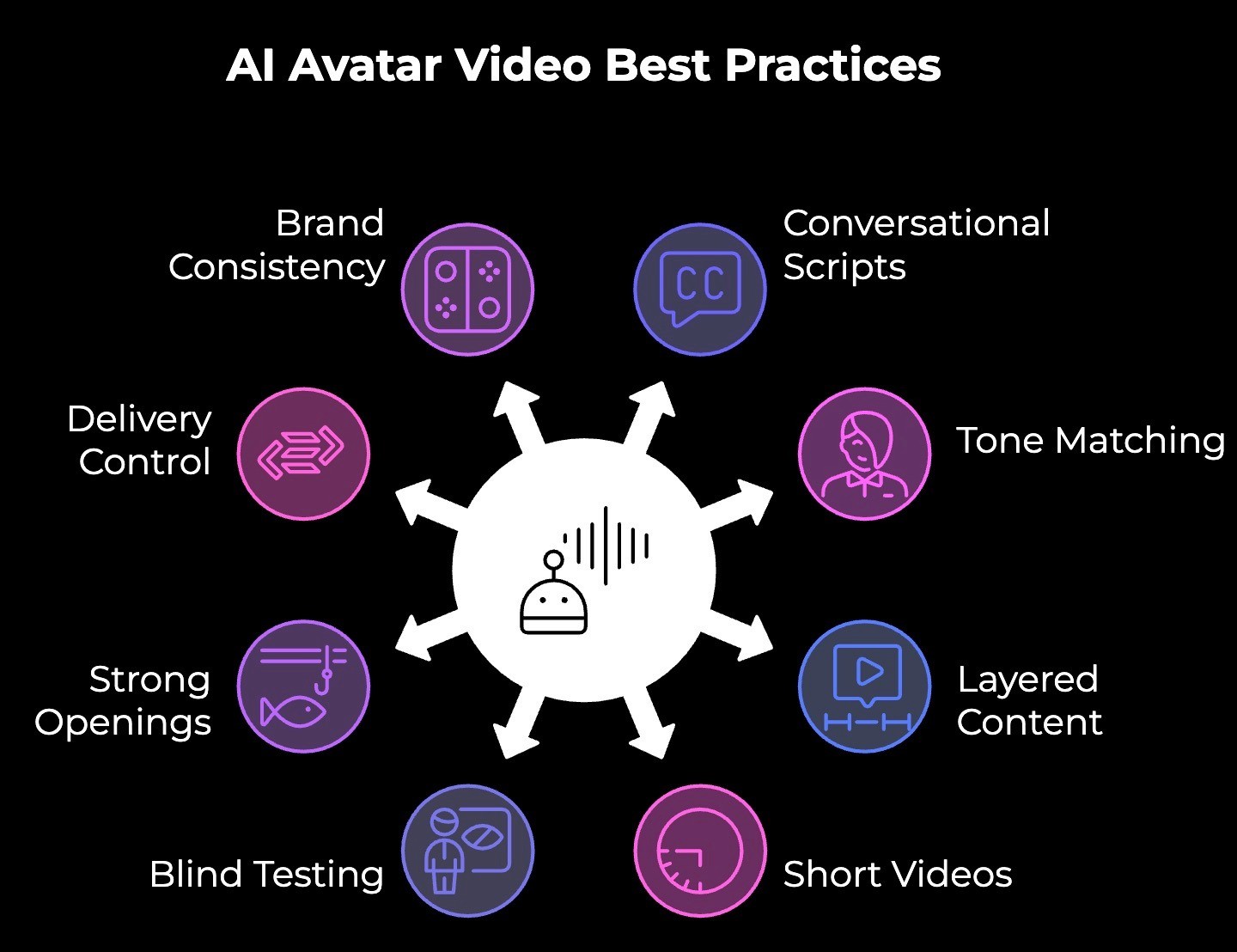
Test it blind. Show someone the video without telling them it's AI-generated. If they notice immediately, the video isn't ready. If they don't, you're good.
Nail the first three seconds. Especially if this is going anywhere near a social feed. Avatars don't have the natural charisma to hook someone in their presence alone. Your opening line has to do that job.
Use pauses and punctuation to control delivery. Ellipses, em dashes, and line breaks in your script translate to micro-pauses in the avatar's delivery. Small tweaks here make a big difference in how natural the output feels.
Lock your brand kit before you start producing. Colors, fonts, logos, backgrounds. Set these once, so every video looks consistent. Inconsistent branding makes AI-generated content look even more obviously AI-generated.
3 Mistakes to Avoid with AI Avatars
Using them for everything
Once people discover AI avatars, they start putting them in every video. Product ads, social content, investor updates, customer testimonials.
But avatars work best in specific formats like training, explainers, and internal comms. Forcing them into content that needs real human energy makes the whole brand feel generic.
Writing scripts like a document
Most people write their avatar scripts the way they'd write an email or a report. Long sentences, formal language, and too many ideas packed into one paragraph.
The avatar reads exactly what you give it. If the script sounds stiff on paper, it sounds worse coming out of a digital face. Read it out loud before you paste it in. If you wouldn't say it that way to a coworker, rewrite it.
Skipping the review before publishing
AI avatars look good in the editor. Then you export, watch the final video, and notice the pronunciation is off on your product name, or there's an awkward pause in the middle of a sentence, or the avatar's expression doesn't match the tone of a particular line.
A lot of people generate and ship without watching the full output carefully. Always watch the final video end to end, ideally on the same device your audience will see it on.
Want Ads That Actually Perform? Use Airpost.
If you're trying to produce winning ads at scale, you need more than a digital talking head reading a script. You need a creative strategy, real footage, rapid iteration, and the ability to test dozens of concepts per week without burning through your budget.
That's what Airpost does.
Airpost is a hybrid creative platform that is part AI, part expert strategists. You upload your brand assets and product info. Airpost's engine analyzes them, pulls in your footage alongside AI-generated and stock footage, and produces 10 to 100+ ad variations per week.
Here's what makes it different:
The brief is dynamic. You update your personas, angles, or value props, and your ads update with them. No restarting from scratch.
Airpost monitors your top performers and generates new concepts based on what's already working. It learns as you go.
It fits into how you already work. Your naming conventions, your upload preferences, and your approval flow through Google Sheets. Nothing changes on your end.
Book a demo to see how Airpost fills your ad account with fresh creative every week without you writing a single prompt.



