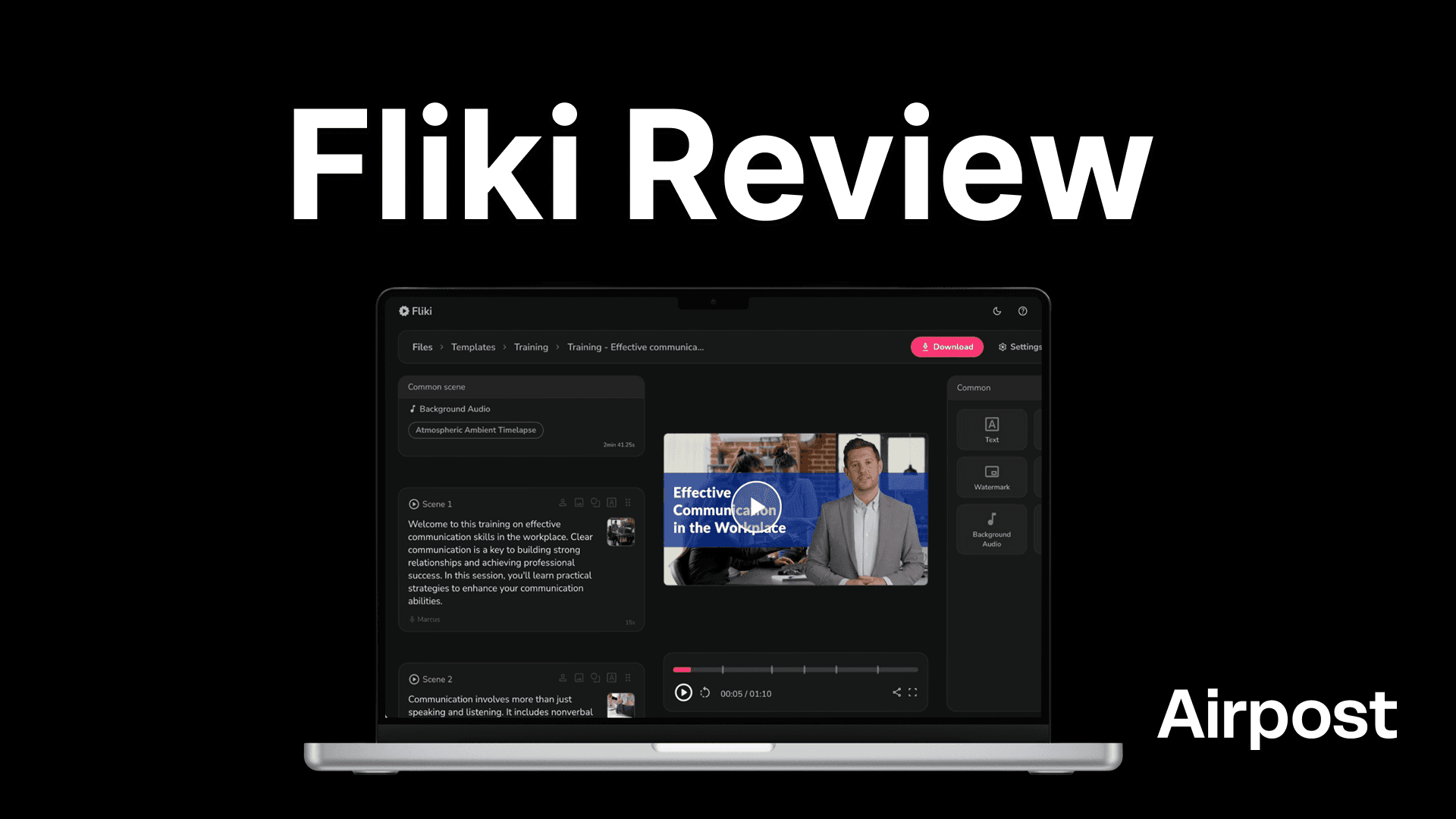
Fliki is an AI video creation platform that turns text (scripts, blog posts, product pages, etc.) into videos with AI voiceovers and stock visuals. It's built for people who need video content fast but don't want to deal with traditional editing tools.
But how well does it actually work? Is the output good enough to use for real campaigns? And are the pricing tiers worth what you're paying?
We looked into Fliki's features, checked its pricing, and found what would be a better option if you're trying to create AI ads. Let's see what we found.
What Is Fliki, And Who Is It For?
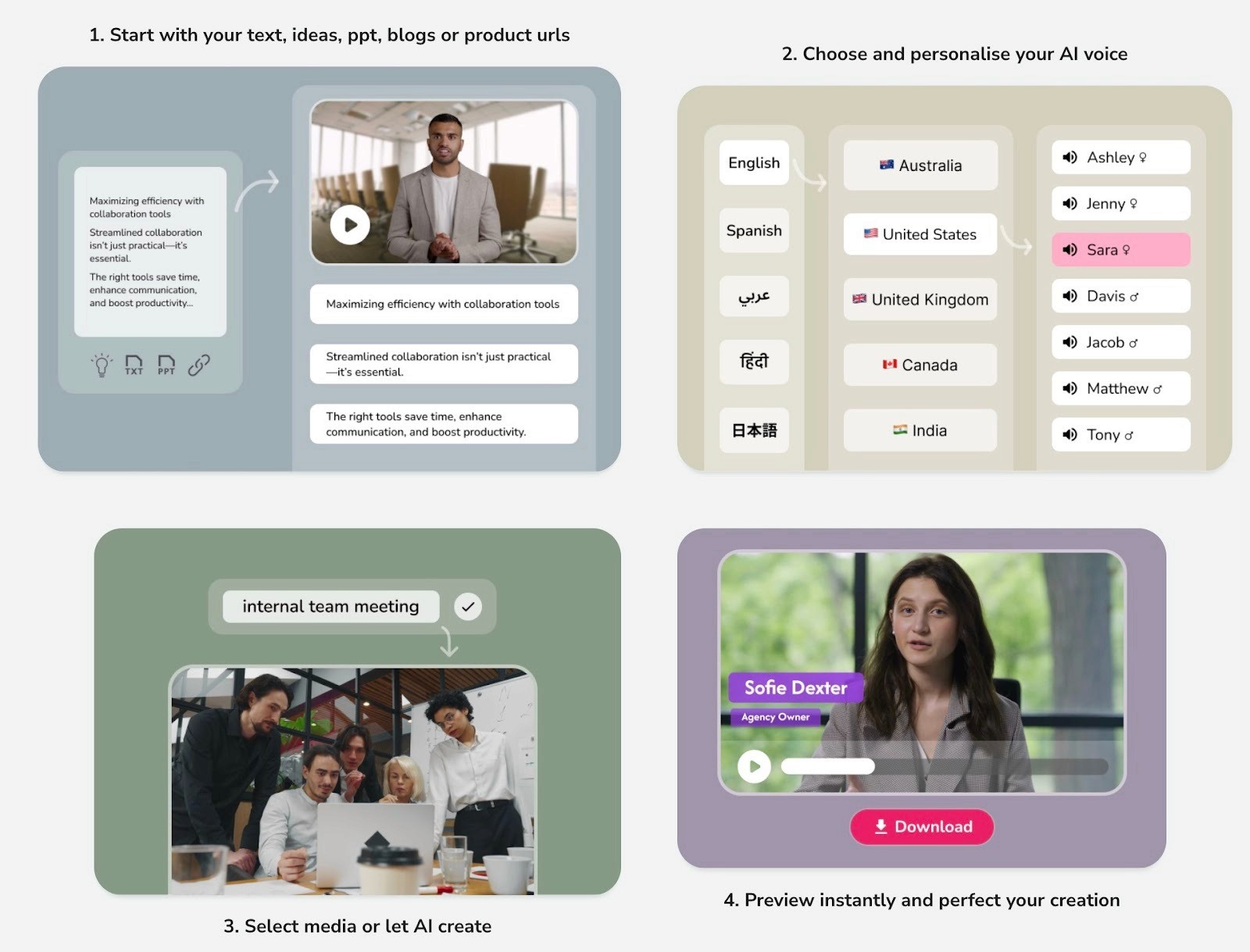
Fliki is a web-based AI video tool. You feed it text, which can be in the form of a script, blog post, product URL, PowerPoint, or just a rough idea, and it turns that into a video. The video can have AI voiceovers, stock footage, music, and subtitles. Everything runs in your browser, so there's nothing to download or install.
What makes it a bit different from standalone text-to-speech or text-to-video tools is that it bundles several things together: video generation, voiceovers, voice cloning, AI avatars, and a stock media library. Instead of jumping between tools, you're handling most of the workflow in one place.
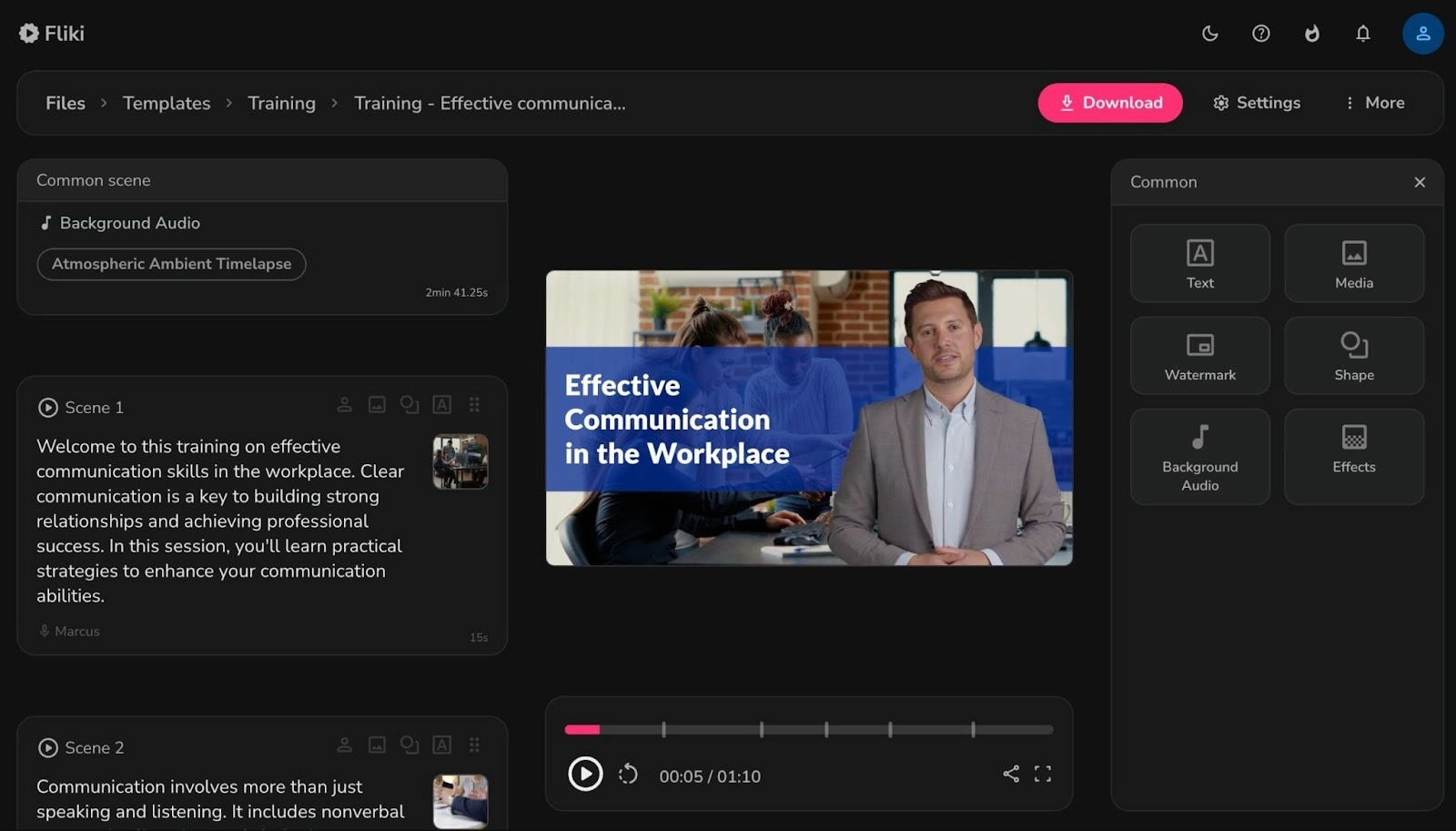
It's mainly used by solo creators, small marketing teams, educators, and ecommerce brands who need video content regularly but don't have the time or resources for traditional production. Common use cases include social media videos, product explainers, YouTube content, course material, and ad creatives.
Key Features
AI voiceovers: Choose from 2,500+ AI voices across 80+ languages and 100+ dialects. Premium plans include ultra-realistic and studio-quality voice options.
Voice cloning: Record a 2-minute sample of your voice, and Fliki can replicate it for your videos.
AI avatars: Add a lifelike AI presenter to your video without needing to film anyone.
Stock media library: Access 10 million+ images, video clips, stickers, and music tracks to use in your projects.
Templates: Pre-built templates for different formats and platforms so you're not starting from scratch every time.
Brand customization: Add your brand colors, logos, and fonts to keep things consistent across videos.
Multi-language support: Create or translate content in 80+ languages; useful if you're targeting international audiences.
Auto-subtitles: Fliki generates subtitles automatically, which saves a step in post-production.
Integrations: Connects with tools like Zapier and Make for workflow automation.
Fliki Pricing: What Each Plan Gets You
Fliki has four tiers: Free, Standard, Premium, and Enterprise. All paid plans come with a 25% discount if you go annual, and there's a free trial available for Standard and Premium so you can test before committing.
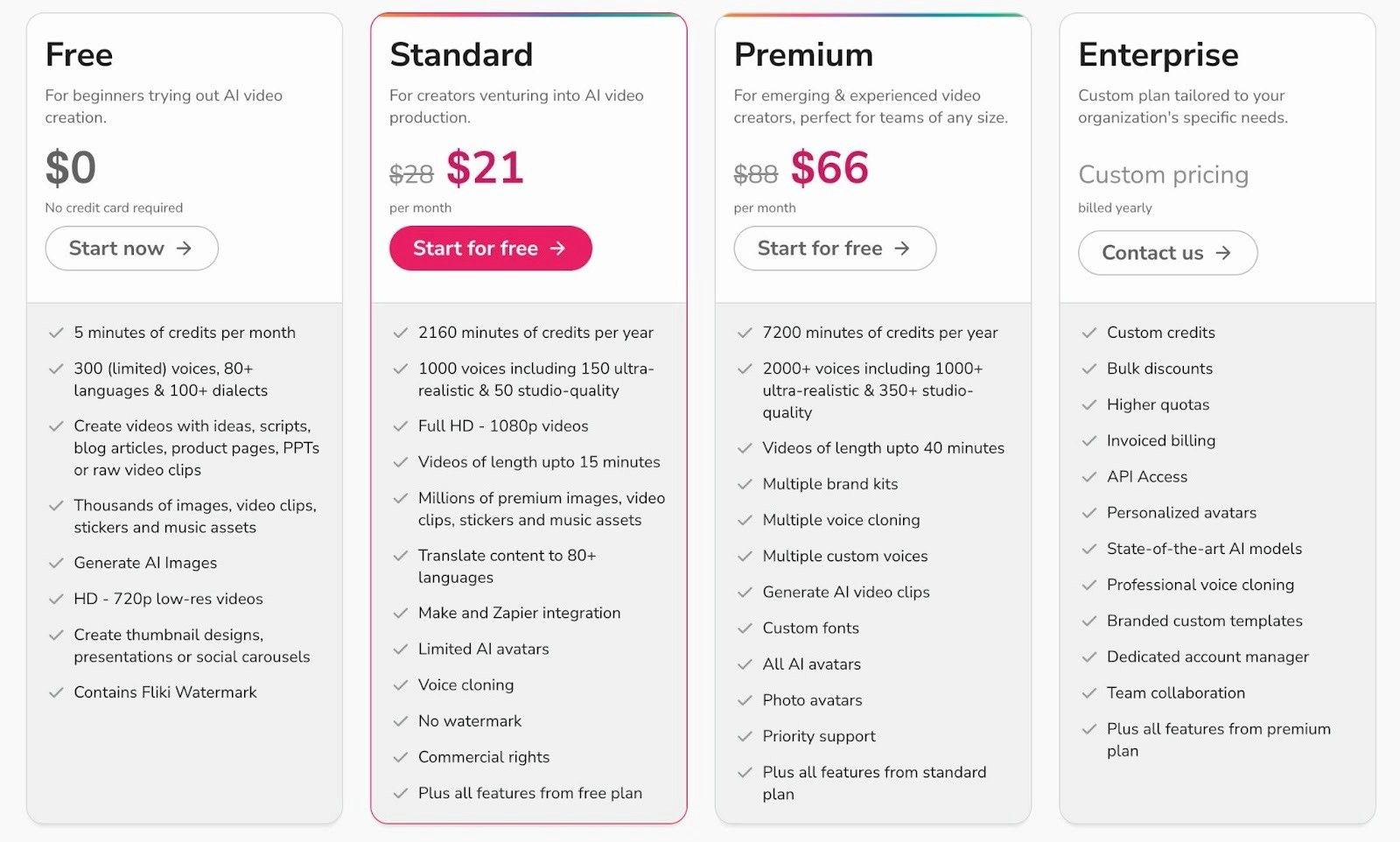
Fliki uses a credit system based on minutes of audio and video generated. Credits aren't just used when you export a video; they're also deducted when you:
Regenerate audio after editing a script
Change a voice or adjust pauses
Reprocess text for any reason
This means you can burn through credits faster than expected, especially if you're making a lot of revisions. And once you run out, you either wait for the next billing cycle, upgrade, or buy extra credit packs.
Which Plan Should You Pick?
It really comes down to two things: how many videos you're making and how polished they need to be.
If you just want to explore the tool, start with Free, but know that the watermark and 720p resolution make it unusable for anything public or client-facing.
Standard is where Fliki becomes usable for commercial purposes. It works for solo creators or small teams putting out a handful of videos a month. You get commercial rights, 1080p, and decent voice options.
Premium makes sense if you're producing at a higher volume, managing multiple brands, or need the best voice quality and full avatar access. The credit jump from Standard to Premium is significant.
And if you're an enterprise team with specific security, collaboration, or API needs, you'd have to talk to their sales team for a custom plan.
Where Fliki Falls Short
Fliki does a lot of things well for the price, but it's not without tradeoffs. Here are some of the areas where it doesn't quite deliver.
The output can look generic
This is a common issue with most AI video tools, and Fliki is no exception. While it assembles videos quickly, the results often have a templated, stock-footage-heavy feel. If you're creating content for a brand that cares about visual identity, you'll probably need to spend extra time swapping out clips and fine-tuning scenes to make the video feel like yours.
For casual content, like internal training videos or quick social posts, this might not matter. But for paid ads or customer-facing campaigns, the default output may not cut it.
Limited creative control for advanced users
Fliki is designed for ease of use, which means the editing tools are fairly basic. You can swap clips, adjust text, and change voiceovers but if you're used to tools like Premiere Pro or even CapCut, you'll notice the limitations quickly.
Things like custom animations, precise timing adjustments, or layered audio are either limited or not available. It works best when you're okay with a mostly-automated workflow and don't need granular creative control.
Quality varies across languages and voices
While Fliki supports 80+ languages, the voice quality isn't uniform across all of them. Major languages like English and Spanish tend to sound natural, but less common languages can come across as robotic or uneven. It's worth testing your specific language and dialect before committing to a plan.
Not built for performance advertising
Fliki is great for general video content, but it wasn't designed with paid media in mind. There's no performance tracking, no ad-specific formats or frameworks, and no way to systematically test different hooks, angles, or concepts. If you're running ads at scale on Meta or TikTok, you'll likely need something more purpose-built.
5 Fliki Alternatives
If Fliki doesn't check all your boxes, here are a few other tools worth looking at.
InVideo
InVideo is an AI video tool that works well for social media content such as YouTube videos, Reels, and TikTok clips. You give it a text prompt or script and it generates a full video with visuals, transitions, and voiceover. It has a solid template library and is pretty beginner-friendly.
Where it edges ahead of Fliki is in its editing flexibility. You get more control over the timeline without things getting overly complicated. Paid plans start at $25/month.
Synthesia
Synthesia focuses heavily on AI avatar-led videos that are used for training, onboarding, internal comms, and product walkthroughs. Its avatars are among the most realistic in the space, and it supports 160+ languages. It's more enterprise-oriented than Fliki, with features like SCORM export, brand kits, and team collaboration.
If your main use case is presenter-style videos without filming anyone, Synthesia can work for you. Paid plans start at $18/month (billed annually).
HeyGen
HeyGen is similar to Synthesia in that it's built around AI avatars and talking-head videos. It stands out for offering unlimited video creation on its Creator plan, which is rare in this space. It also has solid voice cloning features and supports 175+ languages.
The trade-off is that avatar realism sits slightly below Synthesia, and advanced features like 4K export are locked behind higher tiers. Paid plans start at $24/month (billed annually).
Pictory
Pictory is more of a text-to-video tool than an avatar platform. You paste in a blog post or script, and it matches your content with stock footage, adds a voiceover, and generates subtitles automatically. It's fast and simple, which is good for repurposing written content into short-form video.
It doesn't have AI avatars or voice cloning, so it's more limited in scope, but for faceless content, it does the job. Paid plans start at $14/month.
Creatify
Creatify is specifically built for video ads. You paste a product URL, and it generates UGC-style ad creatives with AI avatars, scripts, and hooks. It's more niche than Fliki.
You wouldn't use it for training videos or course content, but if your goal is ad creative for Meta or TikTok, it's more purpose-built for that workflow. It also lets you clone competitor ads for reference. Paid plans start at $39/month.
Choose Airpost to Create Winning Ads at Scale
There are plenty of AI video tools out there, but most of them put the work on you. You write the script, pick the visuals, prompt the AI, and hope for the best. If you're running paid ads at scale, that approach creates more work for you.
Airpost has a different approach to creating ads.
It's a hybrid platform that combines AI-powered ad creation with expert creative strategists who manage the process for you. You don't generate ads yourself. Airpost delivers done-for-you video ads every week, based on a living brief that evolves with your performance data.
Airpost uses a proprietary ad taxonomy that categorizes every creative by format, hook type, angle, and performance pattern. This means each new batch of ads is informed by what's actually working, and not guesswork.
Here's what you get with Airpost:
10-30 new video ads delivered per week
Expert creative strategists managing your account
A living brief that updates as your campaign performance shifts
24/7 performance monitoring that triggers new variations when an ad starts winning
Access to 300,000+ real footage clips alongside AI-generated assets
Automatic resizing to vertical and square formats with optimized safe margins
Built-in brand safety, compliance, and a Disclaimers feature to keep your ads clean
Book a demo to see how Airpost can help you if you're spending serious budget on Meta or TikTok and need a system that learns, adapts, and keeps delivering diverse creative at volume



