
Opus Clip made one job easy. You can drop in a long video and get back a batch of captioned vertical clips ready for TikTok, Reels, and Shorts. It is fast and largely automatic. But plenty of creators and teams hit its limits, whether that is credits that renew before you have used them, AI clip selection that misses the moment you wanted, or an editor that does not give you the manual control to fix things cleanly. If any of that sounds familiar, the good news is that the short-form clipping space is crowded with strong alternatives, and several do specific jobs better than Opus Clip does.
This guide covers 7 self-serve tools that turn long videos into short clips, plus 3 done-for-you services for teams that would rather hand the work off entirely.
Here are the Opus Clip alternatives at a glance:
Tool | Best for | Starting price |
Vizard | AI clipping with built-in social scheduling | Free plan; paid from $14.5/mo |
Descript | Text-based editing and clips in one editor | Free plan; paid from $16/mo |
Flowjin | Repurposing podcasts and audio into clips | Free trial; paid from $9.50/mo |
WayinVideo | Keyword search to clip exact moments | Free plan; paid from $4.99/mo |
NemoVideo | Chat-based editing you direct in plain language | Free plan; paid from $4.17/mo |
Riverside | Recording and clipping in one platform | Free plan; paid from $24/mo |
SendShort | Auto-generated and faceless shorts at volume | Paid from $15/mo |
Prices reflect the lowest paid tier billed annually.
And if you would rather a team did the work for you, here are the done-for-you services:
Service | Best for | Starting price |
ShortVids | Fully managed production and editing at volume | From $999/mo |
Vidpros | A dedicated editor with unlimited requests | From $1,000/mo ($100 trial week) |
Videodeck | Turning one long video into about 10 clips | Custom, by quote |
Let's look at each one in detail now.
1. Vizard
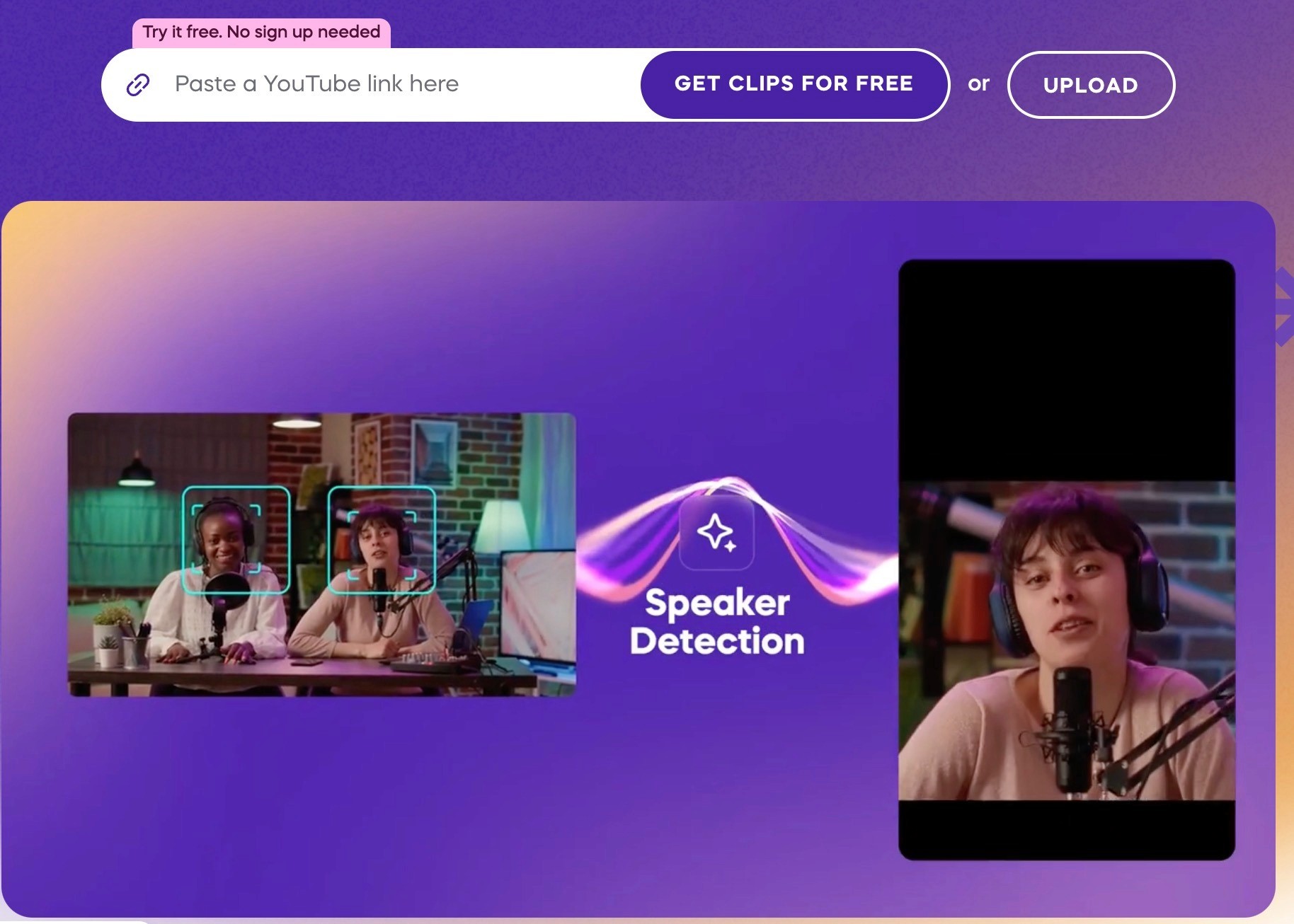
Vizard is an AI clipping tool that turns long-form videos into short vertical clips for TikTok, Instagram Reels, YouTube Shorts, and other platforms. You upload a file or paste a link, and it transcribes the video, identifies the strongest moments, and returns a batch of captioned clips sized for social. It also includes a text-based editor, so edits are made by deleting words in the transcript rather than working a timeline, and it supports direct scheduling and publishing to connected social accounts.
Key features
AI clipping: generates 30+ clips from a single long video in one pass, with a virality score on each.
Text-based editing: trim footage by deleting lines from the transcript, with timeline controls for second-level adjustments.
Auto reframe and resize: converts clips to vertical, square, or other ratios in one click.
Auto subtitles and translation: captions in the source language plus translation into 100+ languages.
Brand templates, brand kit, and custom fonts: keep recurring clips visually consistent (kit and fonts are on the Business tier).
Direct scheduling and publishing: post or schedule to connected accounts across YouTube, TikTok, Instagram, Facebook, X, and LinkedIn.
API access: available on paid tiers with rate limits that scale by plan.
Pricing
Vizard has a free plan that runs without a credit card, so you can test the full clipping workflow before paying. Pricing is credit-based on top of a subscription, where 1 credit equals 1 minute of uploaded video, and plans are billed monthly or annually (annual billing is the rate shown below and lowers the effective monthly cost).
Free: $0 for 60 credits per month. Exports cap at 720p and carry a watermark, storage lasts 3 days, and you can connect 1 social account. Enough to evaluate output quality, not to publish at volume.
Creator: $14.5 per month billed annually, from 600 credits per month. Removes the watermark, unlocks 4K export, stores videos for as long as you subscribe, adds post scheduling, and covers 6 social accounts. Aimed at a solo creator publishing regularly.
Business: $19.5 per month billed annually, from 600 credits per month. Adds a shared workspace, brand kit, custom fonts, and 20 social accounts, with extra team seats at $5 per month each. Aimed at teams that need shared projects and brand consistency.
2. Descript
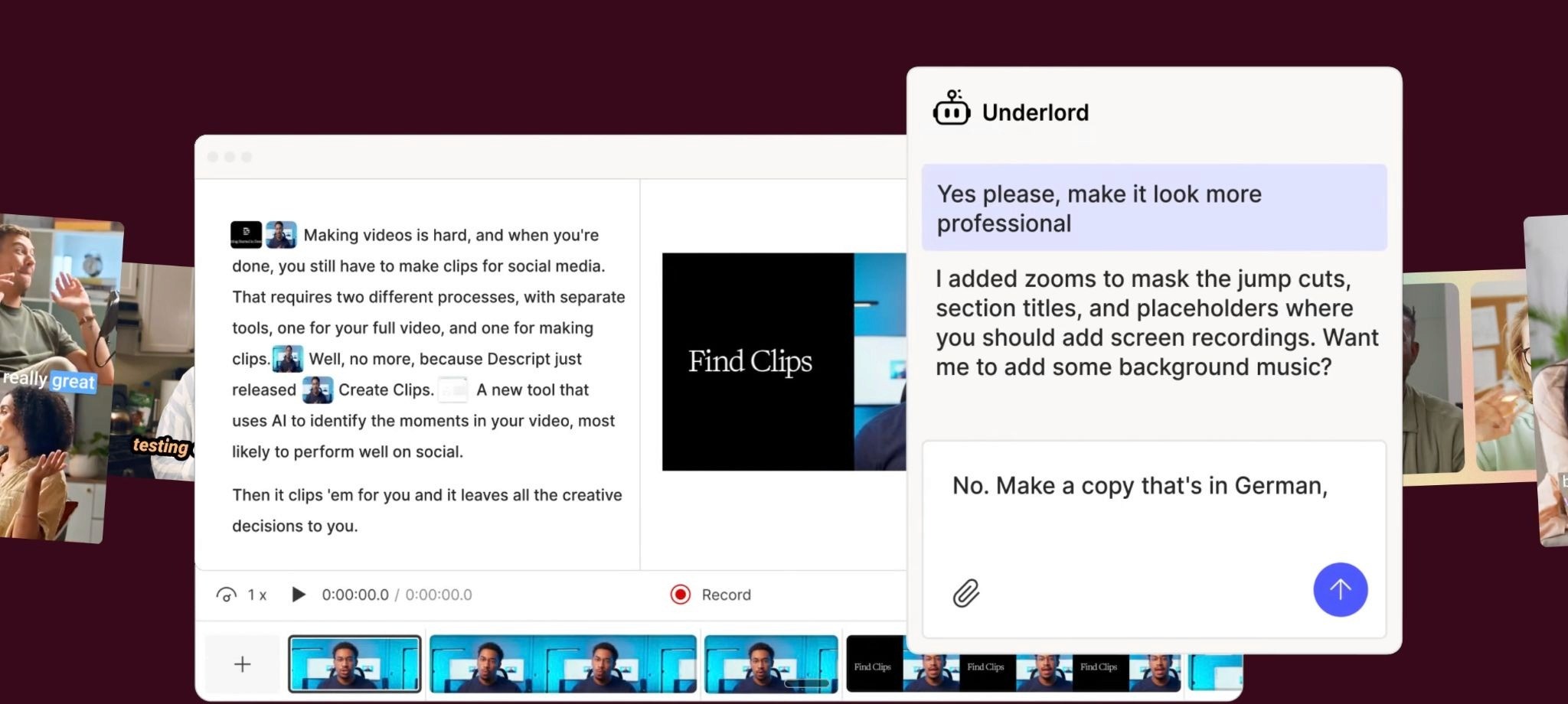
Descript is an AI video and audio editor built around text-based editing. Drag in a recording or record directly, and it generates a transcript you edit like a document, deleting words to cut the video.
Alongside clip creation, it covers podcast editing, screen recording, captions, filler-word removal, studio-grade audio cleanup, and an AI co-editor called Underlord that can draft scripts, design layouts, and generate B-roll. Its Create Clips feature uses AI to pull the moments most likely to perform and turn them into short vertical videos.
Key features
Text-based editing: edit video and audio by editing the transcript, with a full timeline for precise control.
Create Clips: AI identifies high-potential moments and reformats them into short social clips.
Underlord AI co-editor: drafts and revises scripts, applies layouts and transitions, and generates custom B-roll.
Studio Sound and Remove Filler Words: clean up audio and strip "ums" and "uhs" automatically.
Captions, transcription, and translation: auto-captions and translation into multiple languages.
AI Speech tools: custom voice clones and Regenerate, which fixes a word by re-syncing voice and mouth movement.
Screen and remote recording: record screen, camera, or multi-person remote sessions in the same tool.
Pricing
Descript has a free plan that runs without a credit card, so you can test text-based editing before paying. Pricing is per-seat subscription metered by media hours and AI credits each month, billed monthly or annually (annual rates shown below are lower).
Free: $0 per month. Covers 1 media hour and 100 AI credits monthly with 720p watermark-free export. Enough to try the workflow, not to produce regularly.
Hobbyist: $16 per person per month billed annually ($24 monthly). Adds 10 media hours, 400 AI credits, 1080p export, and full AI tools including Create Clips.
Creator: $24 per person per month billed annually ($35 monthly). Adds 30 media hours, 800 AI credits, 4K export, generative video, and unlimited royalty-free stock media.
3. Flowjin
Flowjin is an AI clipping tool aimed at turning long videos and audio into short, captioned clips, with a particular focus on repurposing podcasts, Twitter/X Spaces, and voice notes.
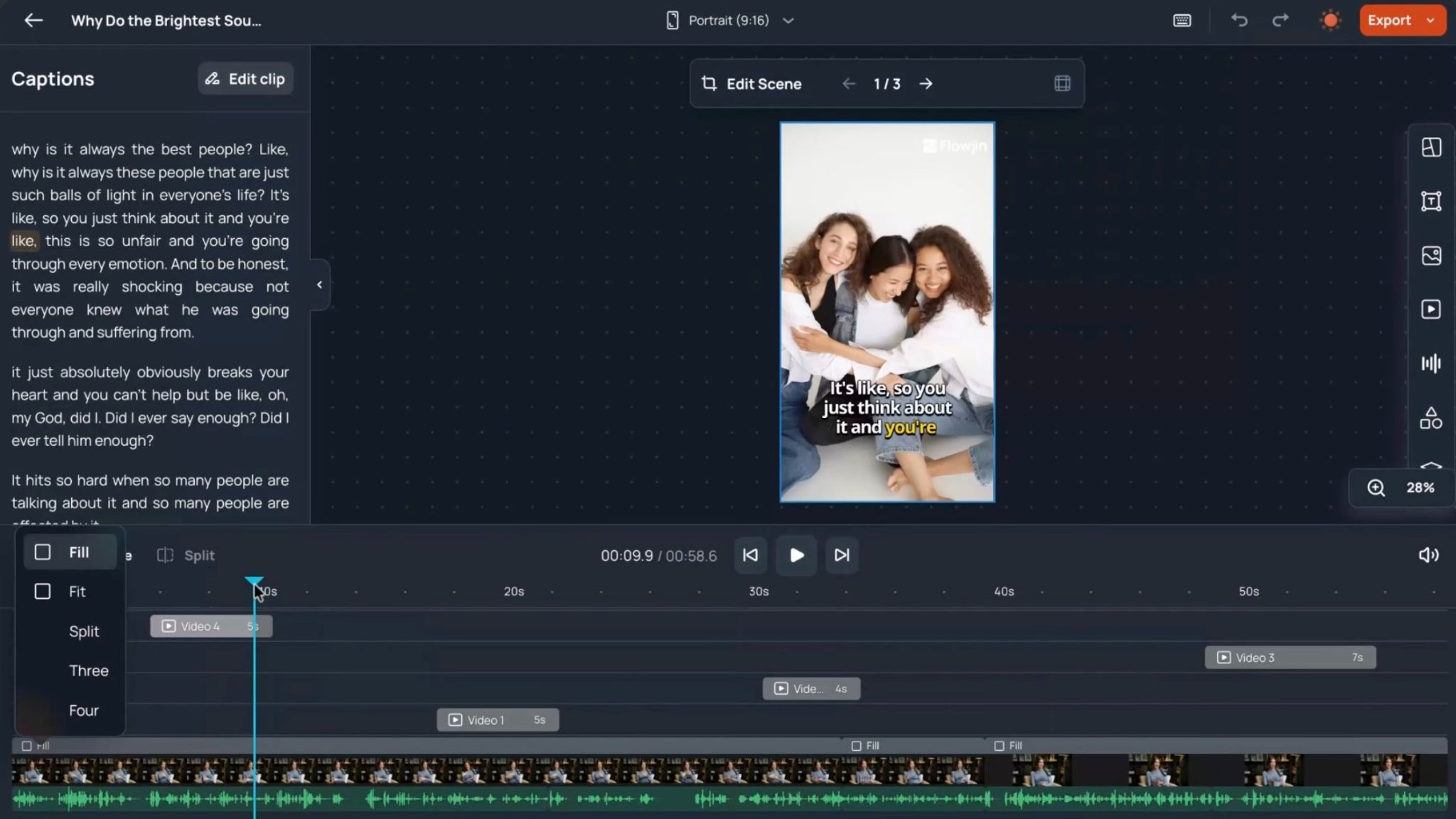
Beyond clipping, it auto-generates platform-specific titles, descriptions, and hashtags, creates quote graphics and audiograms, and lets you schedule or publish to LinkedIn, X, and YouTube from one workspace. Editing happens through a transcript plus a timeline, and style presets let batches of clips inherit a consistent look.
Key features
AI clipping: generates short and long clips from uploaded or linked video and audio.
Audio-first support: converts podcasts, Spaces, and voice notes into captioned soundbites and audiograms.
Auto captions and platform copy: subtitles plus titles, descriptions, and hashtags tuned per platform.
Style presets and saved templates: apply a consistent look across batches without re-editing each clip.
Quote graphics: pulls quotes from your media into shareable images.
Auto reframe and aspect ratios: outputs 9:16, 1:1, and 16:9 in one click.
Built-in scheduler: direct or scheduled publishing to LinkedIn, X, and YouTube.
Pricing
Flowjin has a free trial with a one-time credit, no card required, so you can test the workflow before paying. Pricing is a subscription metered by processing minutes per month, billed monthly or yearly (yearly is 50% off, shown below), with unused credits rolling over for one additional month.
Free: $0 one-time for 60 minutes of processing. Outputs are 720p and watermarked with up to 5 clip exports. Enough to evaluate, not to publish.
Starter: $9.50 per month billed yearly ($19 monthly) for 150 minutes per month. Adds unlimited clip exports, saved templates, and 720p output without watermarks.
Creator: $14.50 per month billed yearly ($29 monthly) for 300 minutes per month. Adds 1080p export, AI B-roll, and up to 30 posts per month to X.
4. WayinVideo
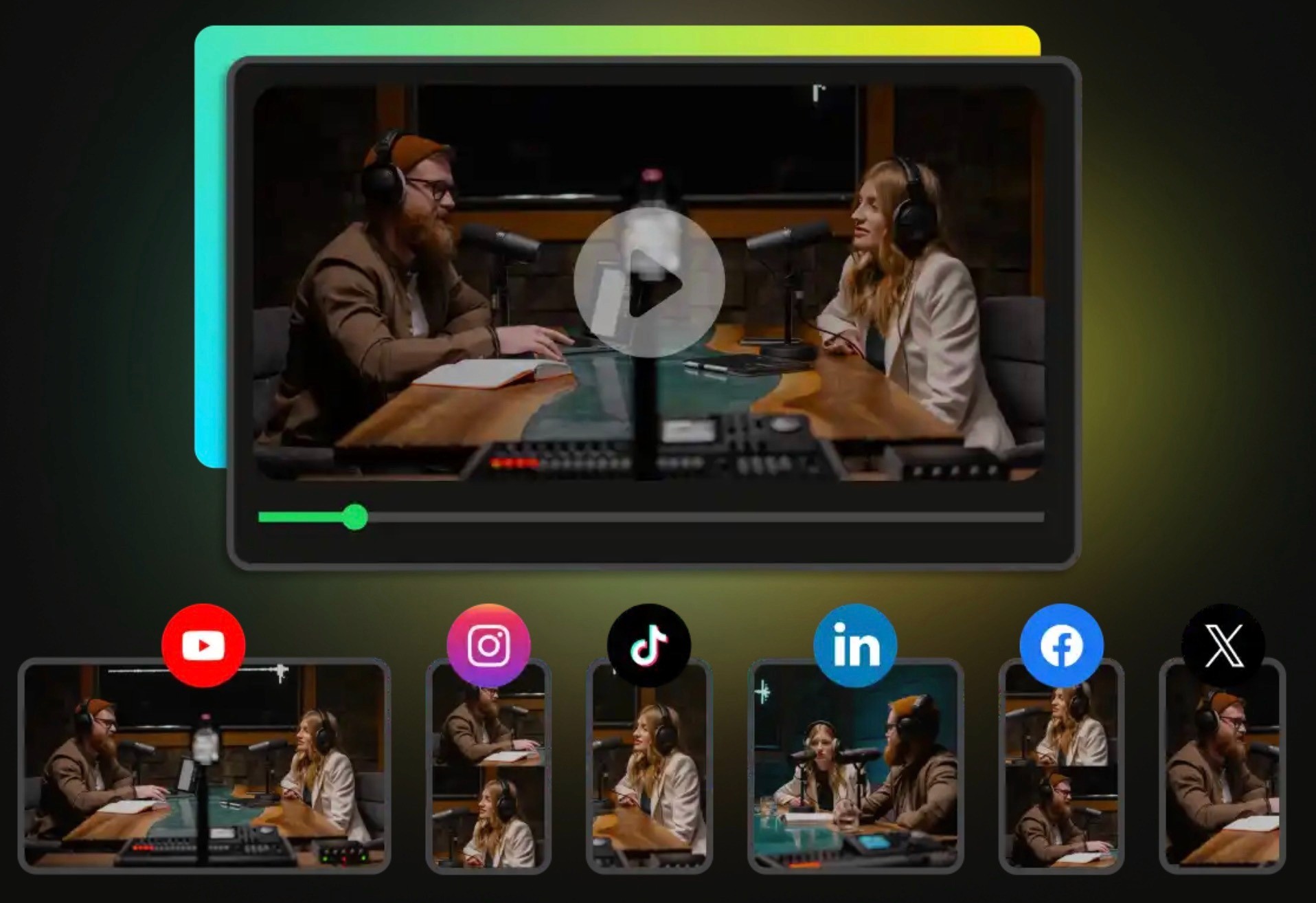
WayinVideo is an AI clipping platform that turns long videos into vertical Shorts by auto-detecting highlights, speaker changes, and pacing. Its distinguishing feature is keyword search: you can type a question or phrase and jump to the exact moment in a video, then clip it, rather than relying only on the tool's automatic selections. It also bundles transcription, summarization, multilingual animated captions, auto reframe, and an API for processing videos programmatically.
Key features
AI clipping: auto-generates Shorts from long video, each scored for virality.
Find Moments search: locate any moment by typing a keyword or question instead of scrubbing.
Bulk editing: apply reframing, captions, and templates across many clips at once.
Video summarizer and transcripts: timestamped outlines and speaker-labeled transcripts in 100+ languages.
Animated captions and subtitle translation: multilingual captions with callout styles.
AI reframe: face and object tracking to keep subjects centered across 9:16, 1:1, and 16:9.
API access: clipping, transcription, summarization, and Find Moments available programmatically.
Pricing
WayinVideo has a free plan with a one-time credit and no card required, so you can test clipping and Find Moments first. Pricing is credit-based on a subscription, billed monthly or yearly, with yearly discounted up to 65 percent (the yearly rates below are promotional for the first year, then renew higher).
Free: $0 with 200 one-time credits. Caps export at 720p with 3-day storage and no bulk editing or auto-posting. Enough to evaluate the core tools.
Standard: $4.99 per month billed yearly ($13.99 monthly) for 1,500 credits. Adds 1080p export, AI clipping, bulk editing up to 20 clips, and 3 social accounts.
Pro: $9.58 per month billed yearly ($26.99 monthly) for 3,500 credits. Adds 2K export, bulk editing up to 100 clips, stock music, and 10 social accounts.
Pro+: $69.99 per month billed yearly ($139.99 monthly) for 20,000 credits. Adds 4K export, unlimited bulk editing, 50 social accounts, and priority processing.
5. NemoVideo
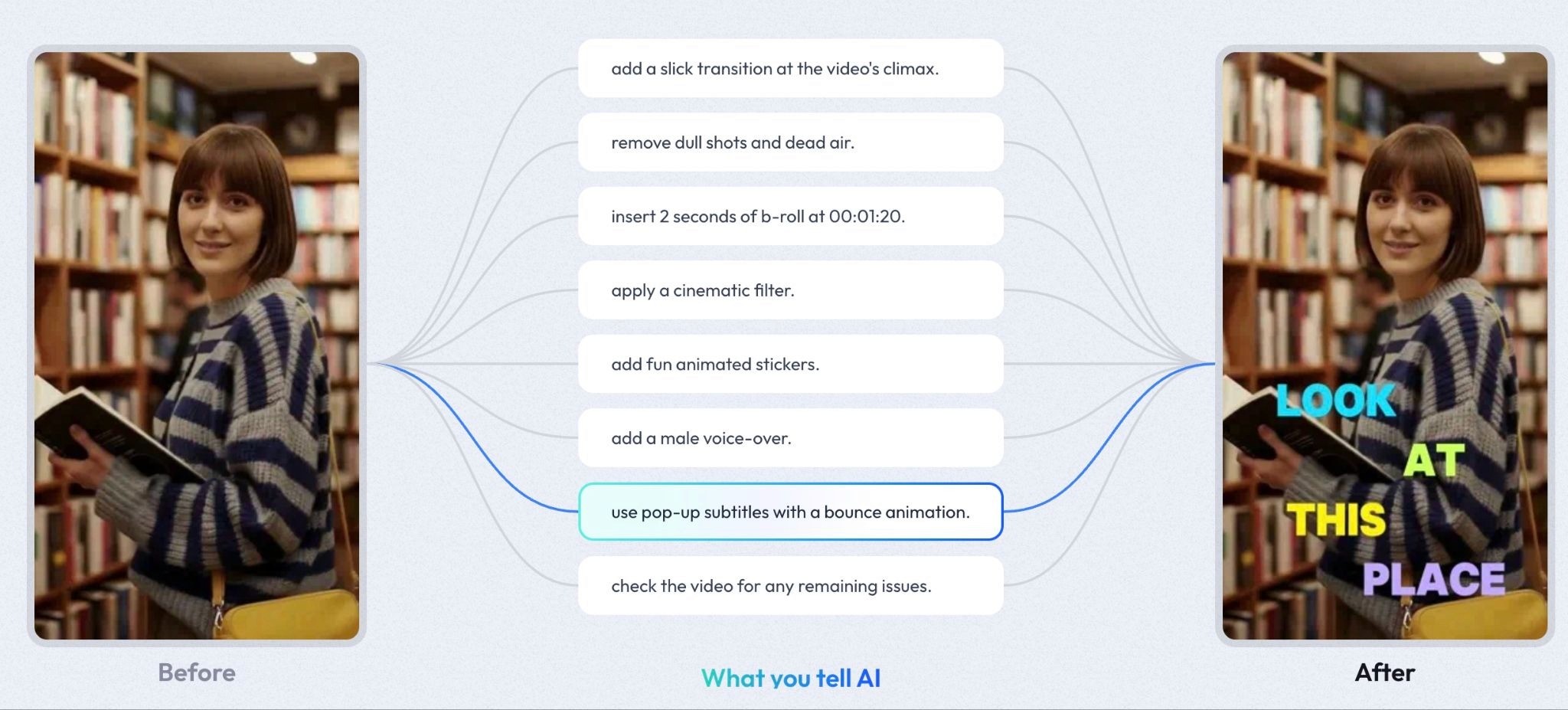
NemoVideo is a chat-based AI video editing tool built around an agent that you direct in plain language. Instead of learning a timeline, you type commands like "cut the silence," "remove filler words," or "add captions," and the agent runs the edit. It also includes a trend-research feature. Its Viral+ Studio and Inspiration Center scan winning videos across platforms, generate creative briefs and scripts, and the tool then reviews long footage to surface the strongest moments for clipping.
Key features
Conversational editing: issue natural-language commands and the agent executes cuts, transitions, effects, and captions.
SmartPick: analyzes long footage and selects the best moments automatically.
Viral+ Studio and Inspiration Center: research trending videos and generate scripts and creative briefs.
SmartAudio: AI voiceovers and agent-selected background music.
Smart Caption: auto-generated captions in a chosen style with animation options.
Talking-head editor: dedicated workflow for presenter and face-to-camera videos.
API access: programmatic access to the platform's editing features.
Pricing
NemoVideo has a free plan with no card required, so you can test the agent before paying. Pricing is credit-based on a subscription, billed monthly or annually (annual is heavily discounted as a limited-time promotion), with pay-as-you-go credit top-ups available on paid tiers.
Free: $0 for 100 credits. Includes the core agent, viral search, and editing, but outputs carry a watermark. Enough to evaluate the workflow.
Starter: $4.17 per month billed annually ($19.99 monthly) for 1,100 credits monthly. Removes the watermark and adds pay-as-you-go credits at $30 per 1,000.
Pro: $33.32 per month billed annually ($39.99 monthly) for 4,300 credits monthly, with higher credit tiers available. Lowers pay-as-you-go credits to $16 per 1,000.
6. Riverside
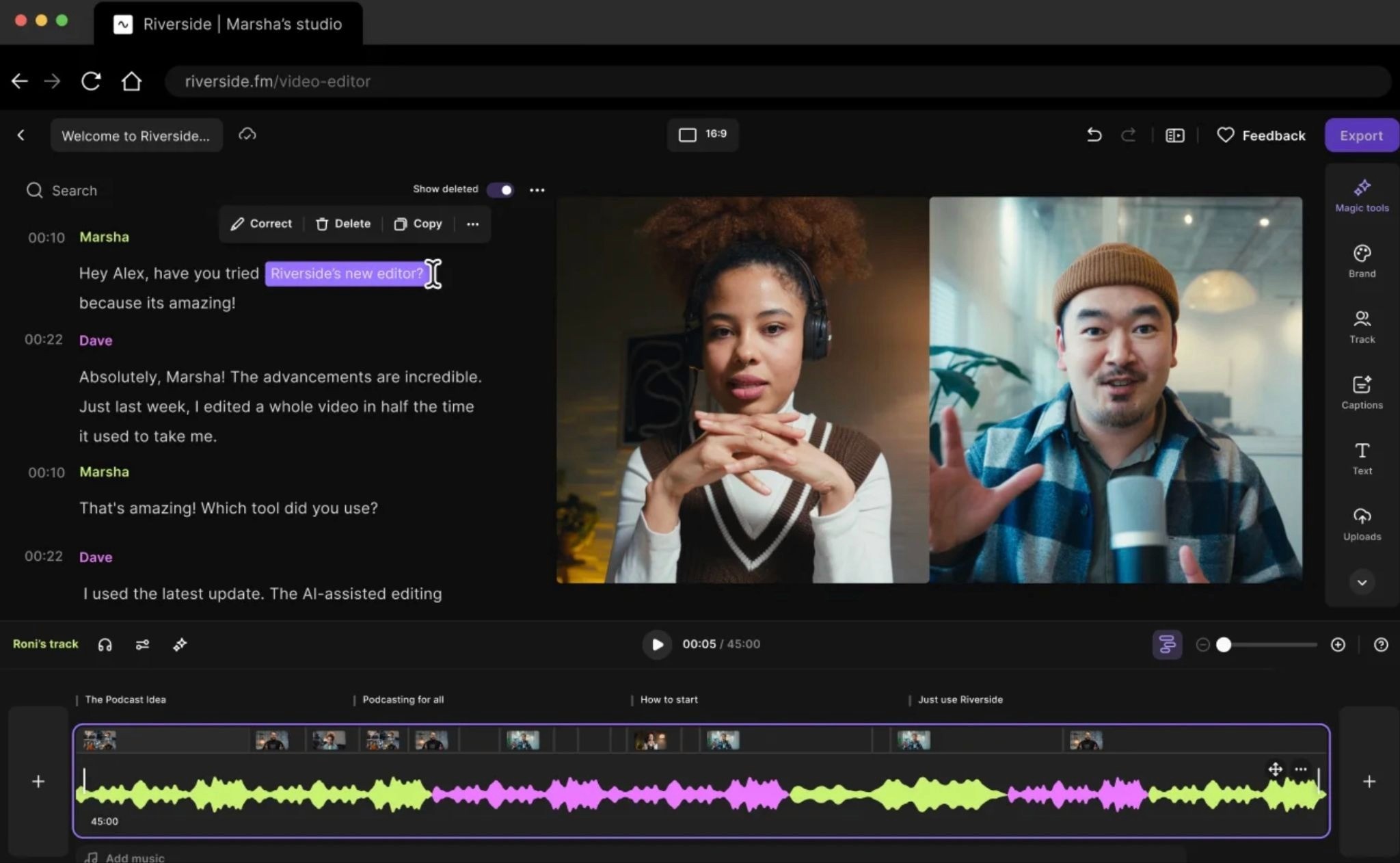
Riverside is an all-in-one platform that records, edits, repurposes, and publishes video and audio, with podcasters and video marketers as its core audience. It records each participant locally in up to 4K on separate tracks, so quality does not depend on connection strength, then its Magic Clips feature uses AI to pull short, social-ready vertical clips from the recording. Editing is text-based, and an AI Co-Creator generates clips, show notes, titles, and thumbnails after a session. It also handles live streaming, webinars, and podcast hosting.
Key features
Local 4K recording: captures separate audio and video tracks per speaker, unaffected by internet quality.
Magic Clips: AI selects highlights and turns them into vertical clips with titles.
Text-based editor: edit by cutting words in the transcript, with multi-track controls for crosstalk and layouts.
AI Co-Creator: auto-generates show notes, titles, thumbnails, and social posts per channel.
Magic Audio and cleanup: removes noise, filler words, and silences, plus AI eye contact and B-roll.
Animated captions and AI translation: one-click captions and dubbing across languages.
Hosting, live streaming, and webinars: publish to Spotify, Apple, and YouTube, or stream and host events.
Pricing
Riverside has a free plan plus a 14-day trial on paid tiers, so you can test recording and clipping without a card. Pricing is a per-seat subscription tiered by use case rather than credits, billed monthly or yearly (yearly is up to 20 percent off, shown below).
Free: $0 with 2 hours of one-off multi-track recording. Caps quality at 720p and adds a watermark. Enough to test recording and the editor.
Pro: $24 per month billed yearly ($29 monthly). Adds 4K recording, 15 hours of multi-track recording monthly, no watermark, and the full AI editing, Magic Clips, and publishing tools.
Live: $34 per month billed yearly ($39 monthly). Adds full-HD multistreaming to unlimited destinations plus audience call-ins and live chat.
Webinar: $79 per month billed yearly ($99 monthly). Adds webinar hosting for up to 100 registrants, registration forms, and HubSpot lead sync.
7. SendShort
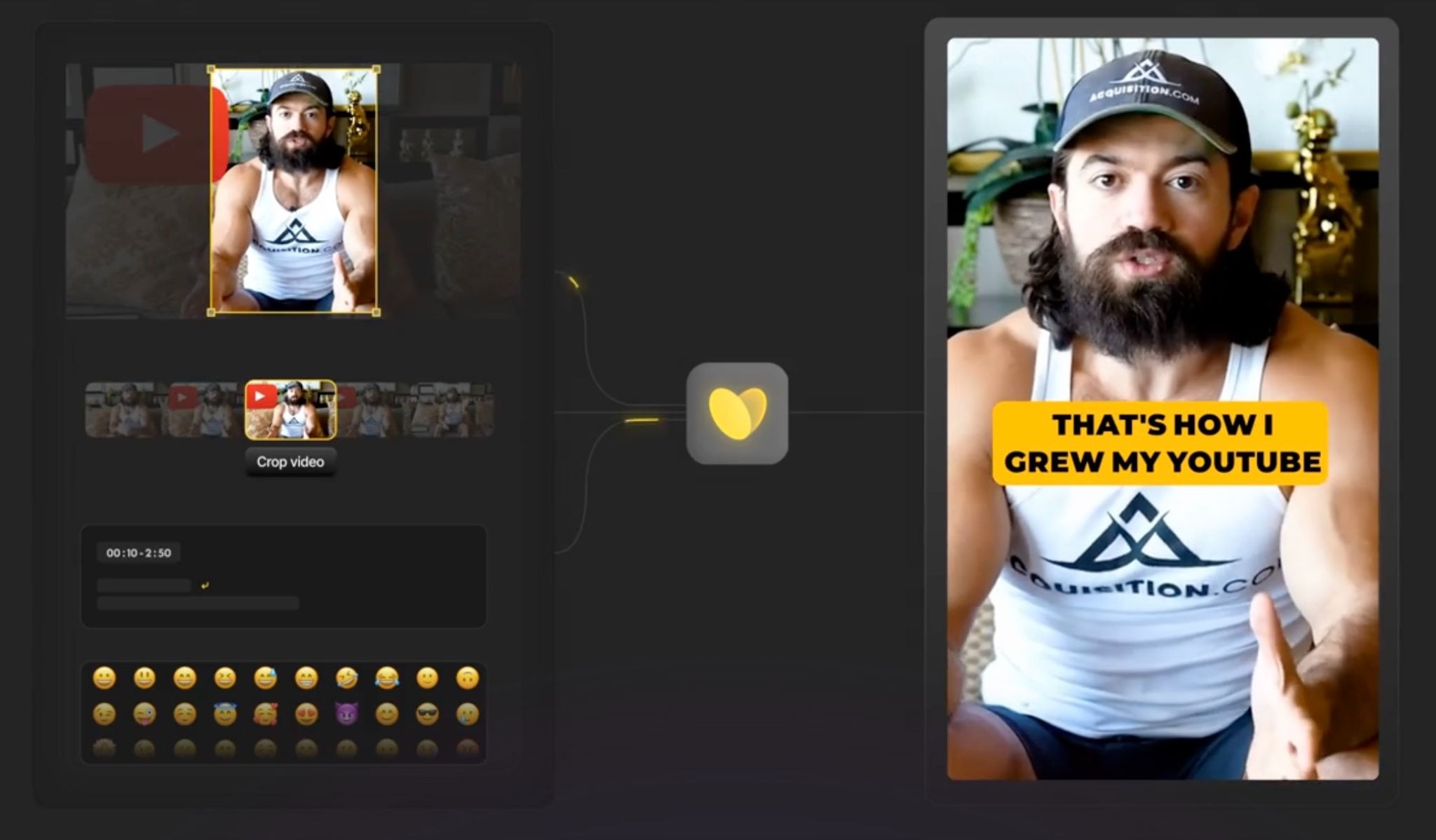
SendShort is an AI tool for creating short-form vertical videos, both by clipping long videos into shorts and by generating faceless videos from scratch. You paste a YouTube link or upload a file, and the AI extracts key moments, adds captions, and formats clips for vertical platforms. It leans heavily into automation features: AI B-roll, AI hooks, text-to-speech voiceovers, auto-translation, faceless video series that publish on a schedule, and multi-platform posting.
Key features
Clip from long videos: extracts key moments and turns long-form content into multiple shorts.
Faceless video generation: builds videos from AI stories, voiceovers, and background images without filming.
Auto captions: animated subtitles in 10+ styles with emoji and customization options.
AI B-roll and video hooks: auto-selects relevant B-roll and generates opening hook lines.
AI voice and text-to-speech: realistic voiceovers across multiple languages without a mic.
Auto-translation: translates subtitles into 30+ languages.
Automated series and scheduling: generates and publishes faceless series to YouTube and TikTok on a schedule across 10+ platforms.
Pricing
SendShort has no free plan, but paid tiers start low and require no card to begin. Pricing is a subscription metered by the number of shorts you import and maximum video length per month, billed monthly or yearly (yearly is 20 percent off, shown below).
Starter: $15 per month billed yearly ($19 monthly). Covers 20 shorts monthly at up to 90 seconds each, with no watermark and 1080p export. The AI long-to-short feature is locked on this tier.
Professional: $23 per month billed yearly ($29 monthly). Adds 50 shorts monthly at up to 3 minutes, custom themes, auto-translation, noise reduction, and unlimited exports. Long-to-short is still locked.
Business: $47 per month billed yearly ($59 monthly). Unlocks unlimited shorts at up to 10 minutes, AI long-to-short, 4K export, and priority rendering. Aimed at teams and high-volume repurposing.
Done-for-you services for short-form at scale
Every tool above is software you operate yourself. If you would rather hand off the work entirely, these managed services put a human editing team behind your content, turning raw footage into publish-ready shorts at volume without you touching a timeline. They cost more than self-serve tools, but they remove the labor completely.
ShortVids
ShortVids is a fully managed video production and editing subscription built for brands and agencies. You send raw footage and a dedicated team handles the rest, delivering short-form clips in around 24 hours through a network of 40+ editors and a project manager. Plans run month-to-month with unlimited requests, and higher tiers add in-person production.
What it covers: short-form editing, captions, multi-aspect exports, and repurposing for Reels, Shorts, and TikTok.
Team model: a dedicated project manager and creative team rather than a self-serve editor.
Pricing: starts around $999 per month for 30+ short-form videos, scaling to Studio (~$7,999) and Enterprise ($10,000+) tiers that add 4K shoots, long-form edits, and ad creative.
Vidpros
Vidpros works on a "fractional editor" model: you get a dedicated editor with a set block of hours each workday and unlimited edit requests, with every cut returned ready to publish. Its pitch is consistency, capping each editor at four clients so output quality holds across high volume.
What it covers: cuts, transitions, sound effects, pacing, stock footage, and AI captions included in the base price.
Team model: one dedicated editor per client, no more than four clients per editor.
Pricing: flat $1,000 per month, with a one-week $100 trial package (either 10 short-form edits or one long polished video).
Videodeck
Videodeck focuses specifically on repurposing long-form assets like webinars, podcasts, and interviews into short clips. The model is one long video turned into roughly ten clips, handled by human editors, designers, and animators, with turnaround stated at under five days. It suits teams already producing long content regularly who want a managed pipeline feeding their social channels.
What it covers: long-to-short repurposing with editing, design, and animation by an expert team.
Team model: fully managed, no self-serve editing required.
Output: about 10 clips per long video, delivered in under five days.
Choose Airpost to Create Winning Ads at Scale
Every tool above solves the same problem: take content you already have and cut it into more posts. That works for organic reach. A podcast becomes ten shorts, a webinar becomes a week of LinkedIn clips, and your feed stays active without a film crew. If the goal is keeping your channels fed, a clipper is the right buy.
Paid acquisition is a different game.
The moment you put spend behind a video on Meta or TikTok, the question stops being "is this a good clip" and becomes "does this creative lower my cost to acquire a customer." A highlight that performs organically often falls flat as an ad, because it was built to reward people who already follow you, not to stop a cold viewer mid-scroll and move them to act.
This is the gap Airpost fills. Airpost is not a clipping tool and not a full-service agency. It is a creative-production layer that delivers ready-to-run vertical video ads, built for performance from the start. AI handles orchestration and volume, human creative strategists shape the angles, hooks, and pacing that actually convert.
A proprietary ad taxonomy: Airpost maps which creative structures, hooks, and formats drive results, so new ads are built on patterns that have already performed rather than guesses.
A 350,000+ real-footage library: ads draw on real, licensed footage, not just clips lifted from your existing content.
Built for the algorithm: Airpost delivers 10+ ads per week and can develop 10 to 100+ variations to test, giving the platform enough creative to find winners and keep spend efficient as creative fatigues.
Vertical and platform-native: 9:16 and 4:5 ads built for Meta and TikTok, where your paid budget actually lives.
If you came here to repurpose existing content into organic shorts, pick the clipper that fits your workflow and budget. But if the real plan is to put money behind video and scale on Meta and TikTok, clipping your back catalog is not a paid-creative strategy. You need ads designed to perform, produced at the volume the algorithm demands. Airpost delivers that, with engagements starting at $6,000 USD per month.
Book a demo to see what performance-built ad creative looks like for your brand.


